

English
Shifts and rotations
A shift is a working window with its crew size and skills (Morning 07:00–15:00, Night, Weekend…). A rotation repeats shifts and rest days in a cycle (for example four on, four off) and drafts a team's roster in one go.
Where it is: Configuration → Shifts & rotations. Who sees it: people allowed to read shifts and the roster; creating and changing needs plan shifts and the roster. Plan: Workforce planning module.
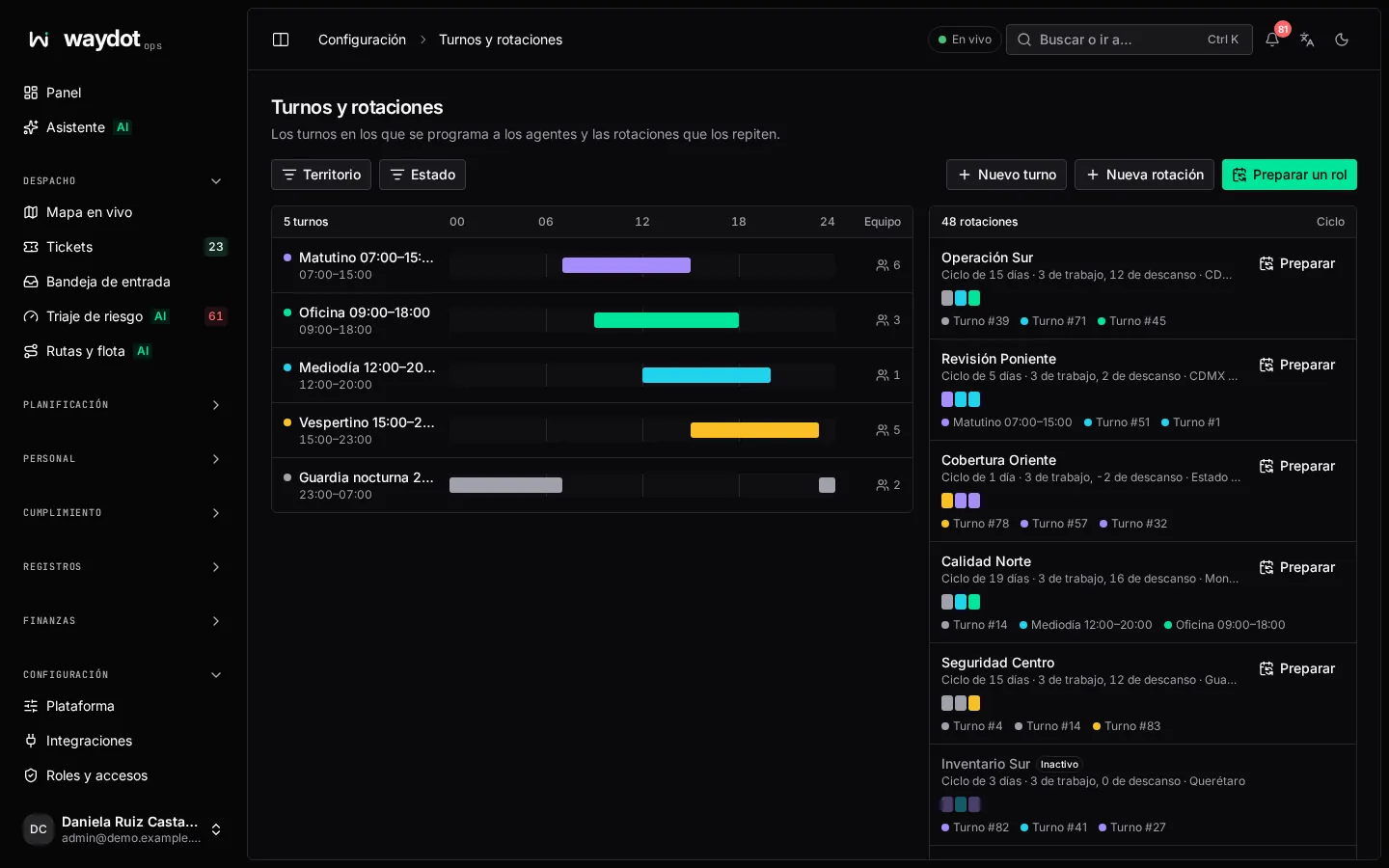
The screen lists shifts (with their hours and crew of N) and rotations (with their cycle: 8-day cycle · 4 working, 4 rest). New shift, New rotation and Draft on a rotation.
A shift
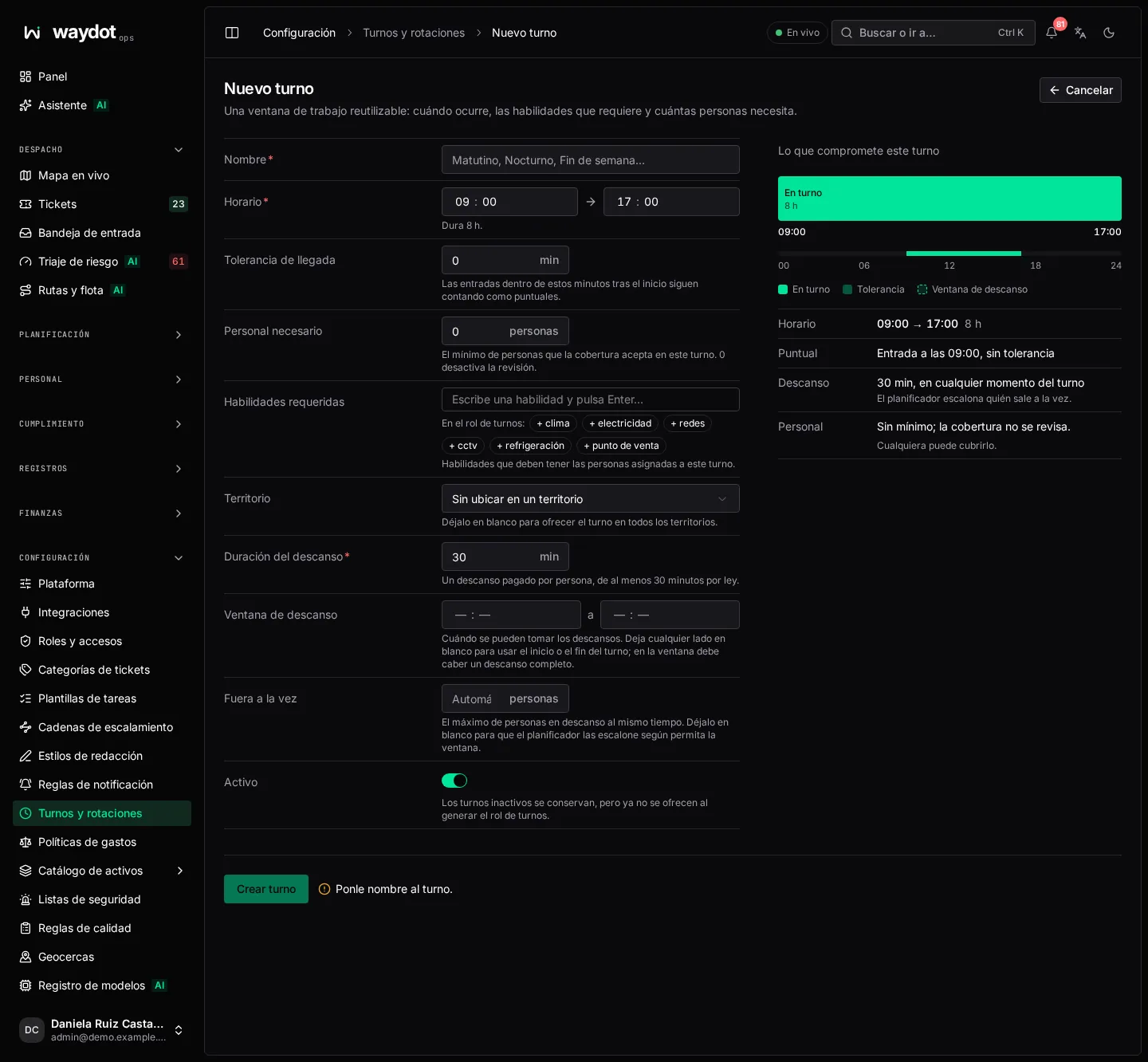
| Field | Meaning | Rules |
|---|---|---|
| Name | Morning, Night, Weekend… | Required. |
| Hours | Start time and End time. An end before the start runs past midnight (Lasts 8 h and ends the next day). | Can't last zero. |
| Late arrival grace | Minutes after the start during which a clock-in still counts as on time (Clock-ins until 07:10 still count as on time). After that it's late. | 0 to 240 minutes. |
| Crew needed | The minimum people coverage accepts on this shift. 0 turns the check off. | 0 to 500. |
| Required skills | Skills the people assigned must hold. On the roster: shows who has them. | |
| Territory | Where it is offered. Blank: everywhere. | |
| Break length | One paid break per person, at least 30 minutes by law. | 30 to 240 minutes, shorter than the shift. |
| Break window | Breaks may start from / must end before. Blank uses the shift start or end. A whole break must fit. | |
| Out at once | The most people on break at the same time. Blank (Automatic): the planner staggers them as the window allows. | Whole number from 1, or empty. |
| Active | Inactive shifts are kept, but no longer offered when generating the roster. |
On the right, What this shift commits to summarizes the hours, until when it's on time, the break and the minimum crew.
A rotation
| Field | Meaning |
|---|---|
| Name | Four on four off, 12×36… |
| Rotation days | The cycle, day by day. Click a day to switch it between a shift and Rest. Add day lengthens the cycle; the icon removes a day. It shows N working days, M rest. |
| Territory | Where it applies. |
The cycle repeats from each person's base date. Save rotation.
Drafting a roster
Draft (on a rotation) applies the rotation to a date range for the people you choose. Shifts are created as drafts to review and publish in the Planner.
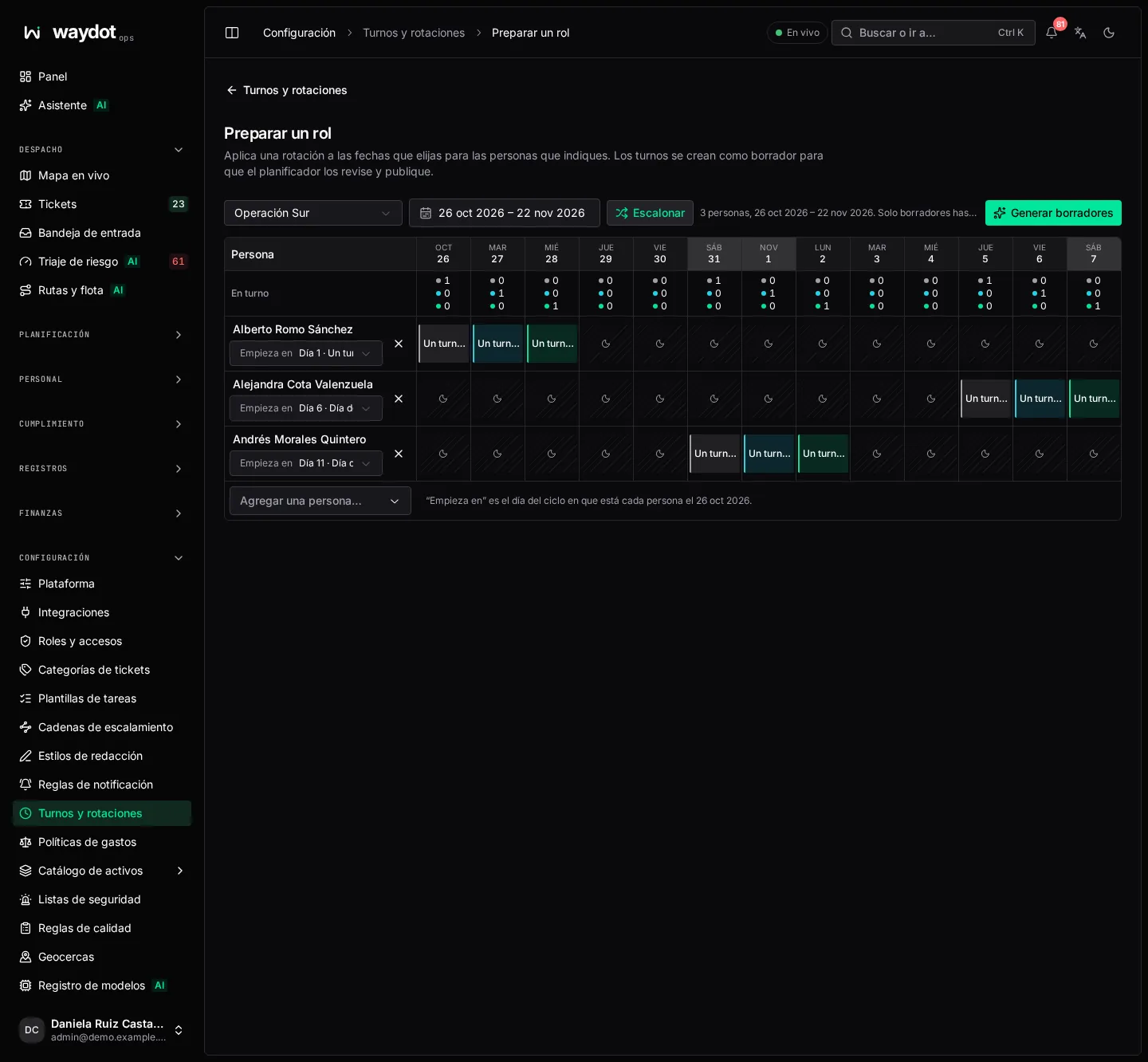
- Choose the Rotation and the Dates (first and last).
- Add a person… for each team member.
- For each person, Starts on: the cycle day that person is on at the first date. Stagger evenly spreads the team across the cycle so they relieve each other.
- Review the grid: each day shows the shift or Rest, and the On shift row counts how many against those needed (Morning: 2 of 3 needed). The grid shows the first days; the whole range is generated.
- Choose Generate drafts. It reports N drafts created · M earlier drafts replaced and any conflicts or warnings.
- Review them in the schedule and publish the week when they look right.