

English
Asset transfers
A transfer is a visit to one place: what you take from it and what you leave there. Each unit's custody changes when the request is approved and the units are received, with proof the movement happened at the place.
Where it is: Records → Assets → Transfers. From a unit, Transfer…. In the field app, equipment moves. Who sees it: those who can read assets. Requesting, receiving and cancelling needs request, receive and cancel asset transfers; approving or rejecting, approve or reject asset transfers. Plan: Inventory and assets module.
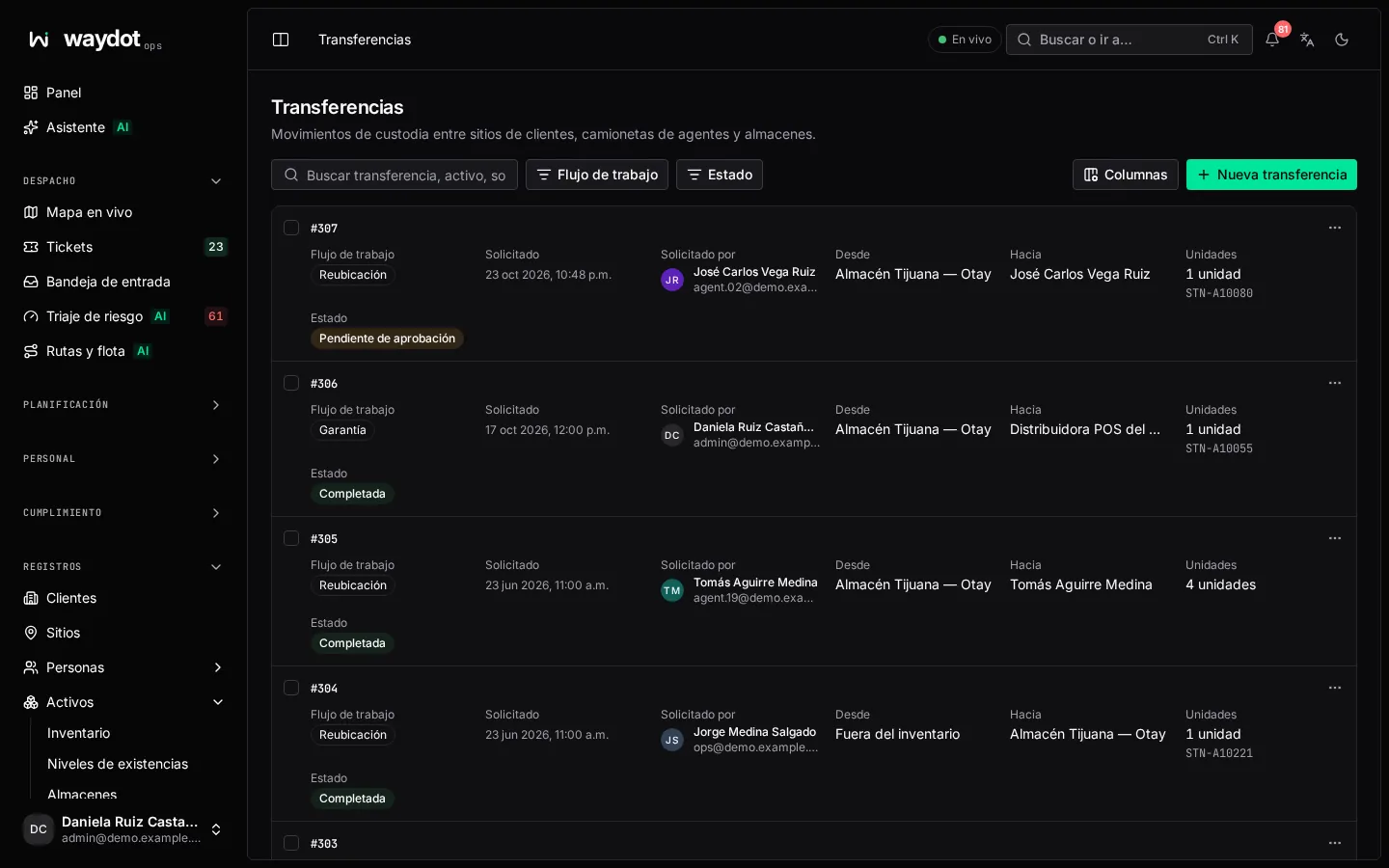
The list
Custody movements between client sites, agents' vans and warehouses. Search by transfer, asset, requester or reason; filter by state, place and period. The ⋯ menu: View details and Approve transfer. Export CSV.
States
| State | Meaning |
|---|---|
| Pending approval | Requested. It can be corrected. |
| Approved, not completed | Approved; the units still have to move and be received. |
| Completed | Custody changed. |
| Rejected | Not approved. |
| Cancelled | The request was withdrawn. |
| Expired, not accepted | Nobody completed it in time. |
Requesting a transfer
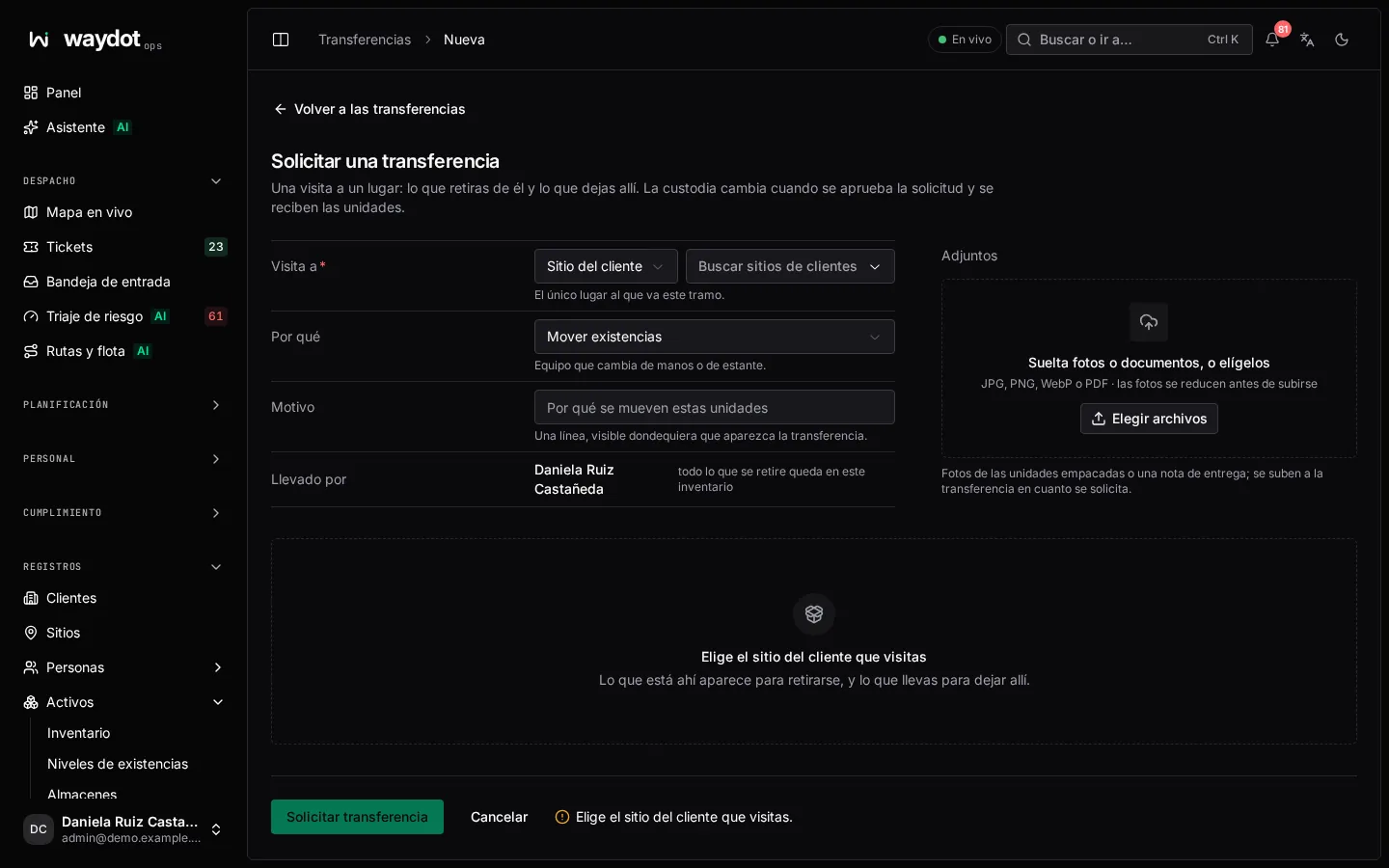
| Field | What it is |
|---|---|
| Why | Move stock (equipment changing hands or shelves), Renew the site (replace what's installed) or Repair (a damaged unit going out or coming back from the repairer). |
| Kind of place and Visiting | The one place this leg goes to: Client site, Warehouse or Repair vendor. |
| For whom | You or another agent: everything taken lands in their inventory (their van). |
| Take from … | The units at that place to take away. Tick the ones you take (search by tag, serial, barcode or product; filter by brand, type, state and warranty). |
| Leave at …, from your inventory | The units you carry to leave there. |
| Note per unit | Condition, missing parts, what to check. |
| Reason | One line, shown wherever the transfer appears. |
| Attachments | Photos of the packed units or a delivery note (JPG, PNG, WebP or PDF; photos are shrunk before upload). |
The summary says what you'll do: Install 2 units at Store 014, and take 2 units to your inventory. Request transfer → waiting for approval.
Approving and completing
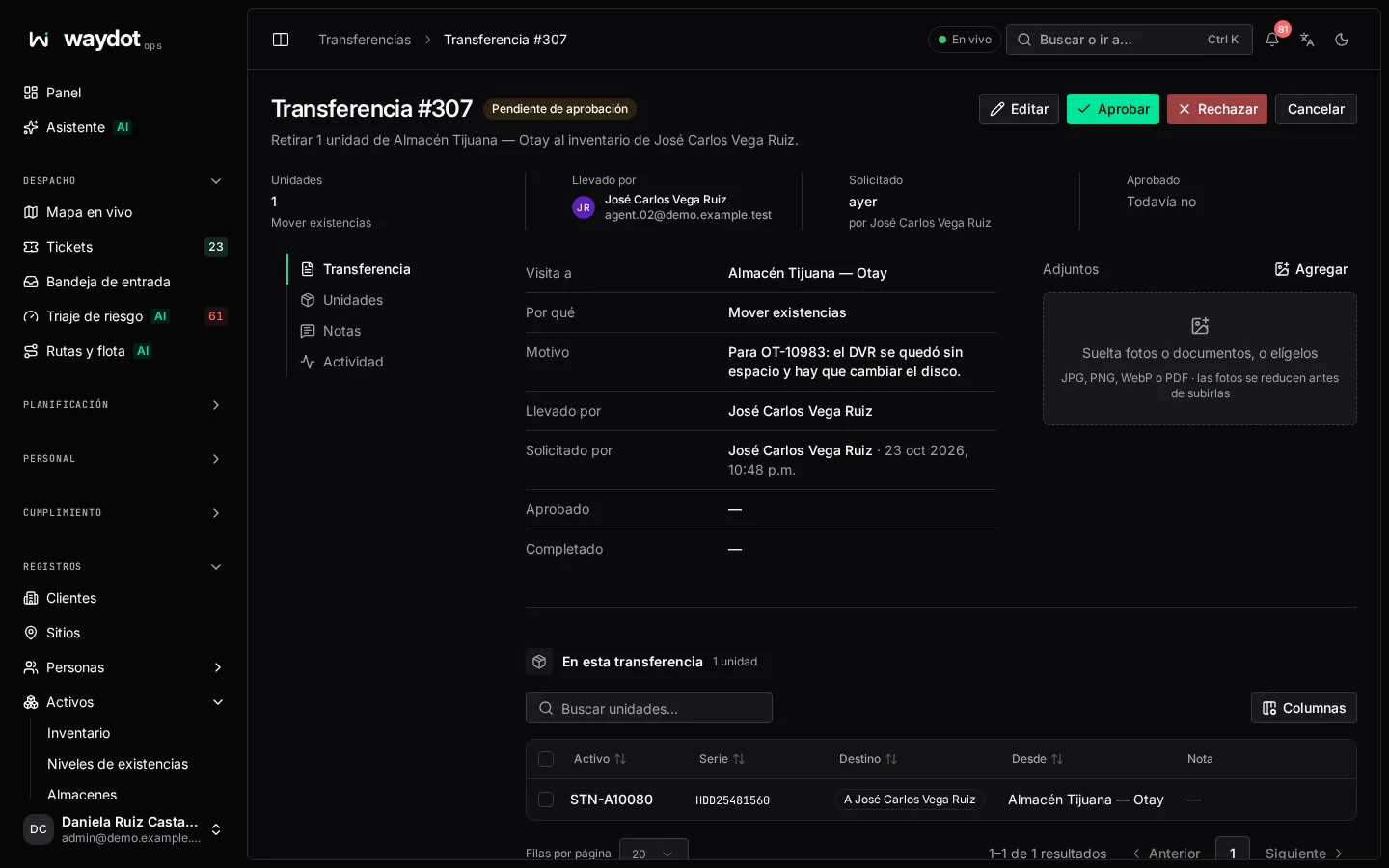
The page shows who asked, Visiting, Why, the units On this transfer (exportable), attachments and recorded changes.
- The approver reviews and chooses Approve transfer (or Reject transfer, with a reason).
- The agent makes the move in the field from the app; the phone's position must be near the place (the custody proof radius in Platform settings → Assets).
- Once received, Complete transfer closes the move and custody changes. A correction from the console is recorded as Nobody: a back-office correction.
Edit transfer: only a pending request can be corrected, by whoever requested it or by someone who manages inventory. Cancel transfer withdraws it; the reason is kept.
Handovers between agents
In the app, an agent can offer units to another nearby agent. Both must be close (configurable) when the units are offered and accepted, and the offer expires if nobody answers. The who nearby has this part? search finds the nearest colleague holding it.