

English
Company
Your logo, as candidates see it, and your tax details, as the SAT has them.
Where it is: Settings → Company. Who sees it: people allowed to read platform settings; changing it needs change platform settings. Tax details are saved by whoever manages billing.
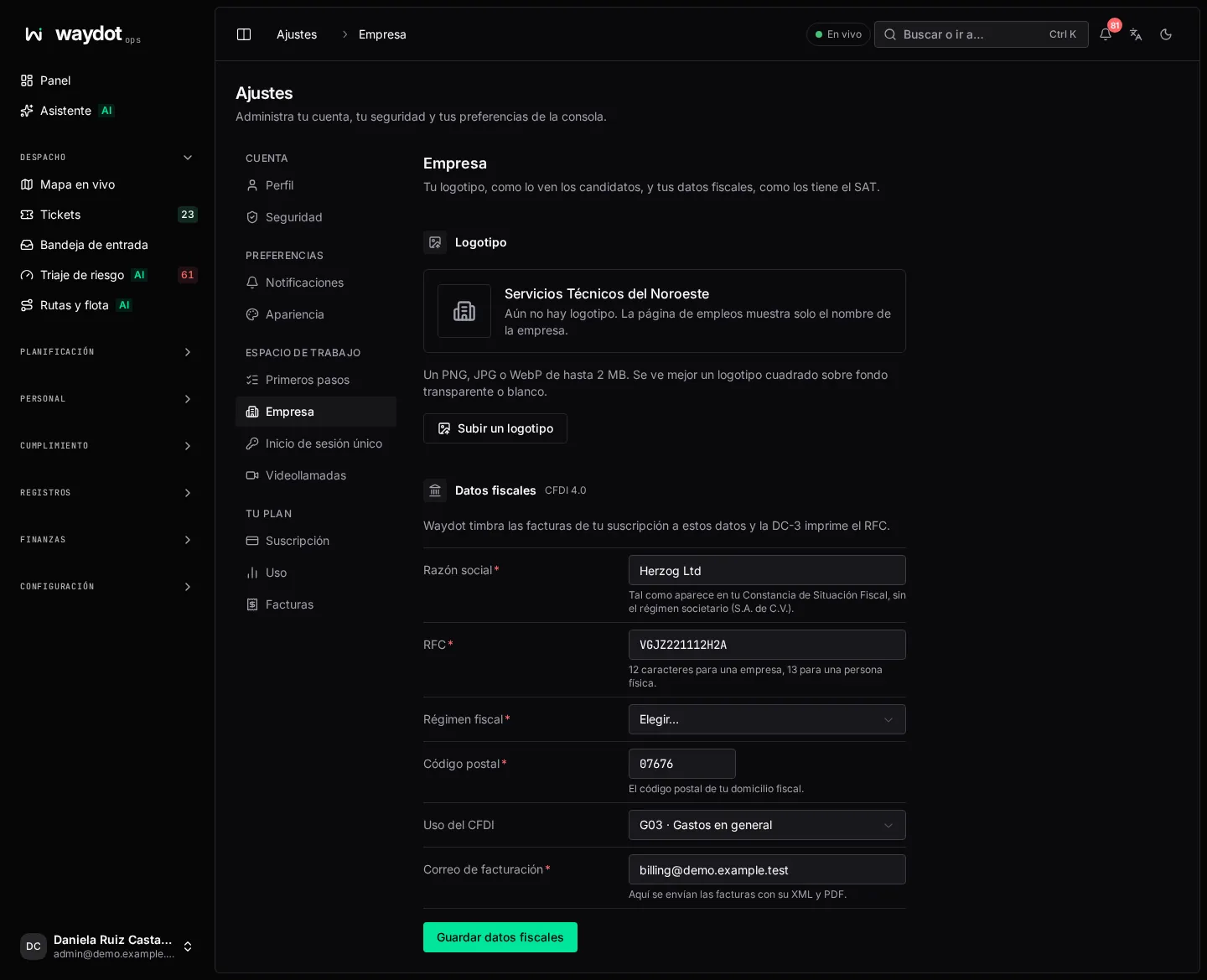
Logo
The logo is shown on your company's careers page and sent to job boards with each opening. Without a logo, the careers page shows only the company name.
- Choose Upload a logo (or Replace the logo).
- Pick a PNG, JPG or WebP up to 2 MB. A square logo on a transparent or white background looks best.
- It is saved as soon as you pick it (Logo saved). Remove deletes it.
Tax details
WAYDOT stamps your subscription invoices (CFDI 4.0) with these details, and the DC-3 training certificate prints your RFC. Without tax details, invoices are stamped to the generic public RFC and are not deductible.
| Field | What to type |
|---|---|
| Legal name | Exactly as on your Constancia de Situación Fiscal, without the company type (S.A. de C.V.). |
| RFC | 12 characters for a company, 13 for an individual. |
| Tax regime | 601 General de Ley Personas Morales · 603 Personas Morales con Fines no Lucrativos · 606 Arrendamiento · 612 Personas Físicas con Actividades Empresariales y Profesionales · 621 Incorporación Fiscal · 625 Actividades Empresariales con ingresos a través de Plataformas Tecnológicas · 626 Régimen Simplificado de Confianza. |
| Postal code | The postal code of your tax address. |
| CFDI use | G01 Adquisición de mercancías · G03 Gastos en general · S01 Sin efectos fiscales. Usually G03. |
| Billing email | Invoices with their XML and PDF are sent here. |
Choose Save fiscal details. If a required field is missing you'll see Fill in every required field.
Your company's details as employer for stamping payroll receipts are separate and entered in Payroll receipts (CFDI).