

English
Coverage
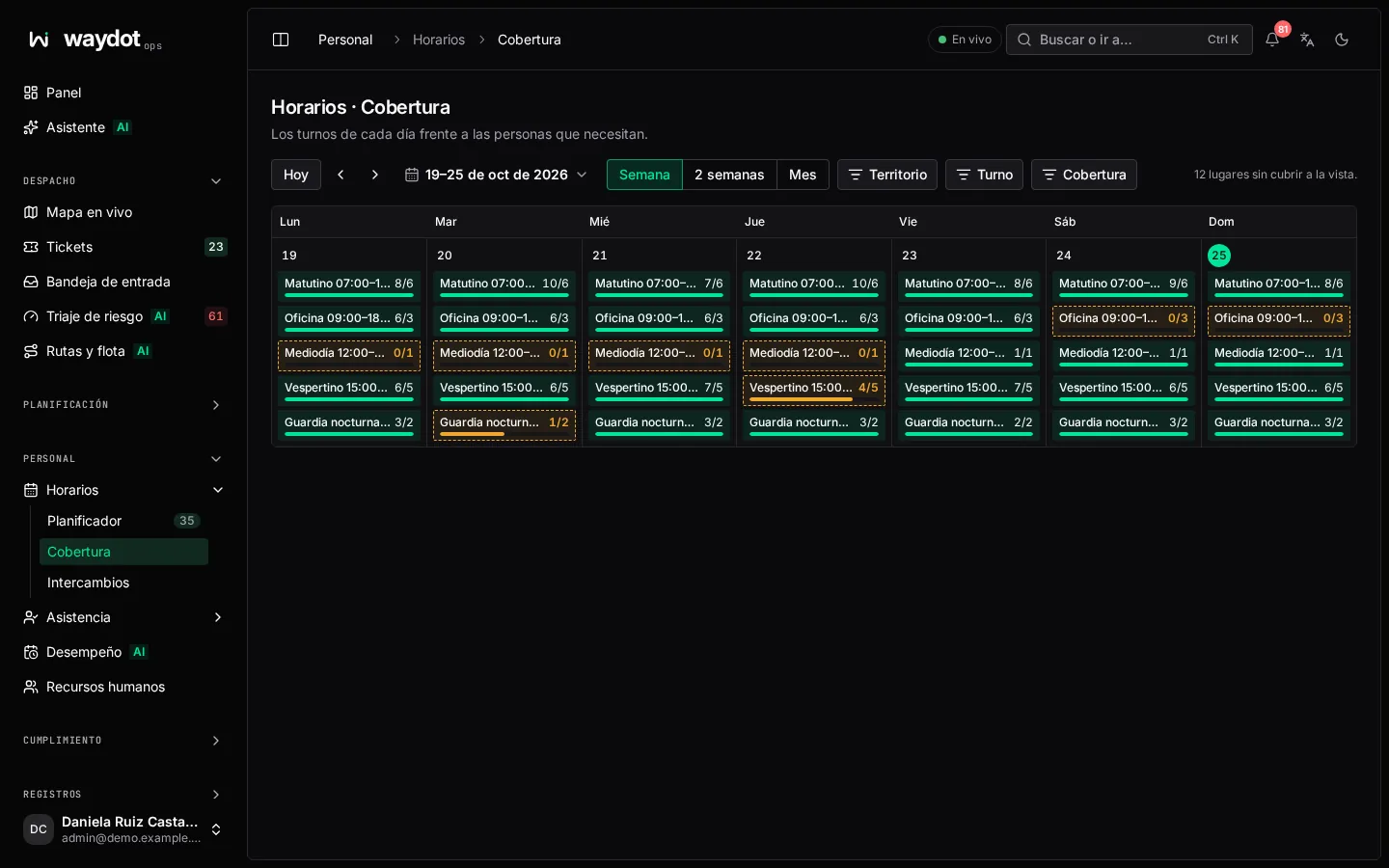
Coverage compares, for each shift and day, how many people are assigned against the shift's crew needed. Use it to find gaps before publishing.
Where it is: Workforce → Schedule → Coverage. Who sees it: people allowed to read shifts and the roster. Plan: Workforce planning module.
How to read it
One row per shift and one column per day. Each cell says assigned of required (for example 2 of 3) and is marked when short-staffed. At the top: every shift in view has its minimum staff, or N unfilled places in view.
| Control | What it does |
|---|---|
| Week, 2 weeks, Month | The visible period. |
| Today, Previous period, Next period | Navigate. |
| Short-staffed / Fully staffed | Filter the cells. |
| Territory, Shift | Narrow to a territory or certain shifts. |
A shift with crew needed 0 isn't checked (No shift requirements). Crew needed is set in Shifts and rotations.
To fill a gap, assign someone in the Planner.