

English
Attendance corrections
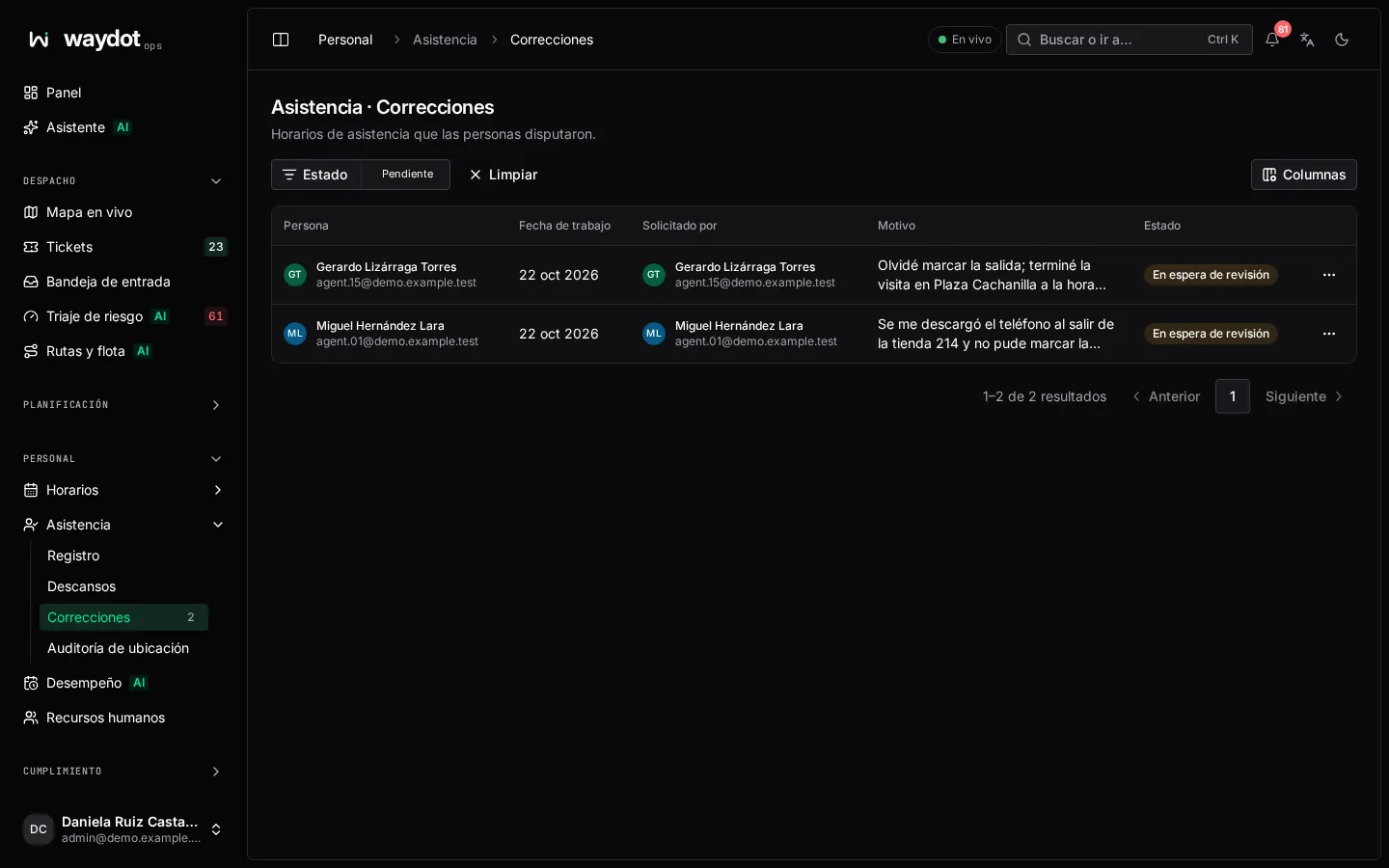
When a time is wrong (the app didn't record the clock-out, a clock-in arrived late for lack of signal), the person or their supervisor requests a correction. Someone responsible decides it; until then the day keeps the recorded times.
Where it is: Workforce → Attendance → Corrections (the menu number counts pending ones), and on each attendance day. Who decides: people allowed to approve attendance and rule on corrections.
Requesting a correction
- Open the day in the register and choose Request correction (agents can also do it from the app).
- Change the Clock in, Clock out or both. Clock-out must be after clock-in.
- Explain the reason (a minimum length), for example The app didn't record my clock-out when I left the site at 17:05. The reviewer sees it.
- Send request. The day moves to Pending correction.
Deciding
The list shows who asked to change the times, the requested times (Keep as recorded where no change was asked), the reason and the state Waiting for review.
- Approve… → Approve the corrected times: the day takes the new times.
- Deny… → Deny and keep the recorded times: explain the reason to the person.
The decision is kept with its date (Decided on…) and in the day's activity. The person is notified.