

English
Payroll CFDI
Each payslip is stamped as a payroll CFDI with your company's seal, once the bank pays the period. The tax details and CSD are entered here.
Where it is: Settings → Payroll receipts (CFDI). Who sees it: those who can read payroll periods; changing it needs managing payroll. Plan: Payroll and compensation add-on. Each stamped receipt counts in your usage.
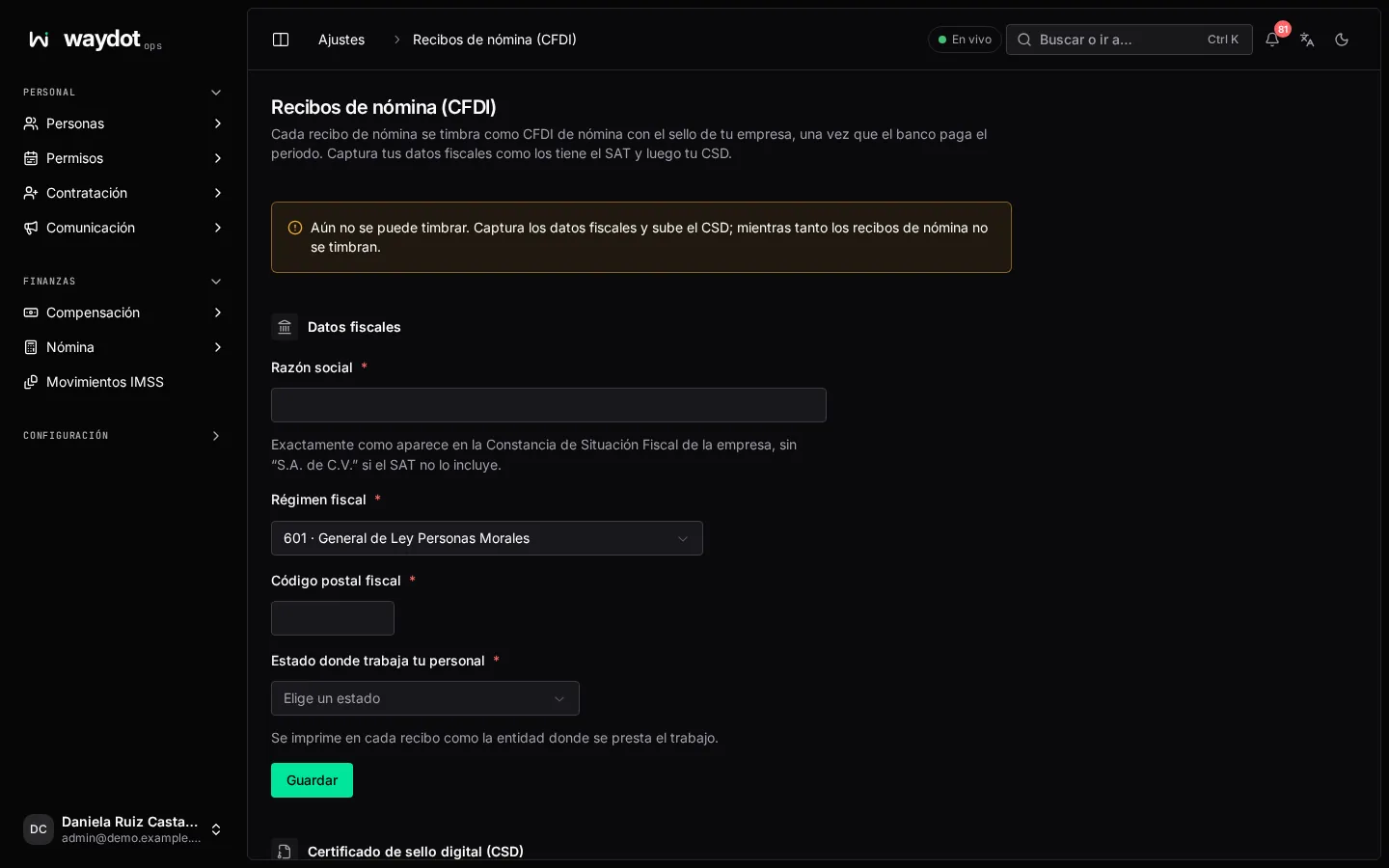
At the top it says whether it's Ready to stamp (CSD 00001000000512345678, valid until 3 Mar 2029) or why not yet: meanwhile payslips aren't stamped.
1. Legal data
| Field | What it is |
|---|---|
| Legal name | Exactly as on the company's Constancia de Situación Fiscal, without "S.A. de C.V." if the SAT doesn't include it. |
| Tax regime | The company's. |
| Fiscal postal code | The tax address's. |
| State where your people work | Printed on each payslip as the state where the work is done. |
Save. The RFC is the one in Company.
2. Seal certificate (CSD)
The CSD the SAT issued for stamping (not the e.firma):
| Field | What it is |
|---|---|
| Certificate (.cer) | |
| Private key (.key) | |
| Private key password | Checked once and not stored. |
Upload the CSD → Payslips can now be stamped. When the CSD is about to expire, upload the new one.
If the SAT refuses a payslip
The period lists it under Refused by the SAT with its reason. It's almost always the file: the RFC, name or fiscal postal code don't match the SAT's. Fix it in the employee file and stamp again from the period.