

English
Safety checklists
A safety checklist is the job safety analysis (JSA) questions and the answers that must be given before starting work: Are you wearing a harness? Is the power locked out? Is there ventilation?
Where it is: Configuration → Safety checklists. Who sees it: those who can read the safety record; creating and changing needs write safety checklists and close investigations. Plan: Health and safety (HSE) module.
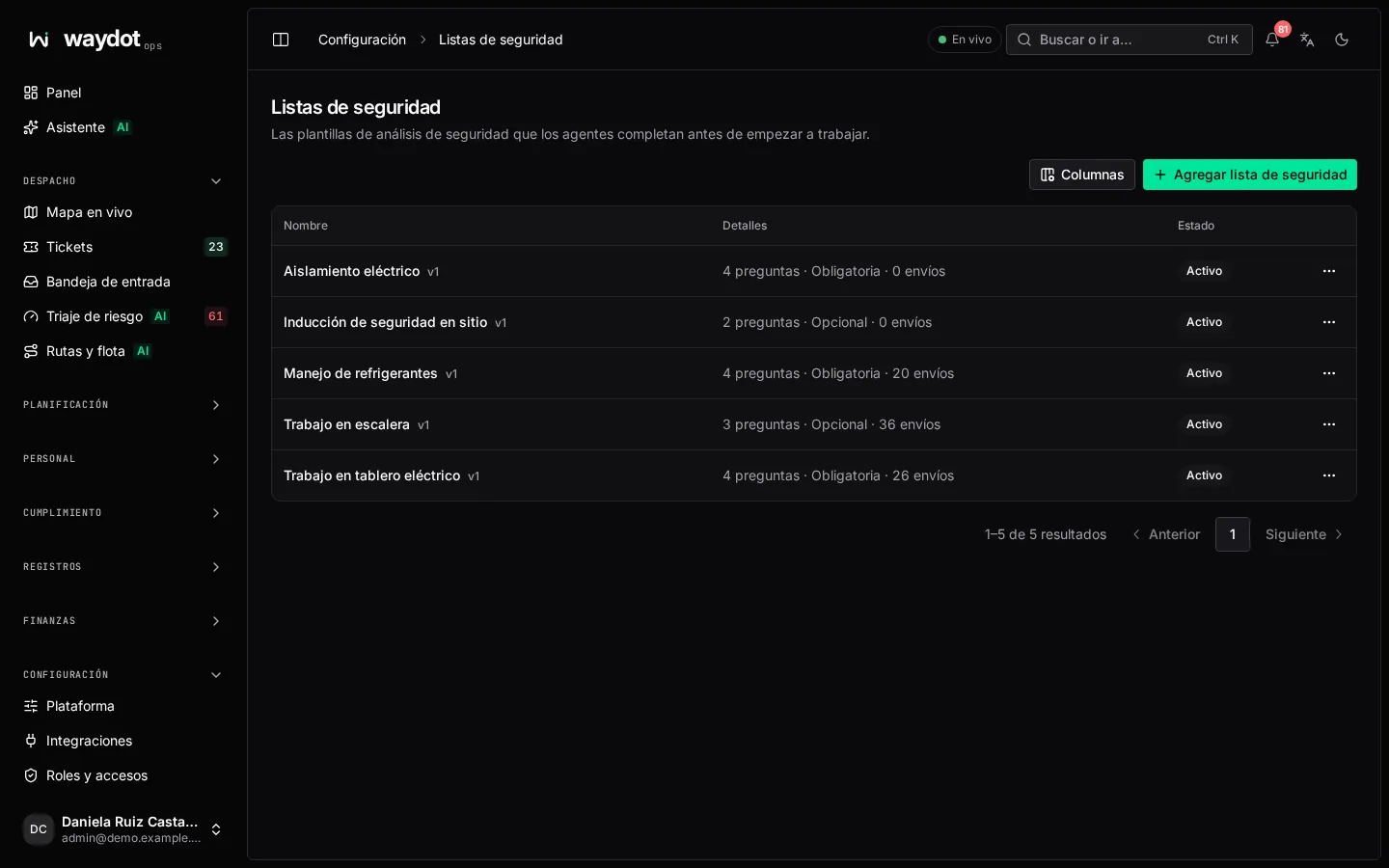
The list shows each template with how many questions it has, whether it is Mandatory and how many submissions it has.
Creating a checklist
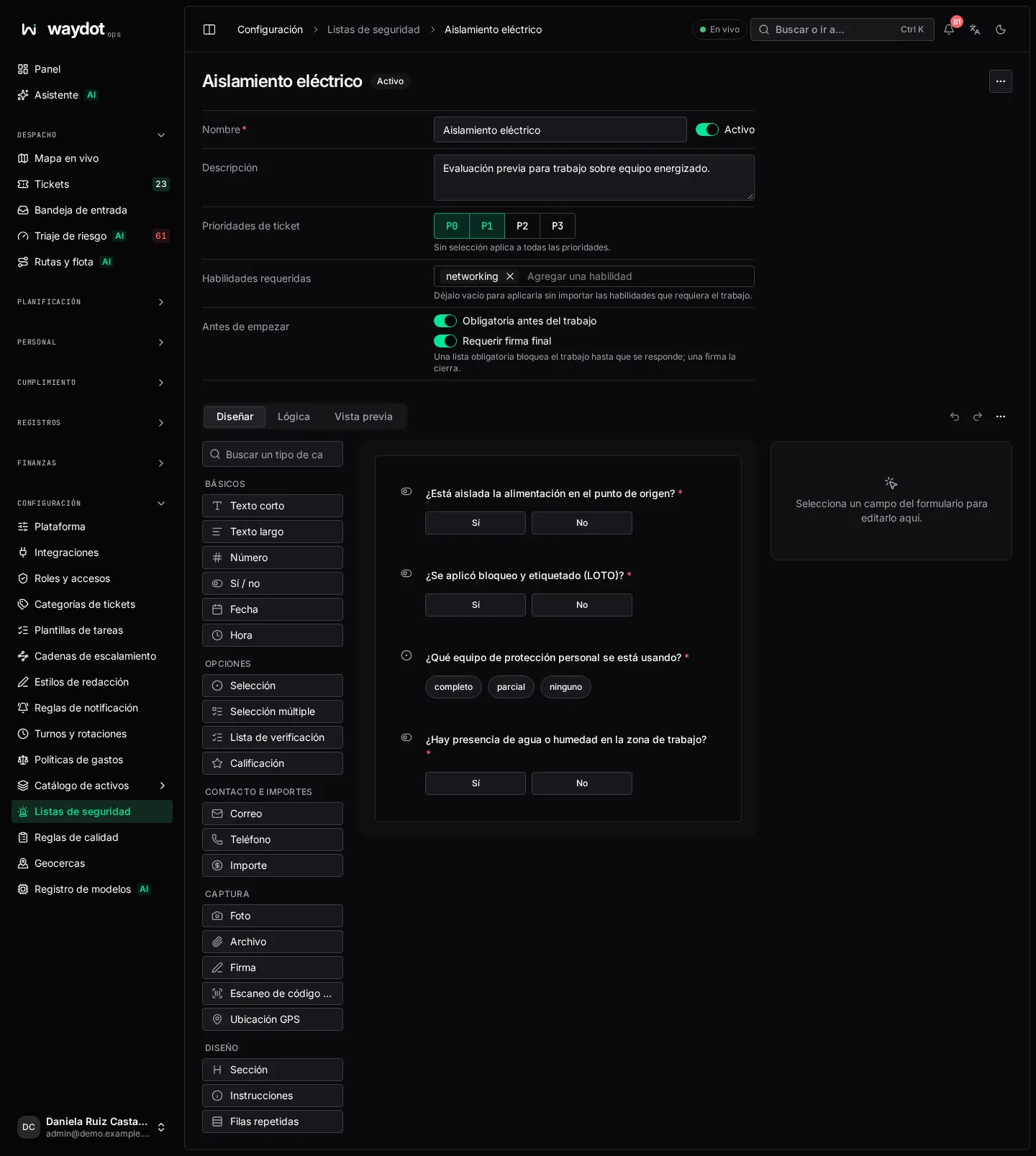
| Field | Meaning |
|---|---|
| Name | For example Work at height. |
| Description | Which jobs it's for. |
| Active | Inactive checklists are kept with their submissions, but are no longer asked. |
| Mandatory before work | A mandatory checklist blocks the work until it's answered. If not mandatory, the agent can answer it but it doesn't stop them. On by default. |
| Require final signature | The agent signs when they finish answering; the signature closes the checklist. On by default. |
| Applies to | Ticket priorities and Required skills of the jobs it's asked on. No selection applies to all priorities; no skills, to all jobs. |
| Questions | With the form editor. On yes/no or selection questions, mark the Safe answer: any other answer stops the work. |
Save checklist.
How it's used
- When a ticket that meets the conditions starts, the app asks the agent to answer the checklist before beginning.
- If every answer is safe, the submission is Compliant and work goes on.
- If any isn't, it has Blocking findings: the agent can't move forward or resolve the ticket until the risk is dealt with and the submission corrected.
See Pre-work assessments and the ticket's Safety section in The ticket.
Changing a checklist in use
Checklists have versions: a submission keeps the version it was answered with. Changing the questions doesn't alter earlier submissions.