

English
Break board
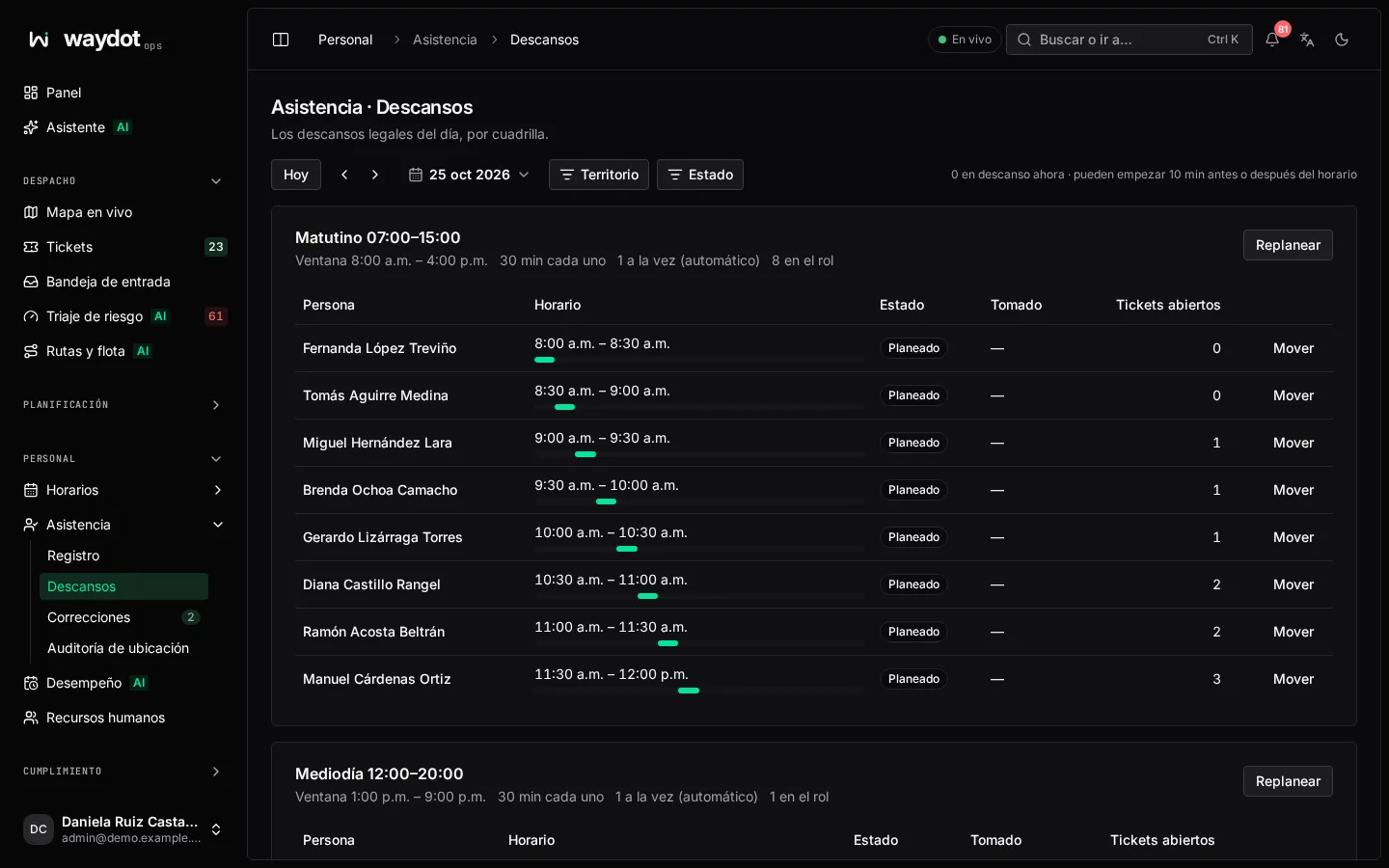
WAYDOT plans one paid break per person on every published shift (at least 30 minutes, as the law requires), inside the shift's window and staggered so not everyone leaves at once. The board shows those slots by crew and updates itself.
Where it is: Workforce → Attendance → Breaks. Who sees it: people allowed to read attendance. Plan: Workforce planning module.
How to read it
At the top: N on break now · they may start 10 min before or after their slot. Navigate with Previous day / Next day and filter by State and territory.
Each crew (a shift that day) shows its Window (12:00 – 16:00), the length (30 min each), how many may be out at once (or automatic) and how many are on the roster. Per person:
| Column | What it is |
|---|---|
| Slot | When their break is, or No slot yet. If on break, a countdown (12 min left). |
| State | To take, on break or Taken. |
| Open tickets | How much work they hold, to decide whether to move it. |
How breaks are planned
Breaks are planned a while before the shift starts (60 minutes by default), to account for the day's workload. The agent can start their break from the app up to 10 minutes before or after their slot (configurable tolerance); outside that margin it is refused.
Moving a break
Move on a person's row opens Move break: choose the new time in Starts at, within the shift's window, and confirm. The person is notified.
Replanning
Replan a crew spreads the slots that haven't started across the window again. Breaks already taken or past stay where they are. Useful when the team or the day's work changed.
Length, window and maximum at once are set on each shift.