

English
Video meetings
When an interview with a candidate is booked (by a recruiter or by the candidate), WAYDOT creates the meeting in your video provider and sends everyone the link. Here you connect that provider.
Where it is: Settings → Video meetings. Who sees it: people allowed to see integrations; connecting needs connect integrations. Plan: Meetings module.
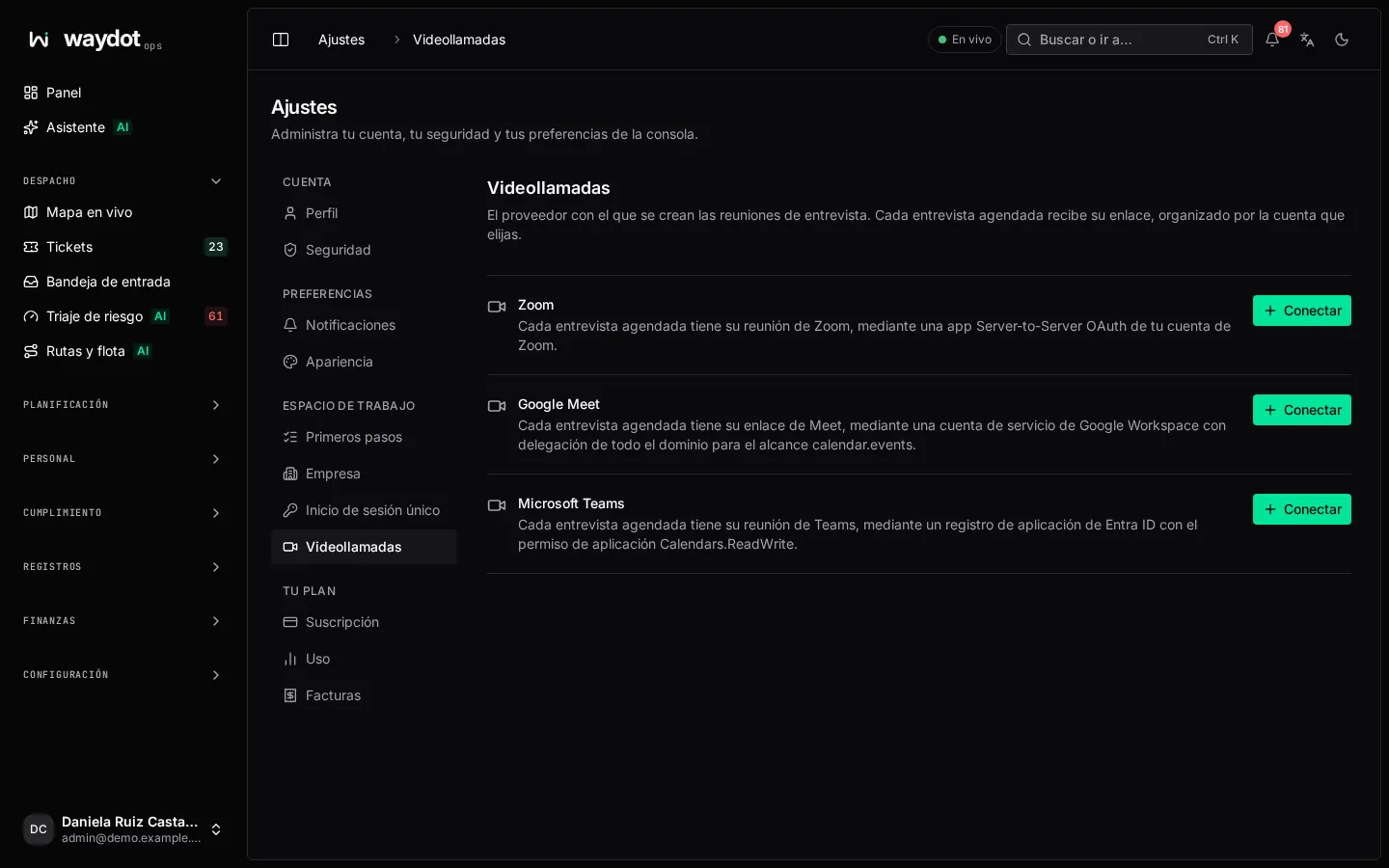
Providers
| Provider | What you need on your side |
|---|---|
| Zoom | A Server-to-Server OAuth app in your Zoom account (Zoom Marketplace → Develop → Build App). It gives you the account ID, client ID and client secret. |
| Google Meet | A Google Cloud service account with domain-wide delegation in Google Workspace for the scope https://www.googleapis.com/auth/calendar.events. It gives you the service account email and private key (the private_key in the JSON key file, with its BEGIN and END lines). |
| Microsoft Teams | An app registration in Microsoft Entra ID with the Calendars.ReadWrite application permission and admin consent. It gives you the tenant ID, application (client) ID and client secret. |
Connecting
- Choose Connect next to the provider.
- Fill in the form:
| Field | What it is |
|---|---|
| What to connect | The provider. |
| Name | What the connection is called in the console and activity log, for example Recruiting Zoom. |
| Organizer | For Google or Microsoft 365, the mailbox whose calendar the meetings are created in. For Zoom, the email of the Zoom user the meetings are created for. Invitations come from this account. |
| Credentials | Those in the table above. They are stored encrypted and never shown again; to replace one, type a new value. |
- Choose Connect. On the right, What this connection does summarizes the effect before you confirm.
The list shows each connection with Organized by …. Connect another adds a second account.
How it's used
- When an interview is booked in Recruitment, the meeting is created in the connected provider and its link reaches the candidate and interviewers in the invitation.
- The connection's page (in Integrations) shows its status, the Last error if a meeting couldn't be created, and lets you change the credentials or disconnect it.