

English
Hotspots
Hotspots shows on a heat map where work concentrates and which areas stay busy. Use it to decide preventive maintenance, where to reinforce staff or which equipment to check.
Where it is: Planning → Hotspots (AI). The Dashboard summarizes it in Demand hotspots. Who sees it: people allowed to read the live operations board. Plan: Intelligence (lite) module (Pro and Enterprise).
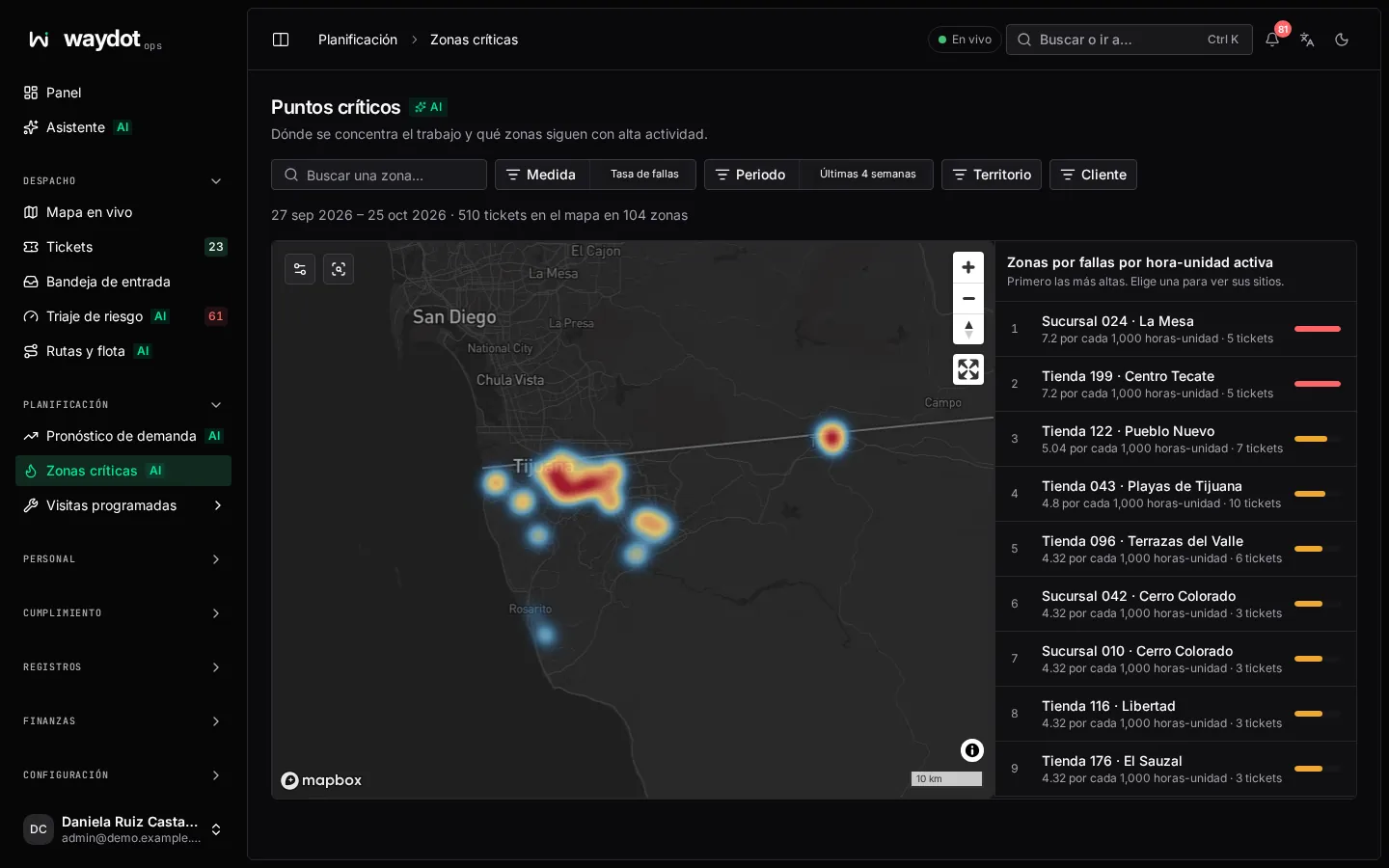
Filters
| Filter | Options |
|---|---|
| Measure | Fault rate (incidents per 1,000 unit-hours of equipment in service), Missed deadlines, Safety incidents or Resolution time. |
| Period | For example Last 4 weeks. |
| Territory and Client | Narrow the scope. |
| Find an area… | Finds an area by name. |
The map
| Layer | What it shows |
|---|---|
| Heat | The concentration of the chosen measure: from Quieter to Busiest. It scales to the busiest area in view. |
| Busiest areas | Markers on the top areas. |
At the top it reads N tickets on the map in M areas, K chronic.
Areas
The Areas, highest first list shows each area with its value. Choose one to see:
- the measure's Value, Tickets in area and Equipment in service;
- Chronic: busy in both the model's short and long windows. A chronic area isn't a passing spike;
- Sites behind this area, with a link to each site.
Back to all areas returns to the list. Chronic hotspots gathers only the chronic areas in the period.
If there's nothing to show
No located ticket matches the period and scope: try a longer period or remove a filter. Tickets whose site has no coordinates don't appear on the map.