

English
Employee file
The employee file is each person's Mexican employment record: their official details, the documents backing them, their contract, incapacities, disciplinary records and vacation. It's Confidential: only people with HR access and the employee themselves can see it.
Where it is: Workforce → People → Directory, open the person. From the console, Employee file in HR on their page. Who sees it: reading sensitive data needs read employee files: statutory identifiers, documents, health and bank data; changing it and verifying documents, maintain employee files and verify or reject their documents. Plan: Human resources add-on.
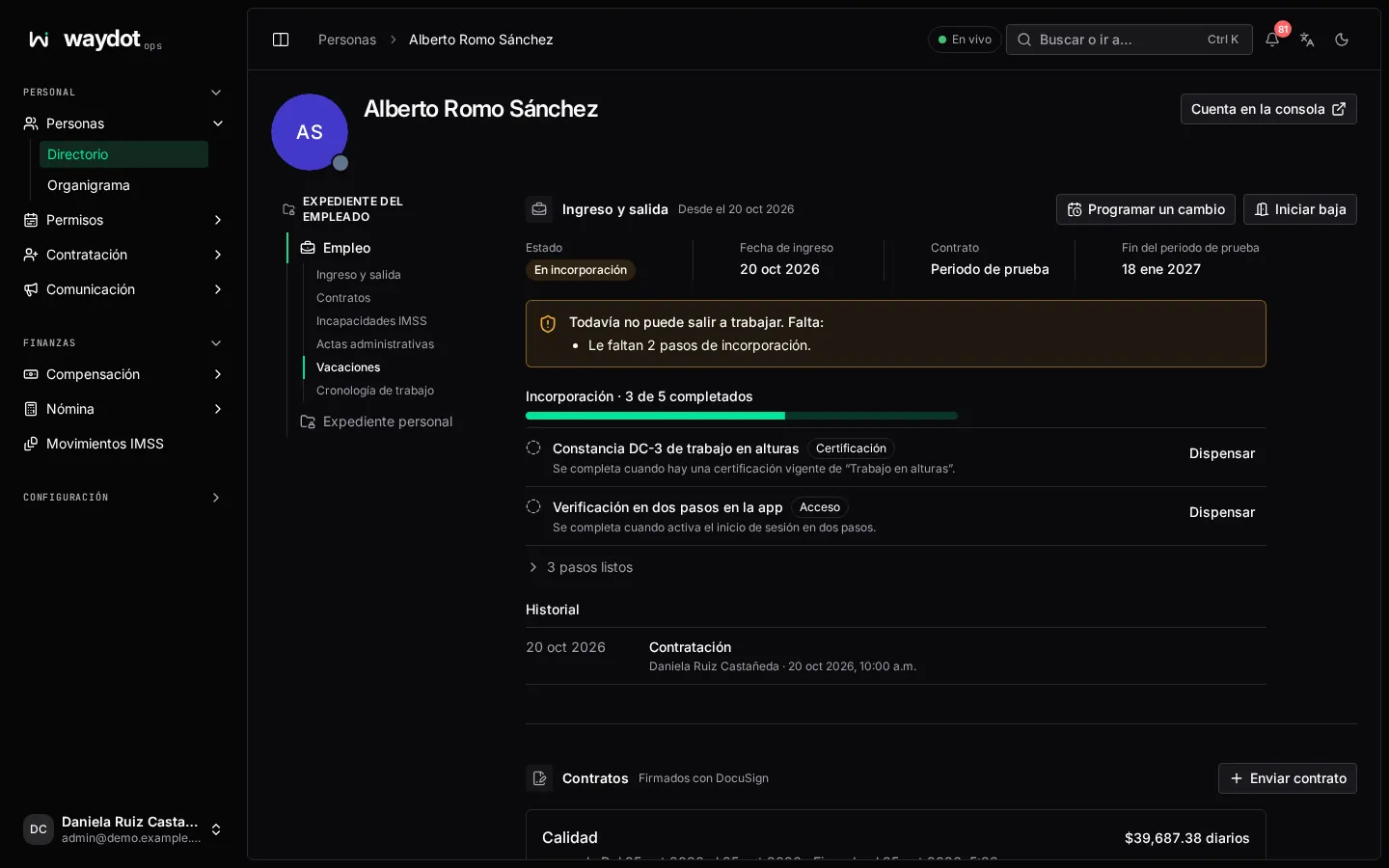
The file has two groups of tabs:
- Employment: Joining and leaving, Contracts, IMSS incapacities, Disciplinary records (actas administrativas), Vacation and Work timeline.
- Personal file: Identity and tax details, Home and clock-in, Payroll, Education and licences, Health and emergencies, Family and beneficiaries, and Employment.
At the top: how many documents there are (12 of 20 documents on file), how many expire soon and Need attention: sections with a rejected or expired document are marked in the index. Account in the console opens their console page.
Personal file
Each field is edited in place. Identifiers are validated with their check digit.
Identity and tax details
CFDI 4.0, IMSS and payroll credits.
| Field | What it is |
|---|---|
| Given names, First surname, Second surname | As the CURP writes them; IMSS asks for them separately. The second empty if they only have one. |
| CURP | 18 characters, as on the RENAPO certificate. Its check digit is validated. |
| INE elector key | The 18 characters on the voter ID. |
| RFC (Mexican tax ID) | 13 characters with homoclave. |
| SAT tax regime | 605 · Wages and salaries. |
| Fiscal postal code | The one the SAT has on record; CFDI 4.0 rejects any other. |
| IMSS number (NSS) | 11 digits; its check digit is validated. |
| AFORE | The fund manager holding their retirement savings. |
| INFONAVIT credit | If they have one; with Number, Discount (Percentage, Fixed amount (MXN) or VSM / UMA factor) and Amount. Payroll deducts it. |
| FONACOT credit | If they have one; with Number and FONACOT per payroll (MXN). |
Documents: INE voter ID (front and back), CURP certificate, Birth certificate, Badge photo, RFC registration, Tax status certificate, IMSS NSS proof, INFONAVIT retention notice, FONACOT retention notice and AFORE statement.
Home and clock-in
Addresses: Street, Exterior and interior number, Neighborhood, Municipality, State, Postal code, Cross streets and Current address. Document: Proof of address (valid 90 days by default).
NOM-037 teleworking: for someone to clock in from home they need the NOM-037 checklist (the signed teleworking conditions check) and the Home location with its radius: A clock-in from home only counts within this radius (100 m by default). Until then: Needs the NOM-037 checklist and a location first.
Payroll
Where the salary is deposited. Accounts with Bank, CLABE (18 digits; its check digit is validated), Account number and Receives payroll. Document: Bank statement cover. Pay and loans opens their compensation.
Education and licences
Education level (Primary to Postgraduate), Institution, SEP professional licence, Driver licence with Type (A · Driver, B · Freight driver, C · Transport driver, Federal), issued in and Expiry (warnings 60, 30 and 15 days before).
STPS certifications (DC-3 certificates): Course, Duration (hours), Course started on, Issued on, Expires on, Thematic area, Instructor or agent and STPS agent registration. Print DC-3 produces the certificate; it needs the person's CURP and the company's RFC.
Documents: Driver licence (front and back), Education certificate and DC-3 training certificate.
Health and emergencies
What first responders need. Blood type, Allergies, Chronic conditions, Admission exam and Evaluation valid until. Emergency contacts: Full name, Relationship, Phone, Alternate phone and Call first. Document: Medical admission certificate.
Family and beneficiaries
LFT Art. 501 and IMSS dependents.
- Beneficiaries: who receives what they're owed and in what share. Edit designation replaces the whole designation; shares must add up to exactly 100%.
- Relatives: Full name, Relationship (Spouse, Partner, Child, Parent, Sibling, Other), Birth date, CURP, Phone and IMSS dependent.
Documents: Beneficiary designation letter and Relative birth or marriage certificate.
Employment
Contract (Indefinite, Fixed-term, For specific work, Initial training, Probation period), Hire date (without it vacation isn't counted) and Probation ends.
Documents: Employment contract, Non-disclosure agreement, Privacy notice consent, Internal rules acknowledgement, PPE acknowledgement, Tool and vehicle custody, GPS tracking consent and Disciplinary records.
Documents
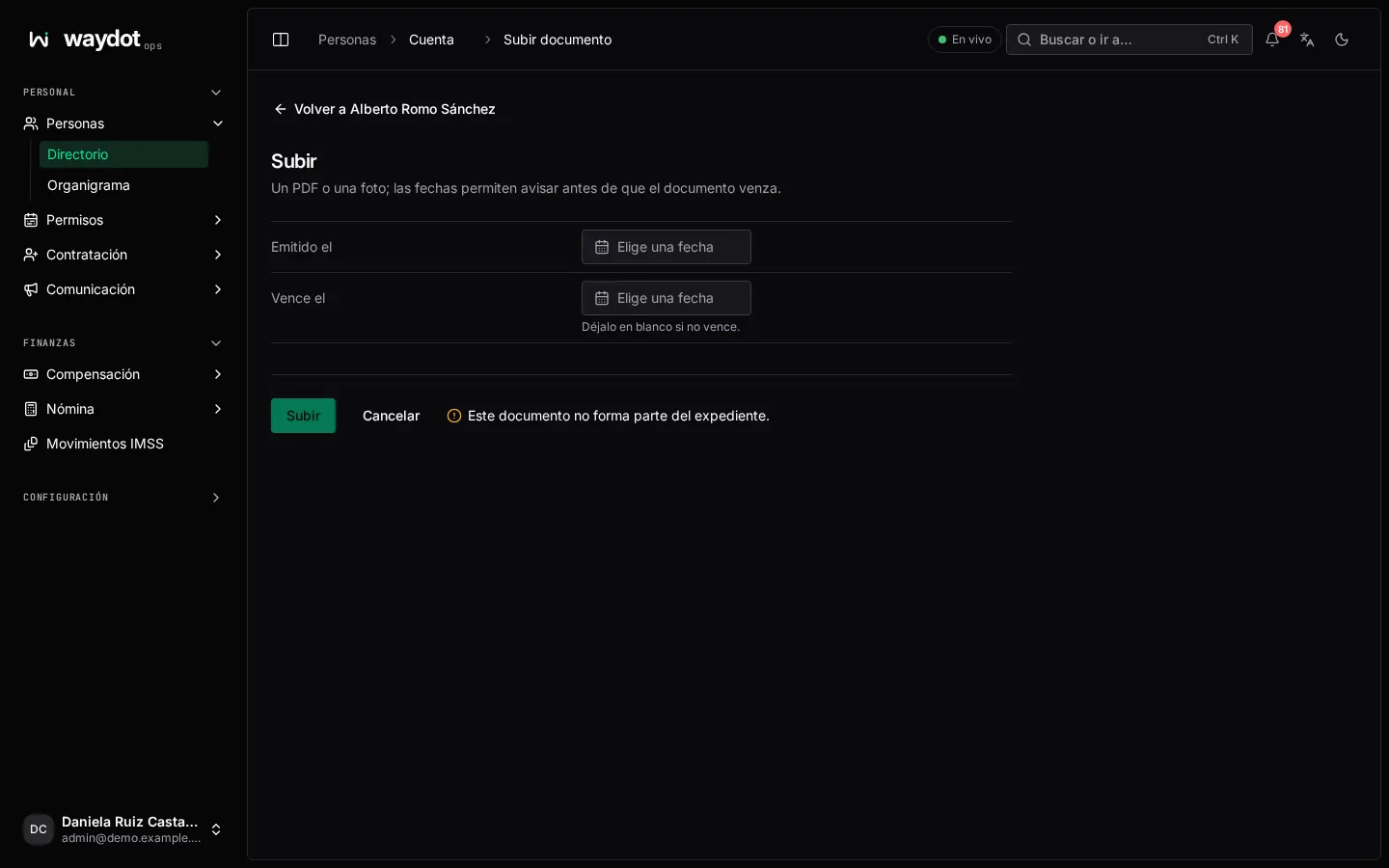
Each section shows its documents (3 of 5 complete), with their state, when issued and when they expire (expires on 3 Mar, expired on 1 Oct).
- Upload file (or Upload front & back): PDF, JPEG, PNG or WebP, with Issued on and Expires on (empty if it doesn't expire). The dates let warnings go out before it expires.
- Mark verified: you confirm the document is right.
- Reject…: with the reason the employee sees when replacing it (The photo is blurry and the CURP can't be read).
- Replace file and View file.
The employee can also upload their documents from the app.
Joining and leaving
Onboarding
Ready to go out to work or Can't go out to work yet. Missing: …. Start onboarding gives them a Checklist (automatically, the one for their role and territory; see Onboarding checklists) and they stay off the roster until it's complete.
Each checklist item (Onboarding · 4 of 7 done) is a Document, Certification, Training, Equipment, Access or Signature. Many complete themselves: when the document is verified, there's a current certification, they hold equipment or a vehicle, they turn on two-factor sign-in or they're given a territory. A Signature is sent with Send for signature and filed once signed. You can also Mark done or Waive (with the reason).
Scheduling a change
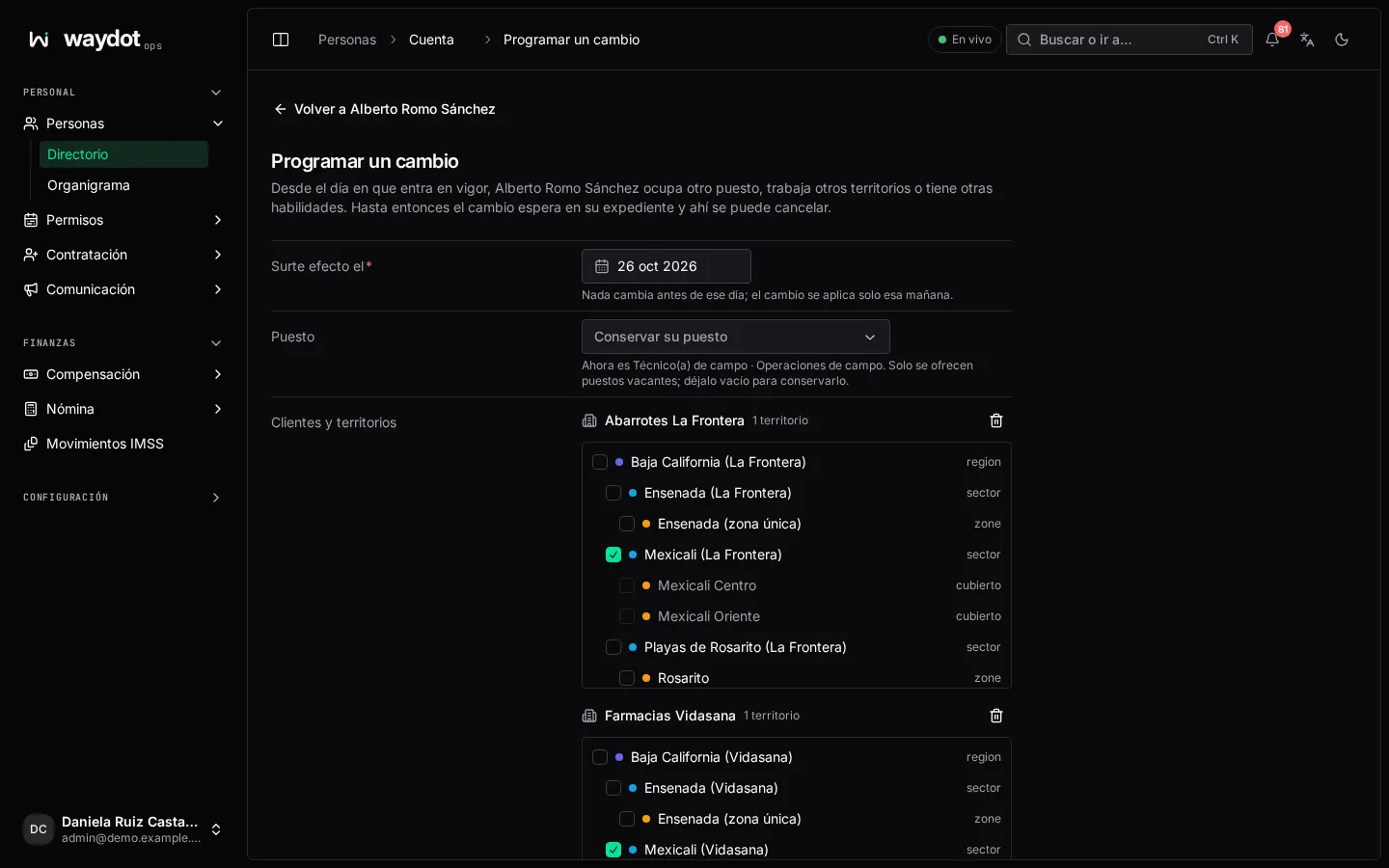
Schedule a change of position, territories or skills:
| Field | What it is |
|---|---|
| Takes effect on | Nothing changes before; it's applied that morning. |
| Position | Only vacant positions are offered. Empty: Keep their position. |
| Clients and territories | Where they'll work from that day. |
| Skills | The ones they'll have from that day. Empty: kept. |
| Reason | Stays in their employment history. |
Until that day the change waits in their file and can be cancelled there.
Offboarding
Start offboarding: Leaving by (resignation or termination) and Last day.
- If the last day is today or already passed, their access is revoked immediately and their open tickets go back to dispatch.
- If it's later, they're on notice: they keep their access and tickets until that day.
Offboarding shows what's Still in their custody (equipment, vehicle) or Nothing: all equipment and work are in order. After their last day, Clear offboarding with the Exit interview: any unit still in their custody goes to investigation. Offboarding also opens a custody audit.
History: hiring, onboarding complete, position or territory changes, resignation or termination.
Contracts
Signed with e-signature. Send contract:
| Field | What it is |
|---|---|
| Type of contract | As above. |
| Starts on / Ends on | The last day of the term. A probation or initial training period lasts at most 180 days. |
| The work it is for | For a specific-work contract; it ends when the work does. |
| Job title, Daily wage (MXN) | |
| Working hours | E.g. Monday to Saturday, 8:00 to 17:00, with an hour for lunch. |
| Workplace |
Send for signature: the employee gets a link to sign it and the employer signs it afterwards by email. Needs e-signature connected.
IMSS incapacities
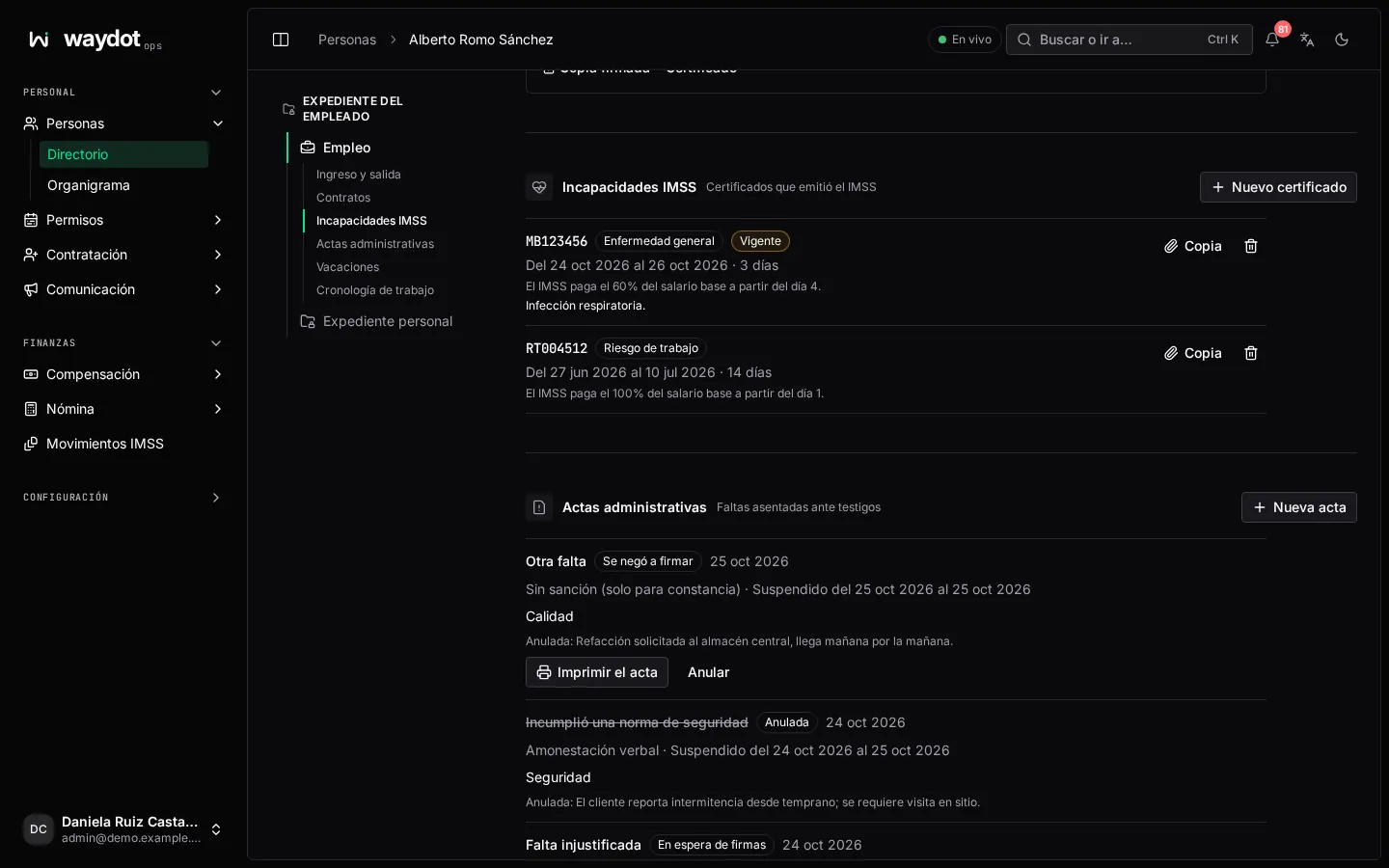
The incapacity certificates IMSS issued. New certificate:
| Field | What it is |
|---|---|
| Folio | As IMSS prints it: two letters and six digits (MB123456). |
| Insurance | General illness, Work risk or Maternity. |
| Certificate | Initial, Subsequent (continues an earlier one) or Relapse. |
| First day and Days | The ones it covers, as IMSS wrote them. |
| Copy of the certificate | Photo or PDF up to 10 MB; stored encrypted and only HR can open it. |
On saving, payroll doesn't pay those days and the person can't be sent to work while it lasts. What IMSS pays is shown (IMSS pays 60% of the base wage from day 4). Withdraw is only for a certificate recorded by mistake.
Disciplinary records
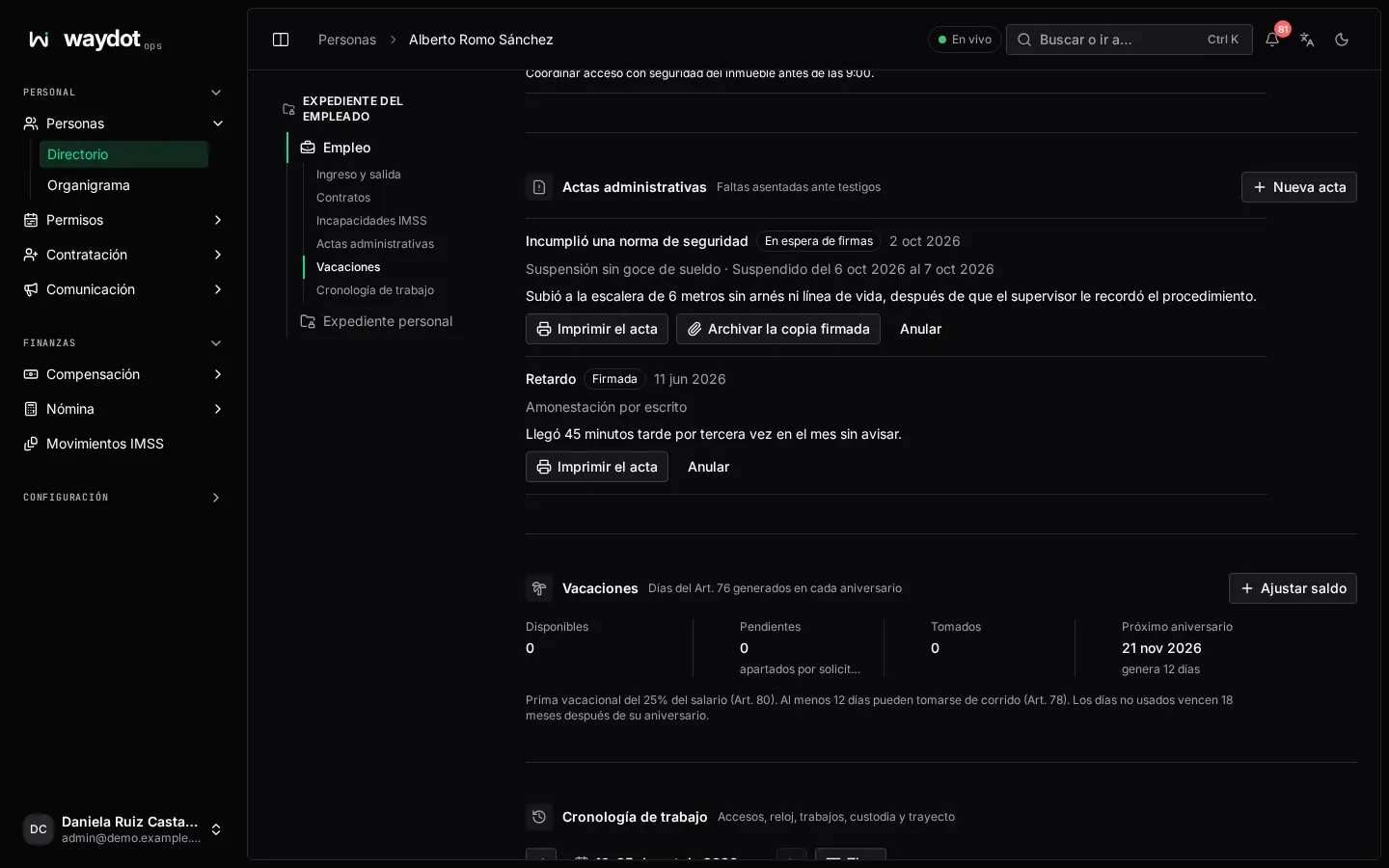
Faults recorded before witnesses (actas administrativas). New acta:
| Field | What it is |
|---|---|
| When it happened / When you learned of it | The law only allows a sanction within the month after you learned of it (LFT art. 517). |
| Where the acta is written | Branch or address. |
| Fault | Unjustified absence, Lateness, Broke a safety rule, Insubordination, Dishonesty, Damage to company property, Other fault. |
| What happened | Facts only: what, when, where and who saw it. |
| Witnesses | At least two people present. |
| What the person said | In their own words; empty if they said nothing. |
| Sanction | No sanction (for the record only), Verbal warning, Written warning or Suspension without pay (at most 8 days, LFT art. 423, with its First day). |
If more than a month has passed, the acta is written without a sanction. Write the acta → Waiting for signatures. Print the acta, gather signatures and File the signed copy (scan or photo), or record that they refused to sign and the witnesses attested it. States: Waiting for signatures, Signed, Refused to sign, Voided. Void lifts the sanction: a suspension is paid back in the next payroll.
Vacation
The Art. 76 days earned at each anniversary: Available, Pending (held by requests), Taken and the Next anniversary (earns 14 days). It warns about lapsing days and days not granted in time.
Grants: each year of service with its days granted, used, lapsed and left, when they must be granted and when they lapse. Adjust balance adds or subtracts days (whole or half days), with the reason and, if any, when they lapse.
Without a Hire date vacation isn't counted and requests aren't checked against a balance. See Leave.
Work timeline
By week (Previous week / Next week): Sign-ins (console and app sign-ins and sign-outs), Clock (clock-ins and outs), Tickets (took / released), Custody (received / handed over equipment) and GPS trail.