

English
Custody audits
A custody audit asks a person to account, item by item and with photos, for the equipment assigned to them (parts, devices, tools, consumables) or the vehicle they drive. They answer in the app; what was found is reviewed here.
Where it is: Records → Assets → Audits and Audit schedules. Who sees it: whoever can read assets or vehicles in their scope; requesting and reviewing needs inventory or fleet administration. Plan: Inventory and assets module (vehicle audits, with Fleet).
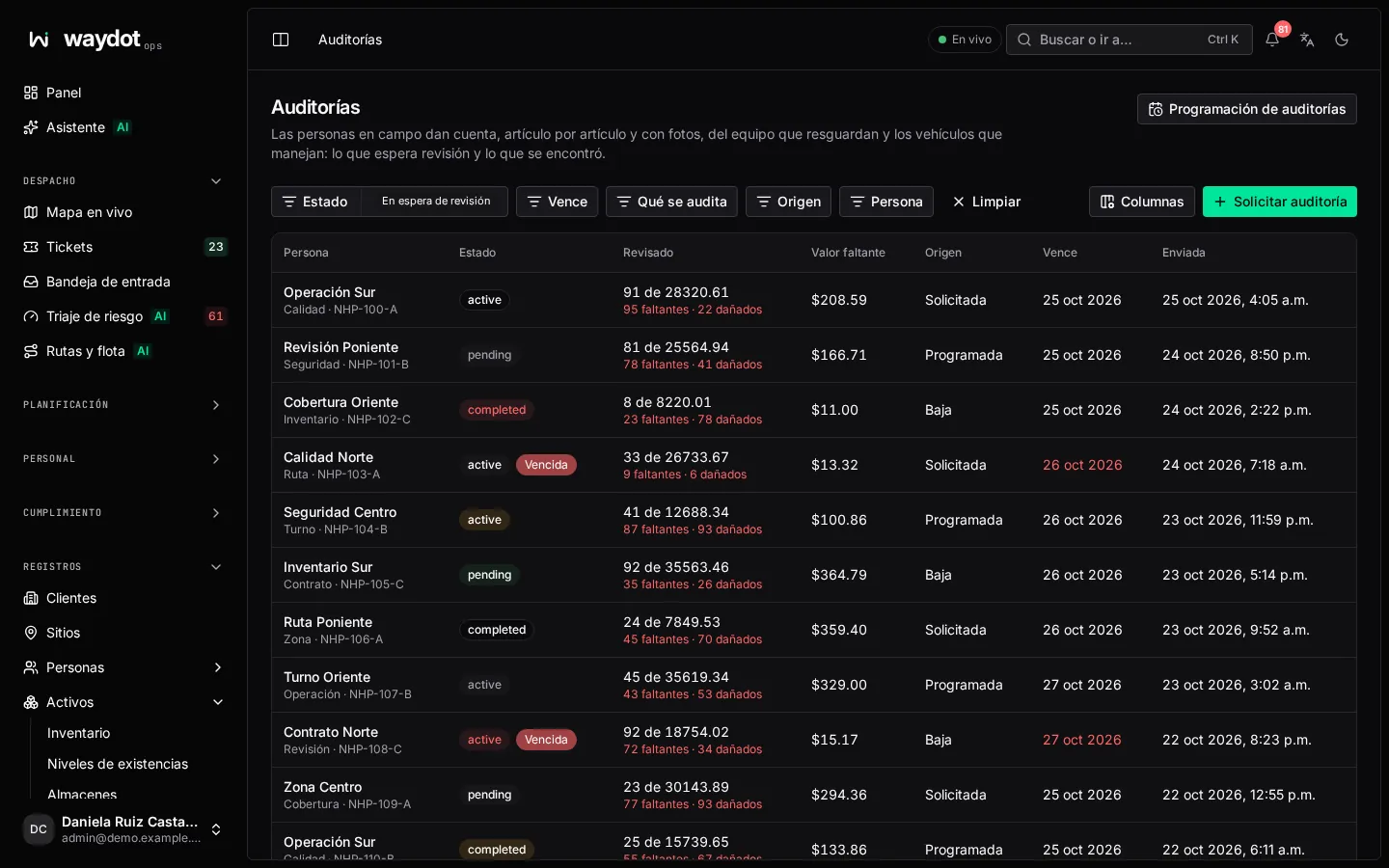
The list
| Column | What it is |
|---|---|
| Person | Who it was asked of. |
| What's audited | Equipment in custody or Vehicle. |
| Checked | 8 of 12 and the problems (1 missing · 2 damaged). |
| Missing value | The book value of what's missing. |
| Origin | Scheduled, Requested or Offboarding (opens by itself when someone leaves). |
| Due / Submitted | Deadline and when they answered. |
| State | Requested, In progress, Waiting for review, Reviewed, Cancelled or Expired. |
Requesting an audit
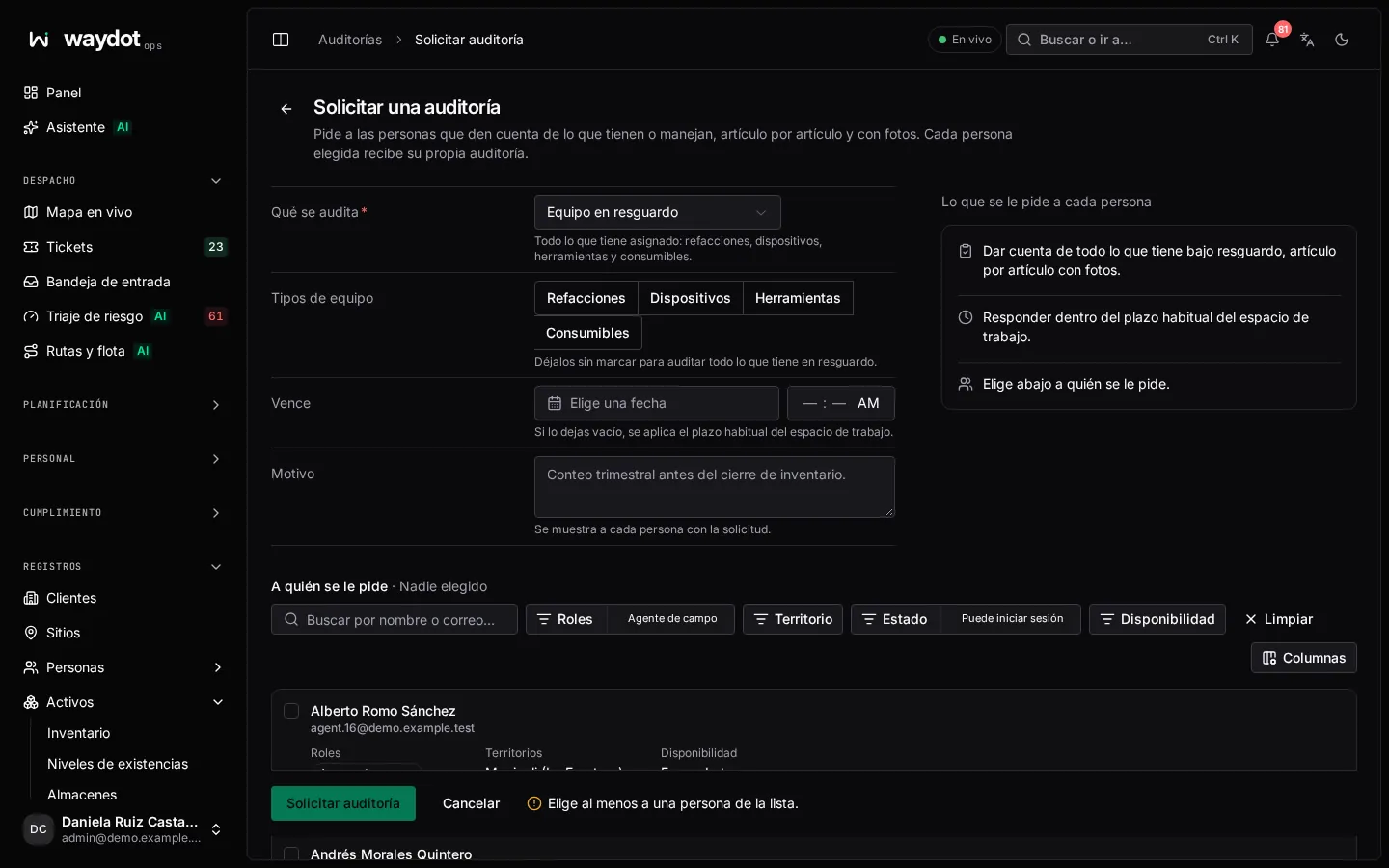
| Field | What it is |
|---|---|
| What's audited | Equipment in custody (everything assigned) or Vehicle (its condition, papers and equipment). |
| Equipment kinds | Parts, Devices, Tools, Consumables. Unticked: everything in custody. |
| Due | Empty: the workspace's usual deadline. |
| Reason | Shown to each person. E.g. Quarterly count before the inventory close. |
| Who it's asked of | Search and pick people (filter by territory and availability). Each person picked gets their own audit. |
The summary states What each person is asked. Request audit.
Answering (in the app)
The person receives the audit in the app and, for each item, marks Present, Damaged or Missing with a photo (photos are required), and for consumables the uses counted; for vehicles, the odometer. See Audits in the app.
Reviewing
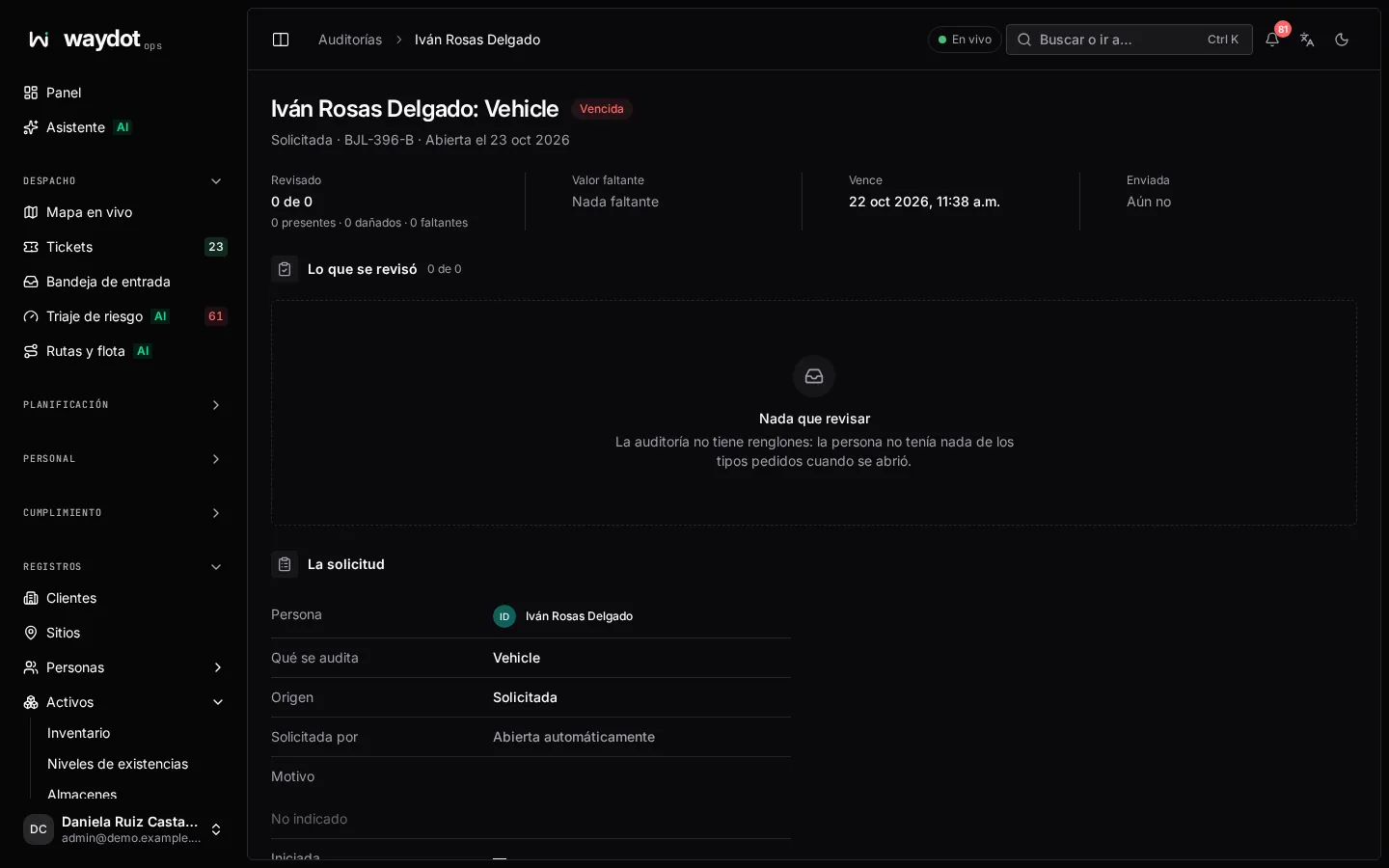
The audit shows What was checked: each item with its Result, the photo taken next to the catalog image, Where the photo was taken (± meters) and when.
Review → Close the review with your notes. With Settle what was found ticked, missing units open an investigation and damaged ones go to repair; untick it to just close the audit. Cancel audit stops asking for it (what was already answered is kept).
Audit schedules
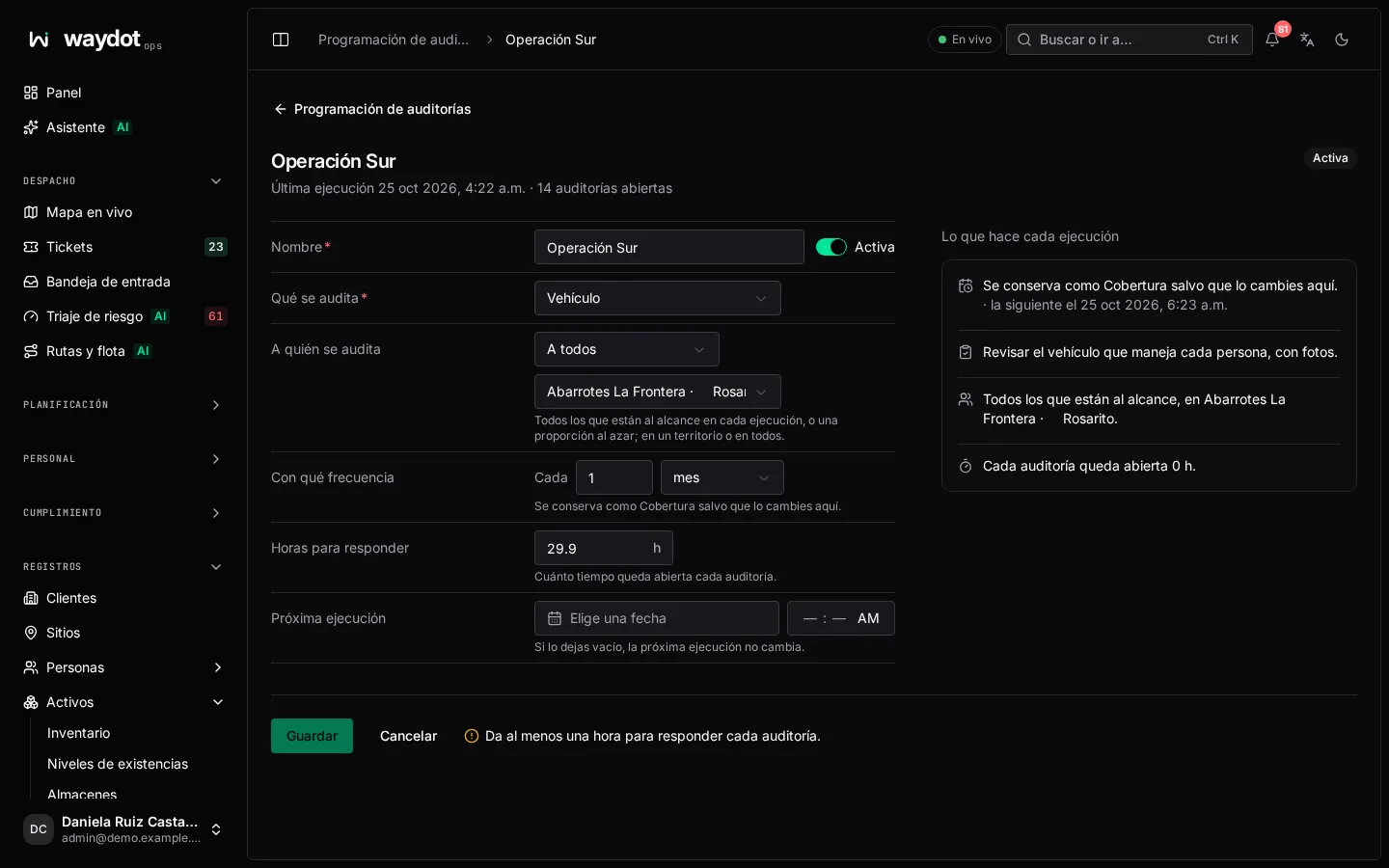
Audits that open by themselves:
| Field | What it is |
|---|---|
| Name | E.g. Quarterly custody count. |
| What's audited and kinds | As when requesting. |
| Who is audited | Everyone in reach on each run, or A random share (Share each run, 1 to 100%). |
| Reach | One territory or All territories. |
| Every N day / week / month | The frequency. |
| Hours to answer | How long each audit stays open. |
| First run / Next run | Empty: at the next sweep, or unchanged. |
What each run does summarizes it. Actions: Run now, Pause / Resume and delete (audits already opened are kept).