

English
Task templates
What a technician fills in on a job is built on two levels:
| Level | What it is |
|---|---|
| Form template | A reusable form: questions, their validation and the rules that show or hide them. Designed in the form builder. |
| Task list | An ordered set of forms and the rules for attaching it to tickets. It's what the technician sees in the app. |
Where it is: Configuration → Task templates, with the Task lists and Form templates tabs. Who sees it: people allowed to read task list blueprints and attached forms; creating and changing needs write task list blueprints and attach them to tickets.
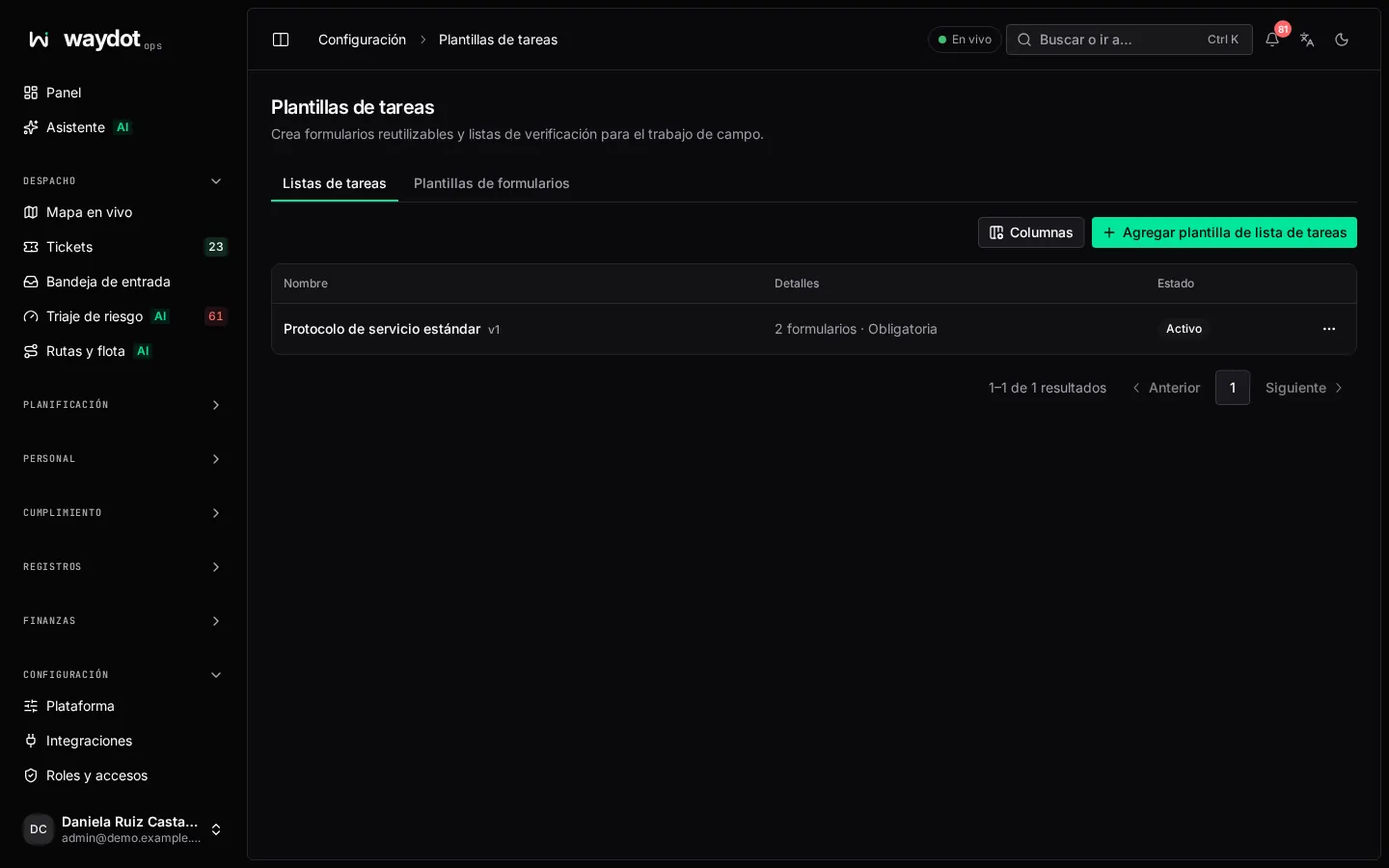
The list shows each task list with its forms and whether it's Mandatory and Attached automatically. Each form template says how many lists use it.
Creating a task list
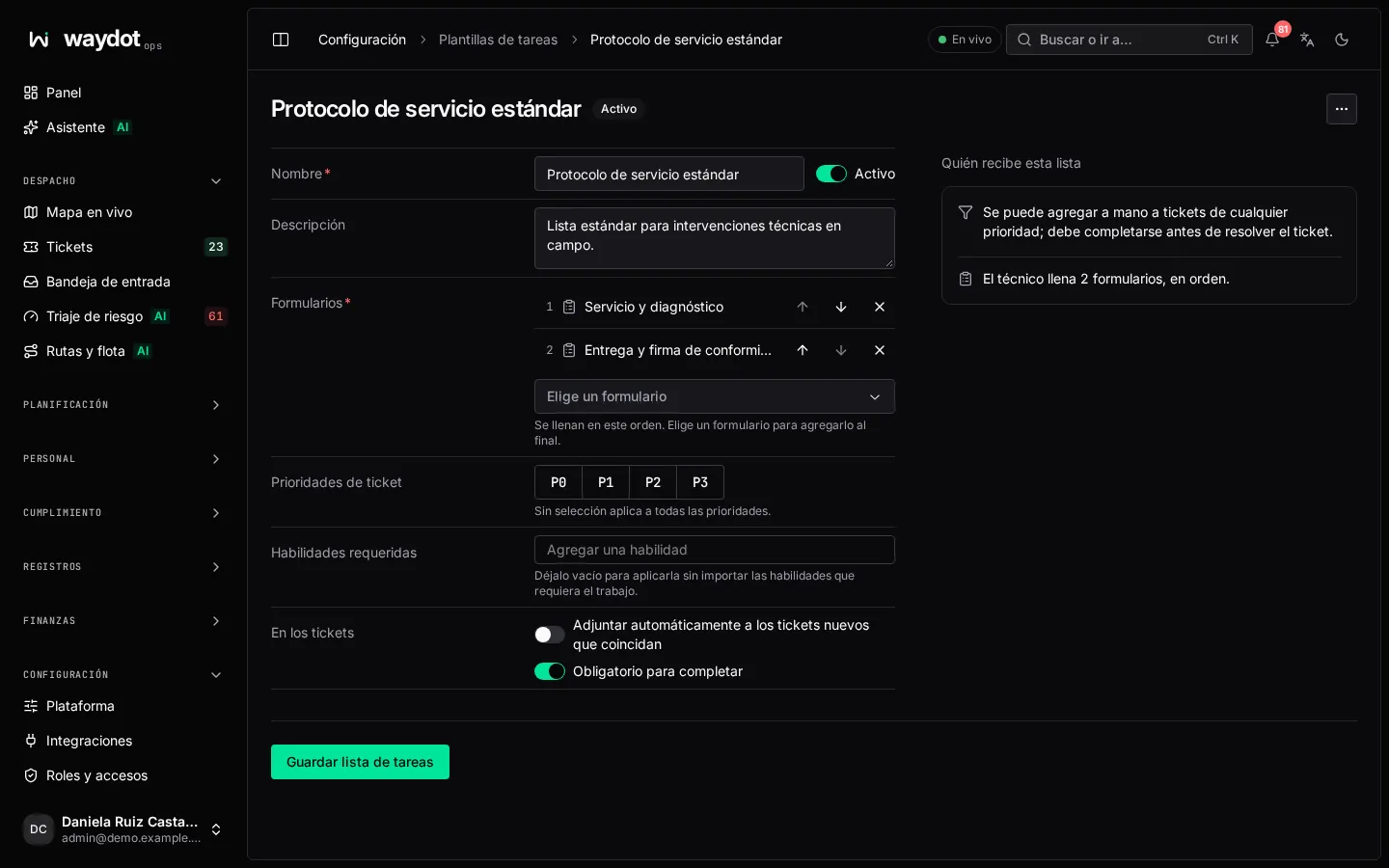
| Field | What it is |
|---|---|
| Name | E.g. Split installation. Active: an inactive list is kept but nothing uses it. |
| Description | When it's used. |
| Forms | Filled in this order. Pick a form to add it at the end; move it up, down or remove it. At least one. |
| Who gets this list | The ticket priorities it applies to (empty: any priority) and the skills tickets must require (empty: any). |
| Automatically attach to matching new tickets | On: it's added by itself when a matching ticket is raised. Off: it's added by hand from the ticket. |
| Mandatory for completion | The ticket can't be resolved until the list is filled in. |
On the right it's summed up: Added automatically to new P0 or P1 tickets needing refrigeration; must be completed before the ticket is resolved. The technician fills in 3 forms. Save task list.
On the ticket
Lists appear in the ticket's Tasks section and in the technician's app, with their progress. An unfinished mandatory list blocks resolving.
Form templates
New template opens the form builder: name (Split installation checklist), description (When a technician fills this in, and what for), the questions and their logic. Save template.