

English
Dashboard
The Dashboard is the first screen after signing in. It greets you by name and shows, in one view, what needs your attention now.
Where it is: Home → Dashboard. Who sees it: every console user. Each card appears only if you can read its data and your plan includes its module; if your access covers neither operations, compliance nor people you'll see No dashboard for your role yet with the screens you can open.
Views
The selector on the left (Dashboard view) switches between three views. The console remembers the last one you used.
| View | For whom | What it shows |
|---|---|---|
| Operations | Dispatch and supervision | The live field map, work that needs a decision and how capacity and demand look around it. |
| Compliance | Safety, quality and audit | Emergencies, reports and findings waiting for review, and overdue corrective actions. |
| People | HR and supervisors | Leave and attendance decisions waiting for you, who is away, roster coverage and team performance. |
Operations view
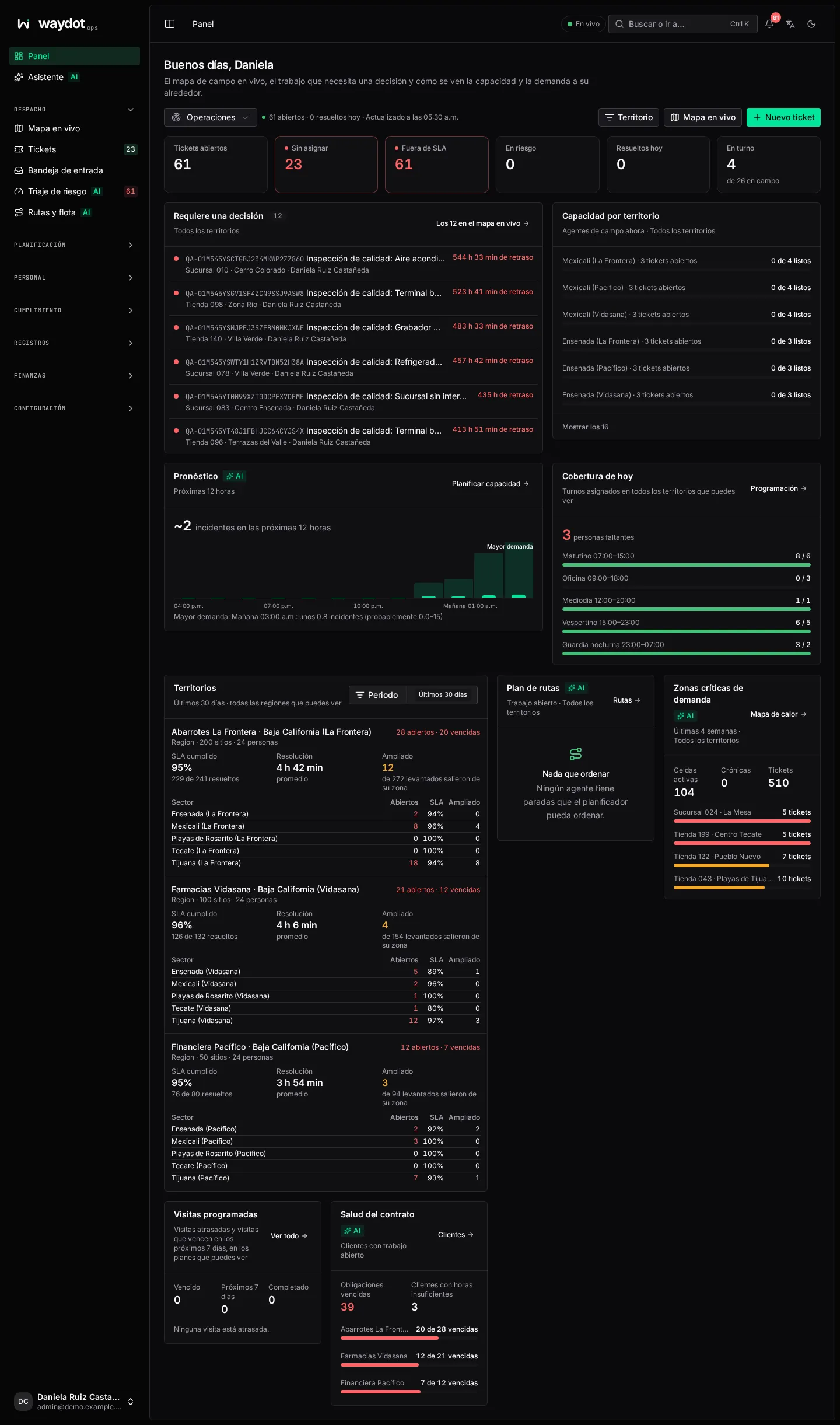
At the top: Territory narrows the whole view to one of your territories; Live map opens the map; New ticket opens the ticket form. The status line reads 61 open · 0 resolved today · Updated at 12:33 and refreshes by itself.
The day at a glance
| Figure | What it counts |
|---|---|
| Open tickets | All work not resolved or cancelled. |
| Unassigned | Tickets nobody holds. Red when there are any. |
| Past their SLA | Tickets already past their deadline. |
| At risk | Tickets the SLA model expects to miss their deadline. |
| Resolved today | Tickets closed today. |
| On shift | Field agents on shift now, of N in the field. |
Cards
| Card | What it shows | Action |
|---|---|---|
| Needs a decision | Overdue tickets, those about to fall due and those waiting for someone, most urgent first, with N overdue or due in…. | Assign on those without an agent; All N on the live map. |
| Capacity by territory | Per territory, how many open tickets and how many agents are ready (0 of 4 ready). | Show all N; a click centers the territory on the map. |
| Outlook (AI) | Incidents expected in the next 12 hours, hour by hour, and where to stage agents. | Plan capacity opens the forecast. |
| Coverage today | Assigned shifts against the people they need; N people short. | Schedule opens the planner. |
| Territories | Per territory and period: SLA met, average resolution and how many tickets were widened (left their zone to find an agent). | Choose a Period. |
| Route plan (AI) | Stops ordered by the planner, km and fuel saved, CO₂ avoided. | Opens Routes & fleet. |
| Demand hotspots (AI) | Active cells, chronic ones and the sites with most tickets in recent weeks. | Heatmap. |
| Contract health | Clients short of hours or with open obligations. | — |
| Scheduled visits | Late visits and those due in the next days. | Opens the visit. |
| Team | Agents with their state: Ready, Break, Off, and whether they report GPS. | Filter by availability. |
Cards marked AI are advisory; if the model doesn't answer, the card says so instead of showing stale data.
Compliance view
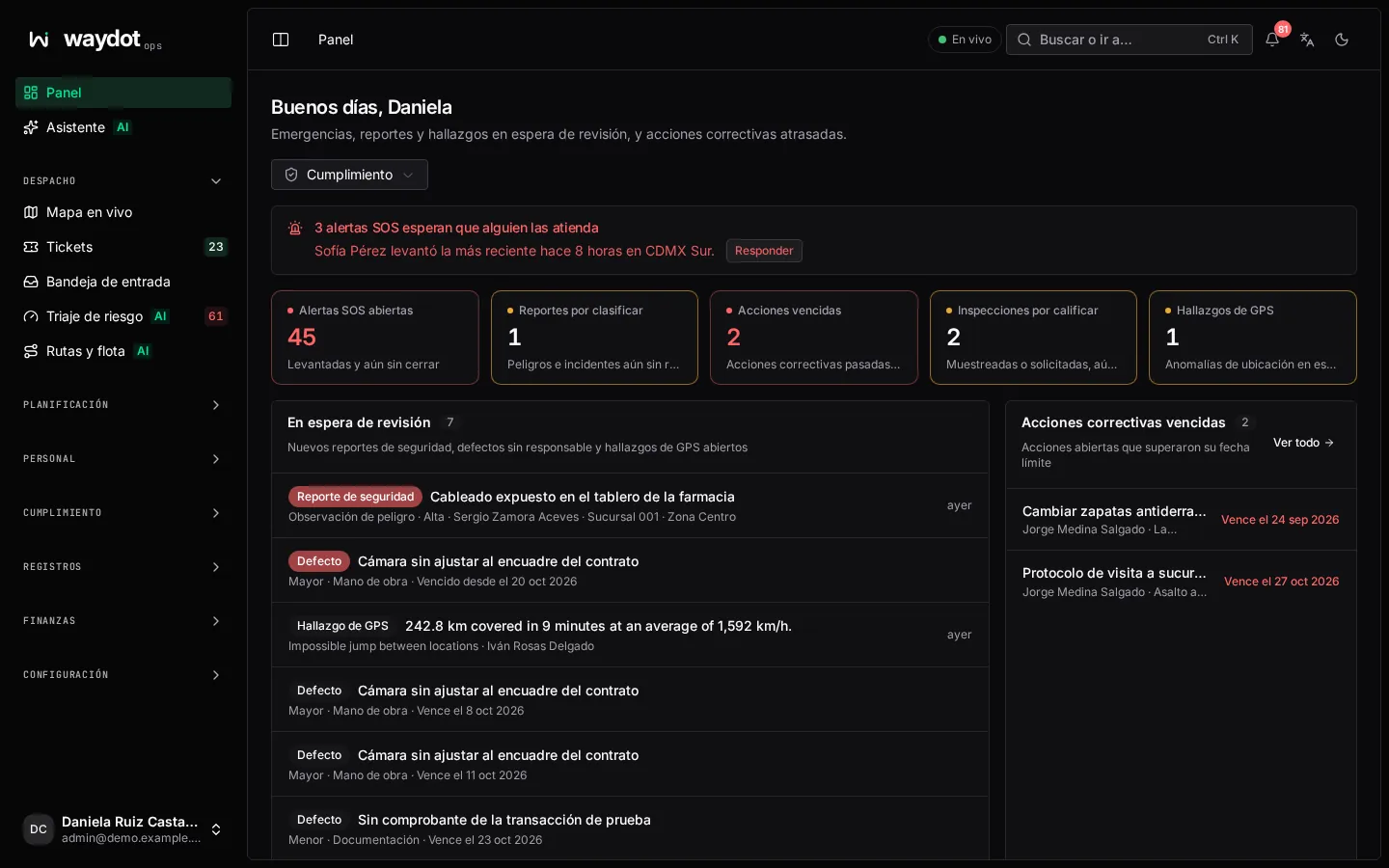
| Figure | What it counts |
|---|---|
| Open SOS alerts | Raised and not closed yet. If one is waiting, a red notice An SOS alert is waiting for a responder appears with Respond. |
| Reports to triage | Hazards and incidents not yet reviewed. |
| Overdue actions | Corrective actions past their due date. |
| Inspections to grade | Sampled or requested, not graded yet. |
| GPS findings | Location anomalies waiting for review. |
Cards: Waiting for review (new safety reports, defects without an owner and GPS findings), Overdue corrective actions, Safety reports in progress, Pre-work assessments (cleared and stopped by a hazard, last 7 days), SOS response (median response), GPS integrity, Quality (score, pass rate, overdue defects and lowest-scoring agents) and Security activity (the 6 most recent audit log events).
People view
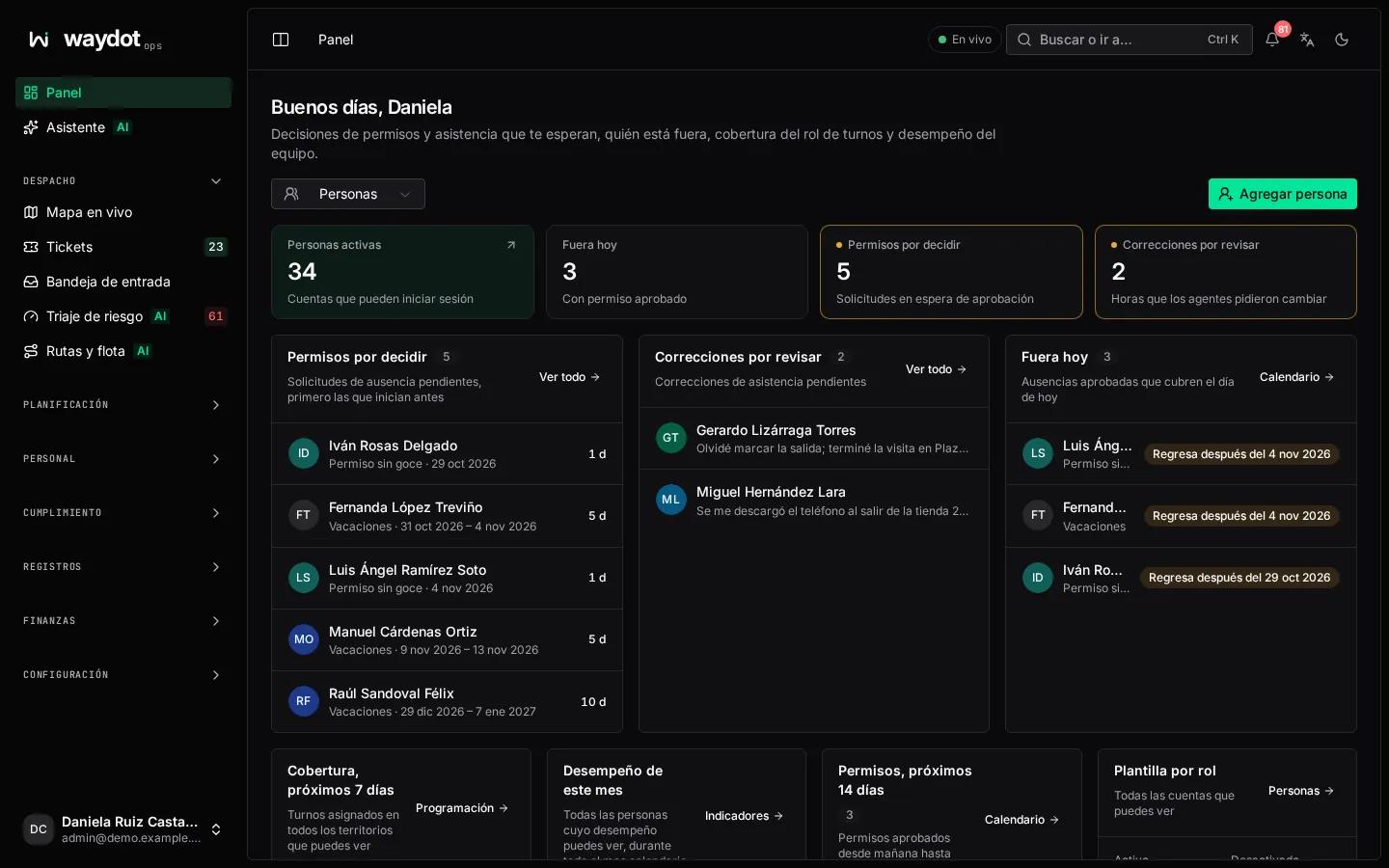
| Figure | What it counts |
|---|---|
| Active people | Accounts that can sign in. |
| Away today | With approved leave covering today. |
| Leave to decide | Requests waiting for approval. |
| Corrections to review | Times agents asked to change. |
Cards: Leave to decide (earliest start first), Corrections to review, Away today (Back after…), Coverage, Performance this month (on time, SLA met, lowest attendance), Rest and overtime (AI: who hasn't had their mandatory rest or is heading into overtime), Leave, next 7 days and Headcount by role. Add person invites someone.
While you set up the workspace
In a new workspace, the Dashboard shows the Put your operation to work card at the top. See First-run setup.