

English
E-signature
Job offers, employment contracts and onboarding documents are signed online with your own DocuSign account.
Where it is: Configuration → Electronic signature. Who sees it: people allowed to see integrations; connecting needs managing integrations. Plan: Human resources add-on. You need a DocuSign account.
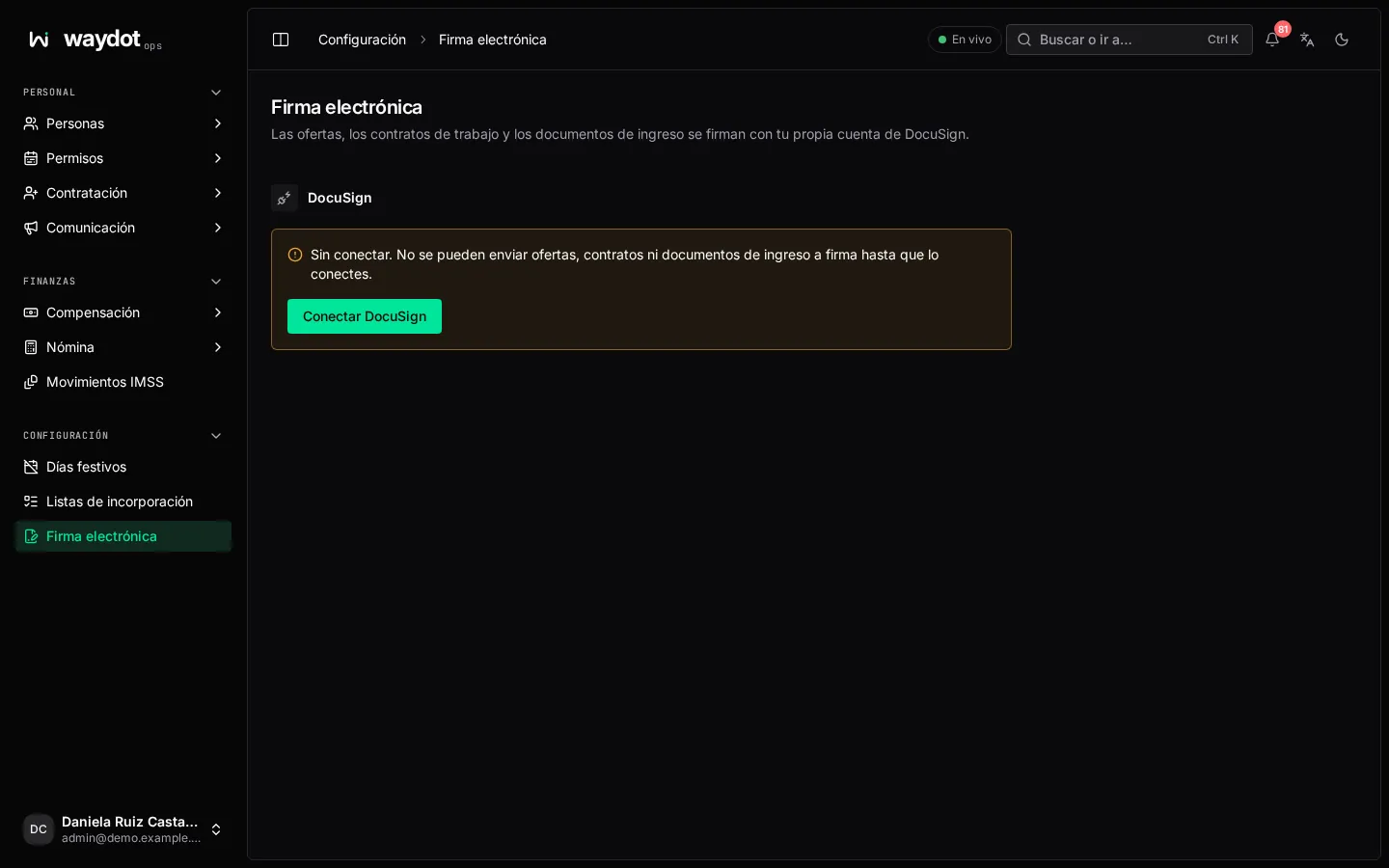
Connecting
Connect DocuSign opens DocuSign to authorize access; accept the permissions it asks for. Back here: Connected to [account] · Authorized by [email] and whether it's a DocuSign demo account or production account. Test connection confirms it answers. Connect again / Disconnect (documents already sent keep their links, but nothing new can be sent).
Until it's connected, offers, contracts and onboarding documents can't be sent for signature.
Settings
| Section | What it is |
|---|---|
| Who signs contracts for the employer | Name and Email of whoever gets each contract by DocuSign email after the employee signs. |
| What is signed through DocuSign | Job offers (signing accepts the job and starts onboarding), Employment contracts (the employee signs first, then the employer) and Onboarding documents (those on the onboarding checklist that need a signature). Turn one off to sign it on paper: HR prints it, gathers the signatures and files the signed copy in the employee file. |
| The email signers receive | Subject, Message (with Insert for document details) and Language (of the email and DocuSign's signing pages). How a signer reads it shows an example. |
| Reminders and expiry | Send reminders: First reminder after N days, Then every N days; The document expires after N days and Warn before it expires (0 = no warning). |
| Signature updates | The DocuSign Connect key: lets DocuSign tell the platform the moment a document is signed. Create an HMAC key in DocuSign (Settings → Connect → Connect keys) and paste it here. Without it, signatures are confirmed when the signer returns and every 15 minutes. |
Save.
What signers see
They get the email with the link. The page says Hi Ana, [your company] sent you a document to sign, until when the link works and what it is:
- Offer: Signing this offer accepts the job.
- Contract: Once you sign, the employer signs too and you both get a copy.
- Onboarding document.
Read and sign opens the document; they tap each yellow tag to sign. When done: Document signed (and for an offer, Welcome to the team!). If they decline to sign, you're told.
Follow-up
Each document sent shows its state on the applicant or the file. Send the link again, Withdraw (with a reason DocuSign shows them), and once signed, the Signed copy and the Certificate.