

English
Leave
Leave covers vacation, sick leave, unpaid leave and compassionate leave. Employees ask for it from the app; HR and managers book and decide it here.
Where it is: Workforce → Leave, with Calendar and Balances. Holidays are under Configuration → Holidays. Who sees it: with read your own leave, yours; with read leave across your territories, your scope's. Booking for others needs book leave on behalf of people in your scope; approving or declining, rule on leave requests. Plan: Human resources add-on.
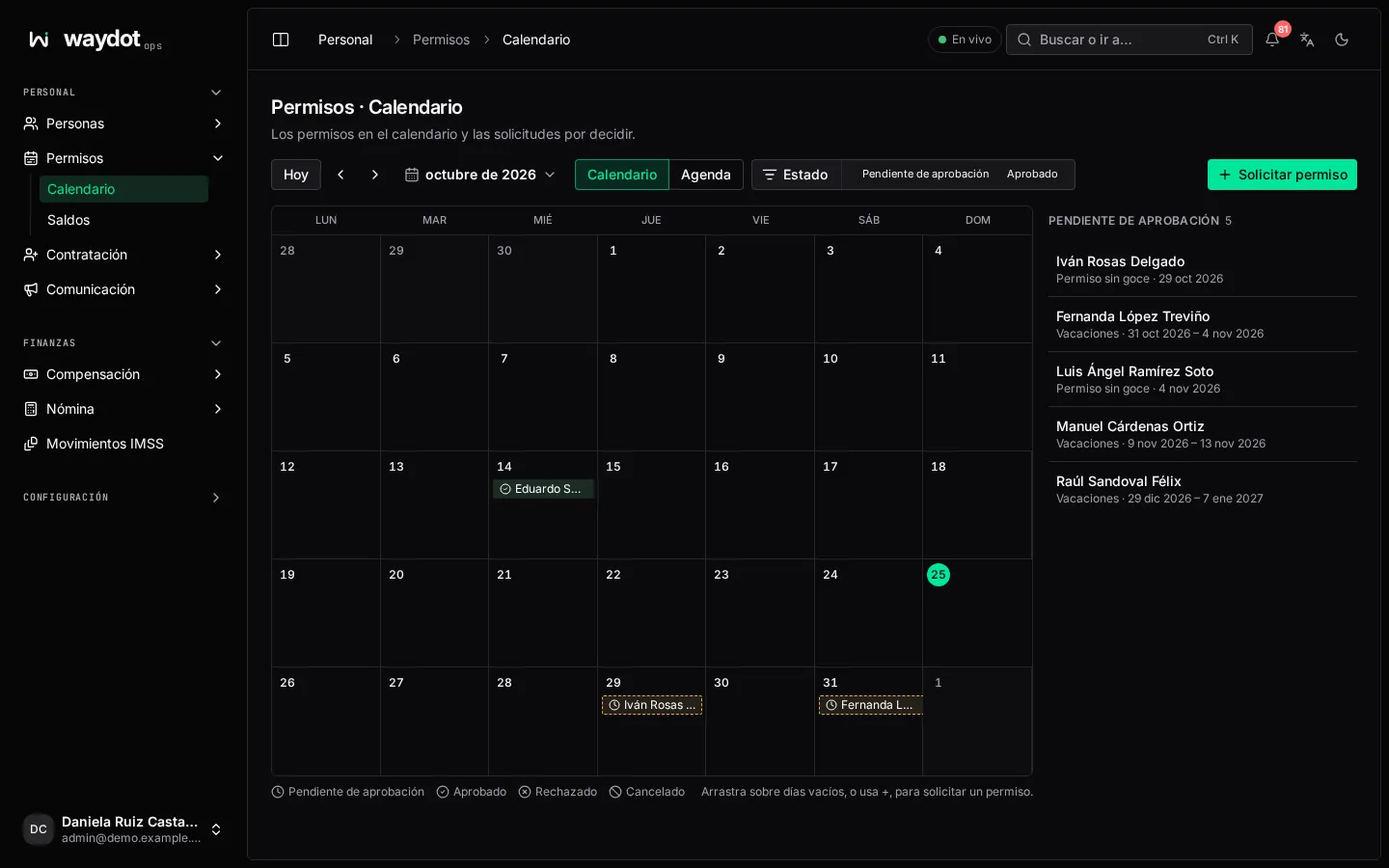
The calendar
Every leave on the calendar, by person, with a caption by type and state. Move with Today, Previous month / Next month and change the view. Filter by state (Awaiting approval, Approved, Rejected, Cancelled), person and territory.
Drag across empty days, or use +, to request leave on those dates.
Requesting or booking leave
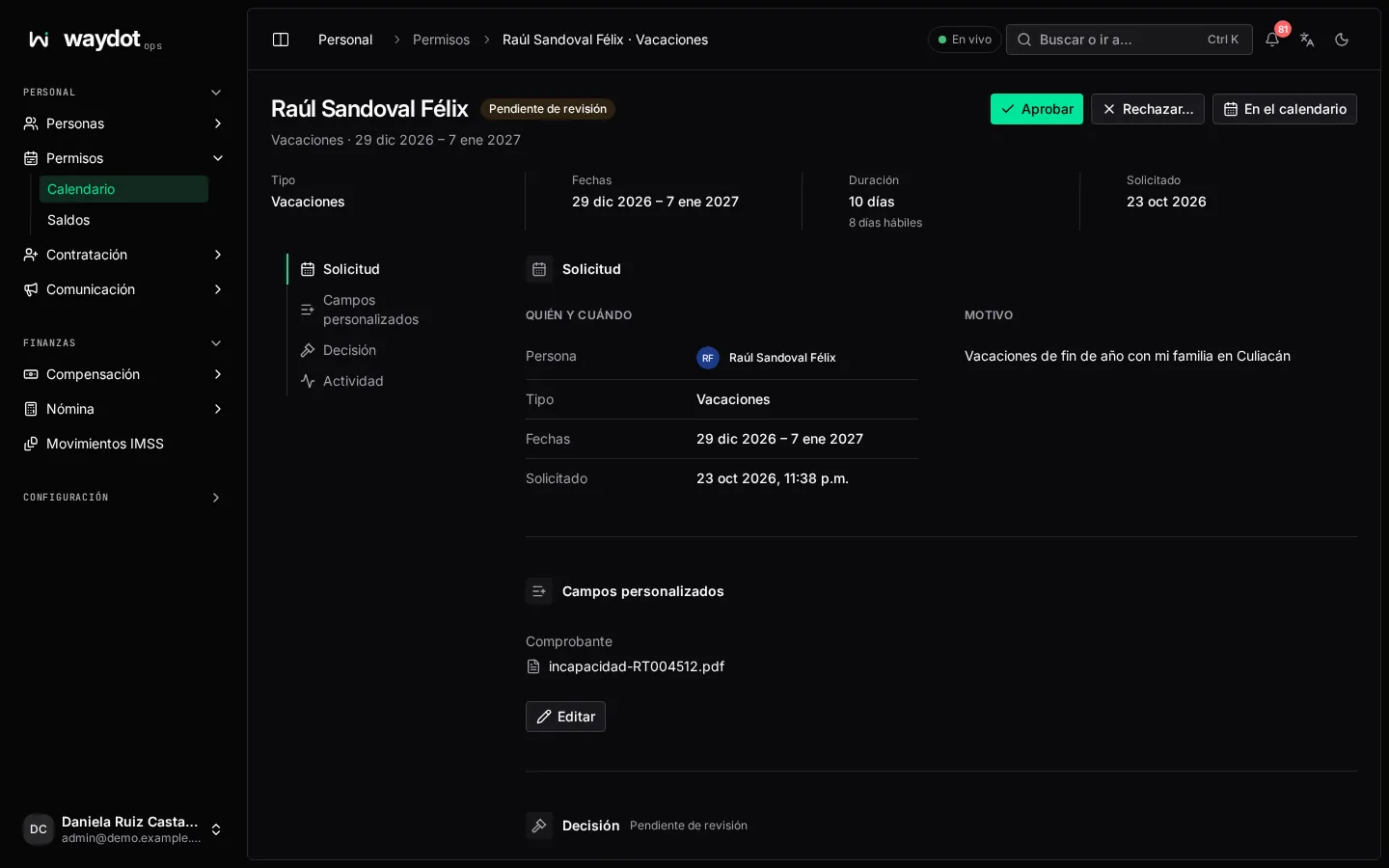
Request leave (or Book leave):
| Field | What it is |
|---|---|
| Who is this leave for? | Me or Someone else (search by name or email). |
| Type | Vacation, Sick leave, Unpaid leave or Compassionate leave. |
| Dates | First and last day. Calendar days are shown and how many are working days (rest days and holidays don't count). For vacation: 14 vacation days available · 9 left after this request, or the warning if it asks for more than available. |
| Reason | At least a few characters. Only the person and managers can see it. |
| Type fields | If the type has custom fields (for example a sick note for sick leave), they're asked here. |
- Your request goes to a manager for approval.
- What you book for someone else is approved immediately if you can rule on leave (Book approved leave); otherwise it also goes for approval.
With Refuse vacation beyond the balance on (the default), more days than available can't be requested. See Platform settings → Leave.
IMSS incapacities
An incapacity with an IMSS certificate is recorded in the employee file: payroll doesn't pay those days and the person can't be sent to work.
Deciding a request
The request shows Type, Dates, Duration and Calendar days, On the calendar (who else is out on those dates), Who and when (Entered by), the reason and the Decision.
- Approve: the days leave the roster and are taken from the balance.
- Reject… with a reason the requester reads (Two technicians from the North zone are already out that week). The days stay on the roster.
- Cancel request withdraws it.
Nobody decides their own request. The person is told about the decision.
Vacation balances
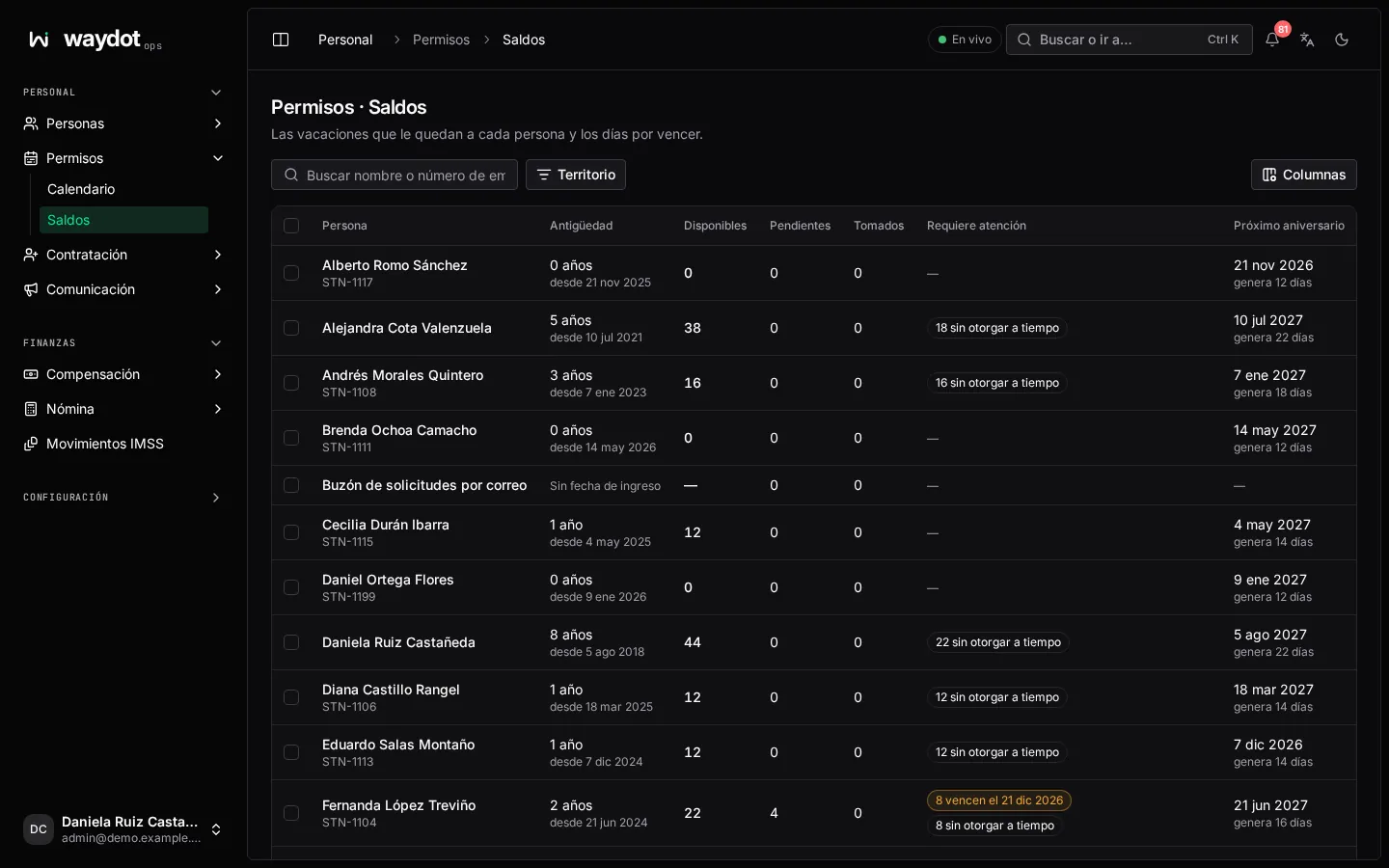
The balance of each person in your scope: Service (3 years, since 4 Mar 2023), Available, Pending, Taken, Needs attention (4 lapse on 1 Dec, 2 not granted in time, 1 over the balance) and Next anniversary (earns 16 days). Search by name or employee number; Export CSV.
How they're counted
- At each anniversary the Art. 76 LFT days are earned according to service.
- They must be granted within the following 6 months (Art. 81) and lapse 18 months after the anniversary if unused. Both periods are configurable.
- A vacation premium of 25% is paid (Art. 80) and at least 12 days can be taken in a row (Art. 78).
- Only the configured working days count (by default Monday to Saturday), not holidays.
- Without a hire date there's no balance and requests aren't checked.
To adjust a balance, open the employee file → Vacation.