

English
IMSS notices
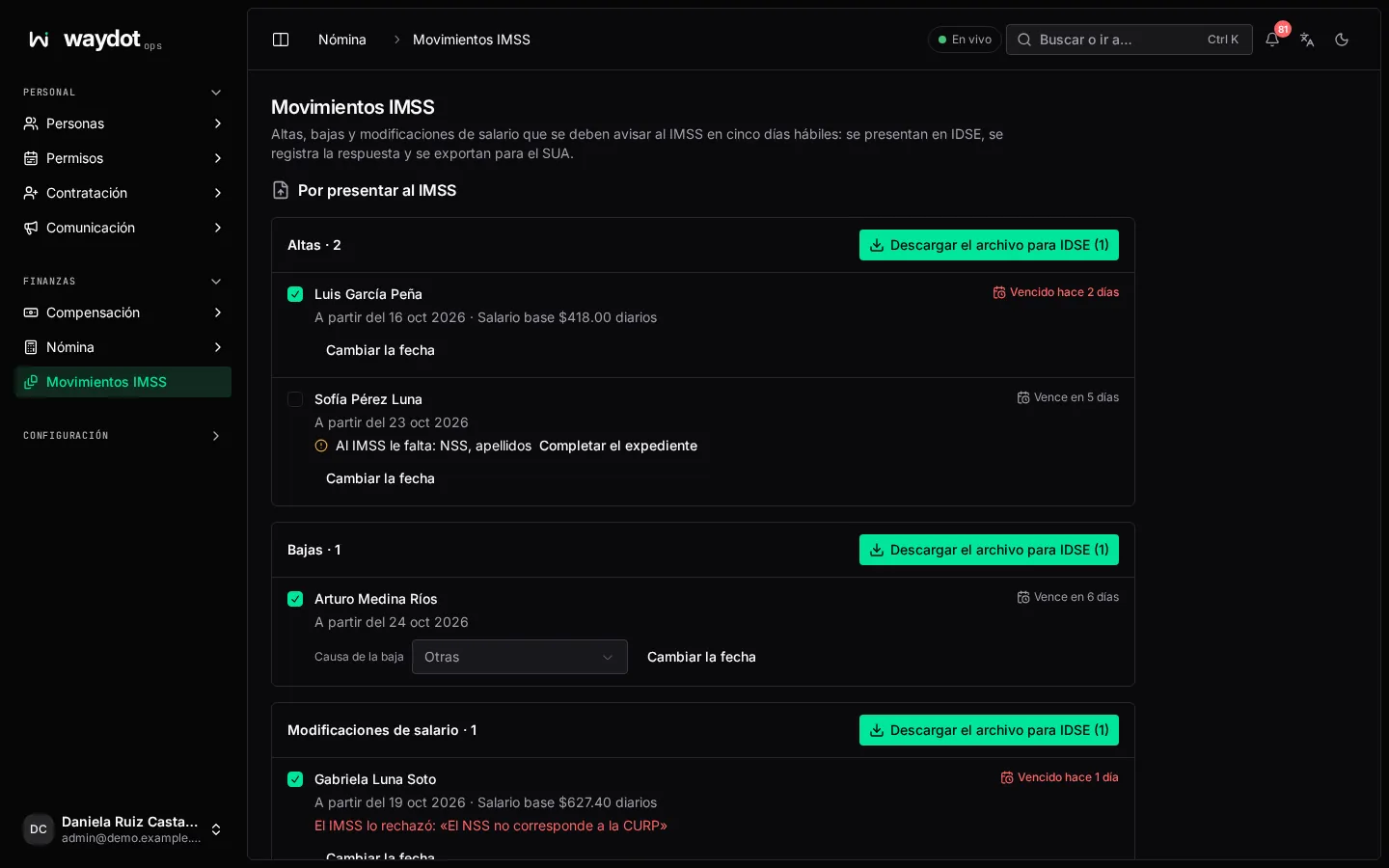
WAYDOT prepares the affiliation notices to file with IMSS whenever someone is hired (registration, alta), leaves (departure, baja) or changes wage (modification), and produces the file to upload them in IDSE.
Where it is: Finance → IMSS notices. Who sees it: those who can read payroll periods. Plan: Payroll and compensation add-on.
Before you start, enter the IMSS employer registration and the Subdelegation guide in Platform settings → Payroll.
To file with IMSS
New notices, grouped as Registrations (altas), Departures (bajas) and Wage changes (modificaciones). Each shows the person, when it takes effect, the base wage and the deadline (Due in 3 days, Due today, Overdue by 2 days). IMSS gives five working days to file them.
- If a notice is missing something (IMSS is missing: NSS, CURP, surnames, a wage), Complete the employee file.
- For a departure, choose Why they left: End of contract, Abandonment, Death, Closure, Other, Absenteeism, Rescission, Retirement or Pension.
- Change the date if it takes effect another day.
Tick the notices to include and Download the file for IDSE. Upload it in IDSE; the notices wait as Waiting for IMSS's answer.
Recording the answer
For each waiting notice: Accepted, or Refused… with IMSS's reason. A refused notice goes back to the list to file once fixed. Accepted ones show Filed on ….
Bimonthly SDI
For people with variable earnings, the SDI is integrated every two months (Bimonthly SDI → Integrate the last bimester) and produces the wage changes. See Compensation.
Exporting for SUA
Export for SUA: choose From and To and Download for SUA: the filed notices that took effect between those dates, as SUA imports them to work out contributions.