

English
Signing in to the app
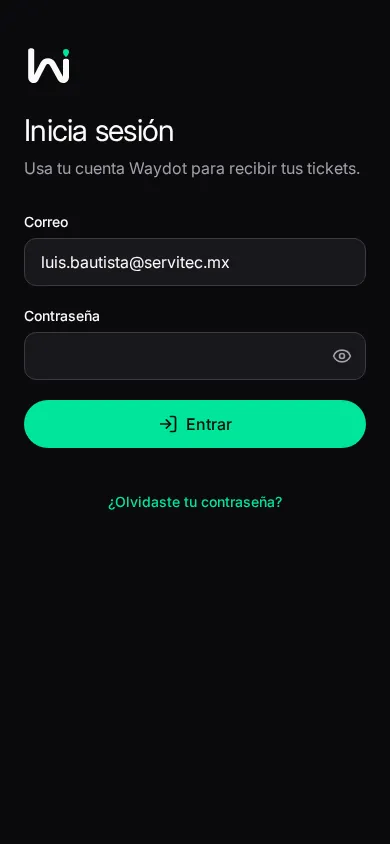
Signing in
Inicia sesión — Usa tu cuenta Waydot para recibir tus tickets (sign in with your WAYDOT account to get your tickets).
- Type your Correo (email, nombre@empresa.com) and Contraseña (password; the eye shows or hides it).
- Entrar (sign in). The app recognizes your company from your email.
If your company allows it, you can also sign in with Google or Microsoft (o continúa con tu correo — or continue with your email).
You need a connection to sign in. If it says No pudimos identificar tu empresa con este correo (we couldn't identify your company from this email), ask your coordinator for help.
Two-factor verification
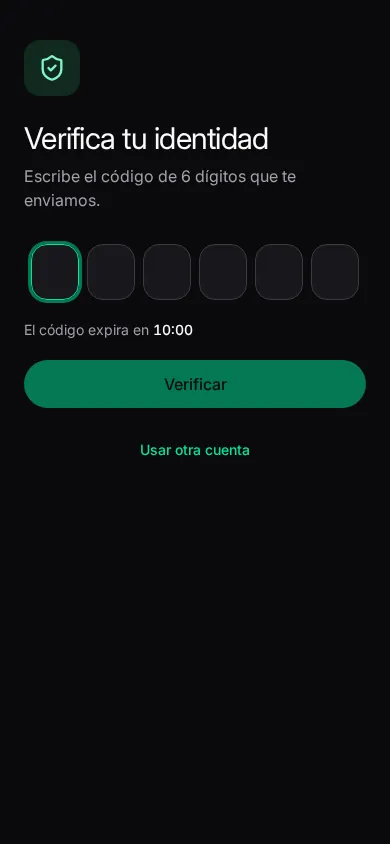
If you have verification turned on, after the password: Verifica tu identidad (verify your identity). Type the 6-digit code from your authenticator app and Verificar. If the code expired, sign in again; Usar otra cuenta (use another account) goes back to the start.
Forgot your password?
¿Olvidaste tu contraseña? → type your email → Enviar enlace (send link). If your email has an account, a link arrives. Open it in the browser to choose a new password, then come back to the app to sign in.
When the session ends
If your session is ended on the server (an administrator ended it, you changed the password elsewhere), the app asks you to sign in again: Vuelve a entrar; el trabajo pendiente se conserva (sign in again; pending work is kept). Nothing queued is lost.
To sign out yourself: Settings → Perfil → Cerrar sesión.