

English
Routes & fleet
Routes & fleet shows, for each agent with several visits assigned, the suggested order to do them in and how much it saves compared to visiting them in deadline order.
Where it is: Dispatch → Routes & fleet (AI). Who sees it: people allowed to read the live operations board. Plan: Intelligence module (Pro and Enterprise).
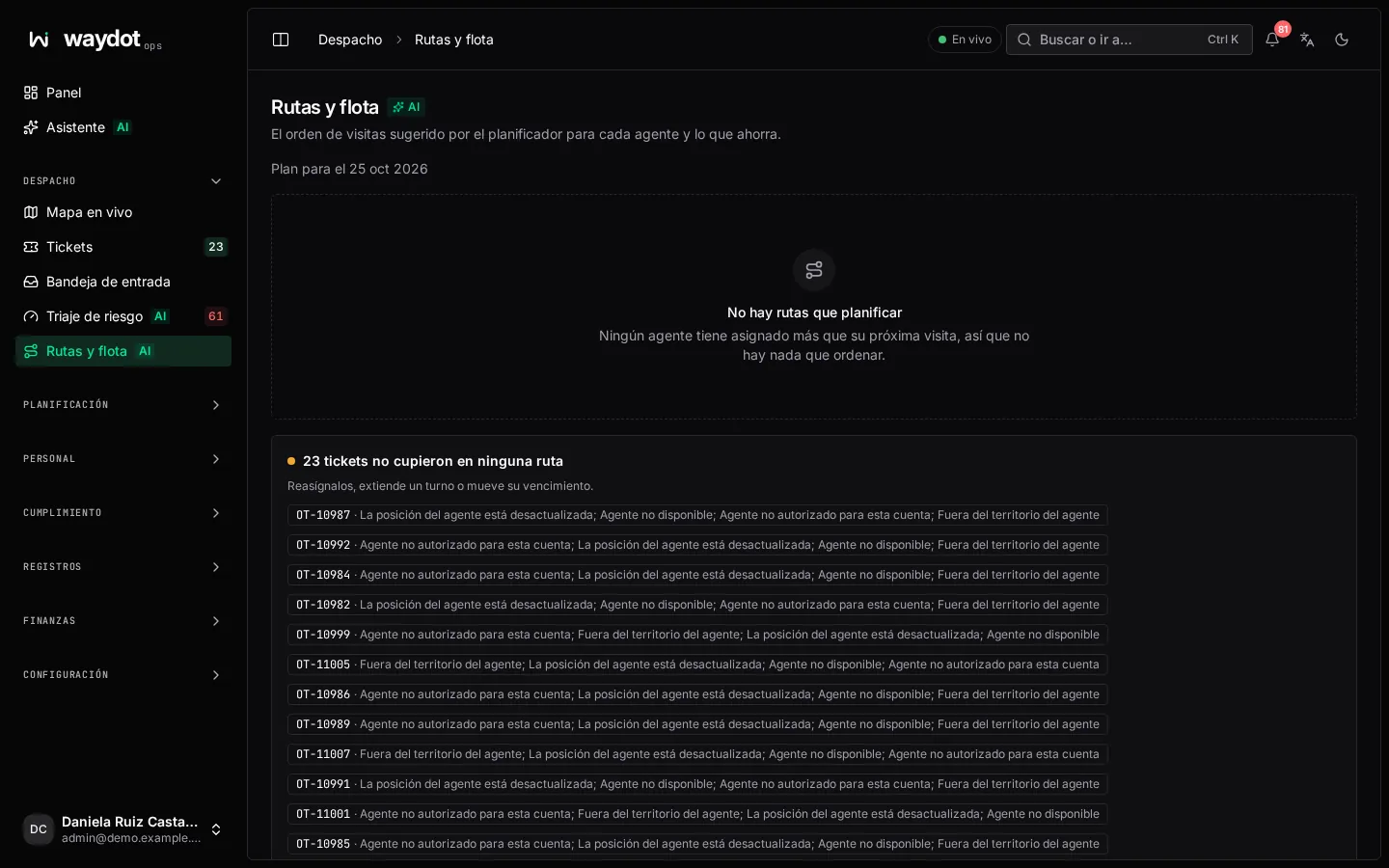
What it shows
- Plan for the day, and the total saving: Following these routes instead of visiting in deadline order saves about 38 km (22%), 4 L of fuel and 9 kg of tailpipe CO₂.
- The map with each agent's route. The line follows the roads in the suggested order; if road routing isn't available, the stops are joined with straight lines.
- Each agent's itinerary: how many stops, how much driving, and each stop with its site, estimated arrival (arrives ~10:40), driving time and deadline. Arrives after deadline marks those that won't make it.
What doesn't fit a route
| Notice | Why | What to do |
|---|---|---|
| N tickets didn't fit any route | There's no way to arrive on time with current shifts. | Reassign them, extend a shift or move their deadline. |
| N tickets unassigned | The planner only orders assigned work. | Assign them to include them. |
| N tickets have no site location | Their site has no coordinates. | Place the site's pin. |
| N agents have no known location | Their app hasn't reported a position. | Ask them to open the app with location on. |
If the planner is unavailable, stops are listed in deadline order unoptimized and no savings are shown.
How it's used
The order is a suggestion: agents see their tickets in the app and can follow it. Travel times are calculated by road (with live traffic on Enterprise) and consume your plan's Route calculations pool; when the overage ceiling is reached they are calculated in a straight line. See Usage.