

English
Organization chart
Seats define who reports to whom. Job titles are reusable labels (Field technician) and each person holds one seat.
Where it is: Workforce → People → Organization chart. Who sees it: people allowed to read the whole people directory; editing the structure needs maintaining employee files. Plan: Human resources add-on.
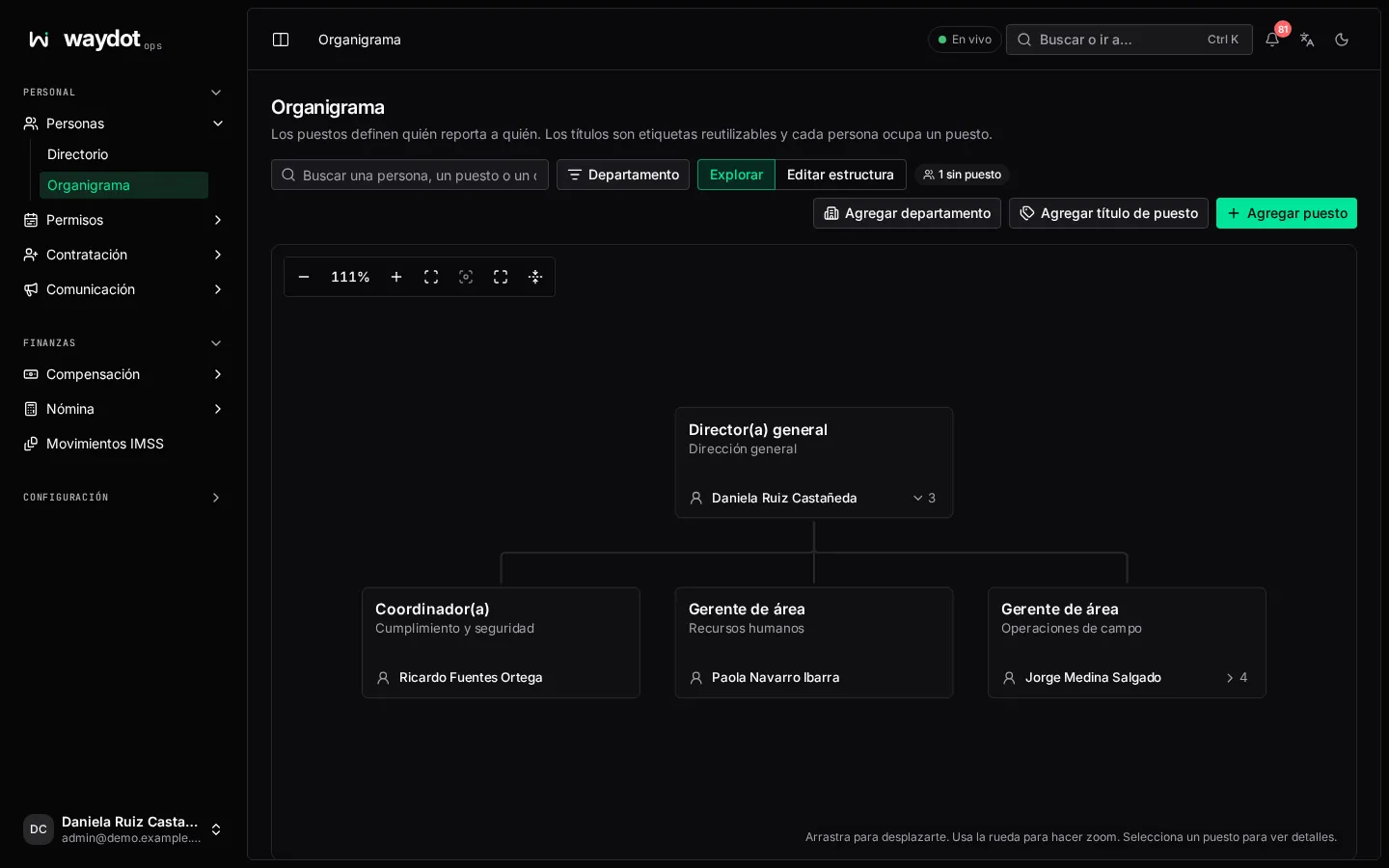
Browsing
Browse mode: find a person, title or department; zoom in and out, Fit the whole chart, Centre the selected seat, full screen and Collapse every branch. Each seat shows the person (or Vacant) and how many reports it has; filter by department.
Selecting a seat shows the Person in this seat, Reports to (Nobody; this is a top-level seat), and Below this seat (direct reports and people in the branch).
Editing the structure
In Edit structure:
- Catalogs: Add department (name, Part of another department or top-level, description and a Code integrations use) and Add job title. Both are needed before the first seat.
- Add seat: its department, title and who it reports to.
- On a seat:
- Assign person: Who takes this seat? Only people without a seat appear; to move someone, free their seat first.
- Remove person from seat: the seat becomes vacant; their account stays active (only the chart changes) and their reports keep reporting to the seat.
- Change who this reports to: pick the new manager (or Nobody to make it top-level). Before saving you see Reports to now / Will report to; seats below this one aren't offered.
- Edit department or title, Move earlier / Move later.
Where it's used
- Reports to on the person's page in the console.
- When scheduling a change only vacant positions are offered.