

English
Roles and access
Who can do what: each role is a set of capabilities (permissions) given to the people who hold it. A person can hold several roles; their capabilities add up. A person can also be given temporary grants.
Where it is: Configuration → Roles & access, with the Permissions tab. Who sees it: people allowed to read roles and the permission catalog. Creating, editing and deleting custom roles needs create, edit and delete custom roles; assigning them to people, assign roles and direct permissions. Plan: system roles are on every plan; custom roles and temporary grants are the Custom roles and grants module (Pro and Enterprise).
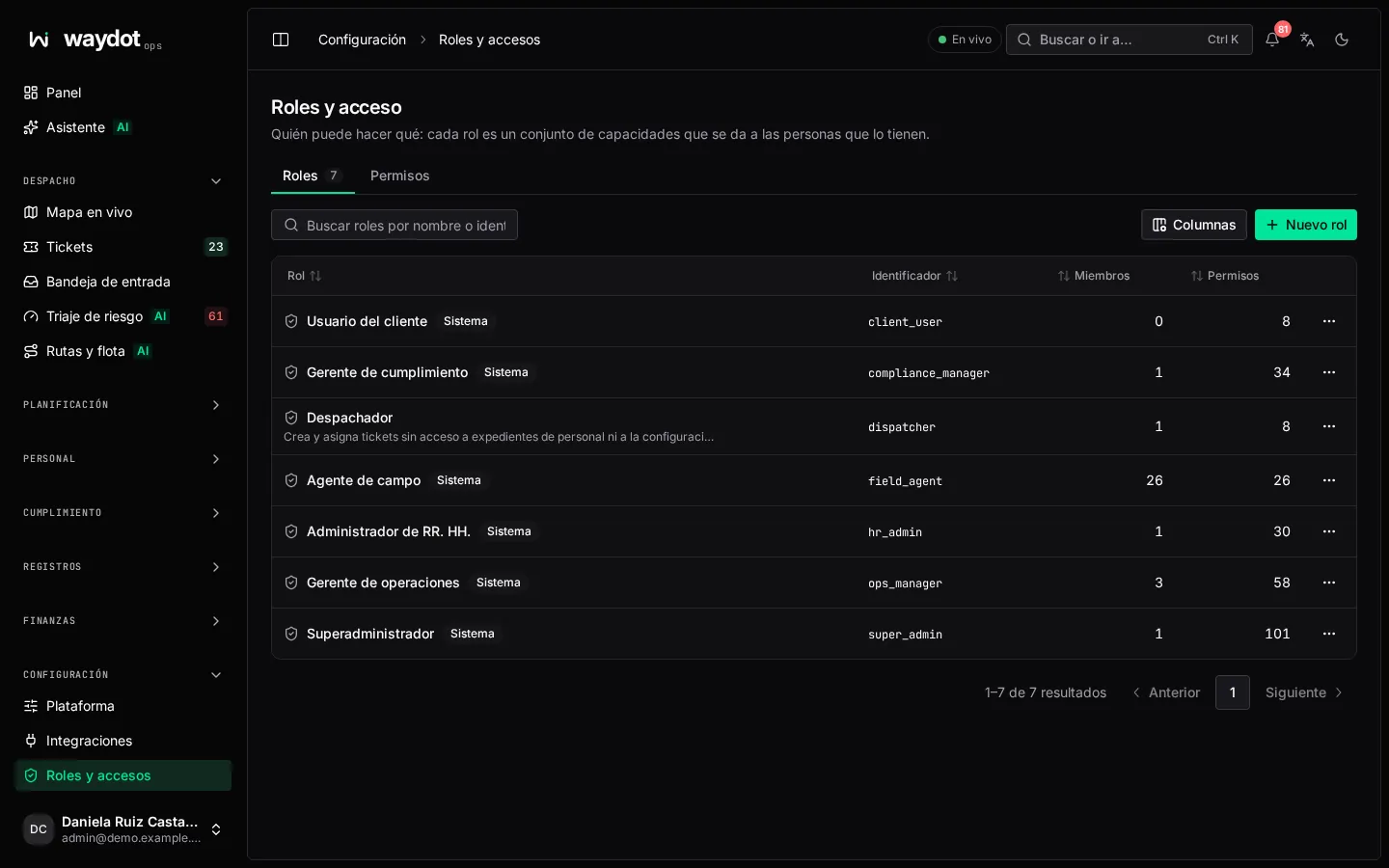
The system roles
They come with every workspace and can't be changed (System role · Set in code, read-only):
| Role | Who for | In short |
|---|---|---|
| Field agent | Technicians in the field, on the app. | Sees and works their tickets, answers offers, clocks in, reports their location, expenses, fill-ups, safety (JSA, hazards, SOS) and their equipment. |
| Operations manager | Dispatchers and supervisors. | Everything operational in their territories: tickets, assignment, the board, visits, knowledge, sites, assets, fleet, shifts, expenses (approving), notification rules, intelligence and the intake inbox. |
| Compliance manager | Safety, quality and audit. | Reads the operation in their territories, answers SOS, reviews GPS anomalies, audits quality, writes quality rules and safety checklists, and exports the audit log. |
| HR administrator | Human resources. | People and accounts, employee files, attendance (ruling on corrections), leave, internal communications, payroll (approving) and assigning roles and grants. |
| Super administrator | Workspace owners and administrators. | Everything, including platform settings, billing, integrations and closing the workspace. |
The full matrix of which permission each role carries is in Permissions.
"Read" against "read in your scope"
Many permissions come at two levels: your own (read your own attendance) and your territories' (read attendance across your territories). Each person's scope (their territories or clients) is set on their page in People.
The roles list
Each role with its name, identifier, how many capabilities it has, how many people hold it and whether it's System. Search by name or identifier. New role creates one; Delete role (custom only): Members assigned to it will lose its permissions immediately.
Creating a role
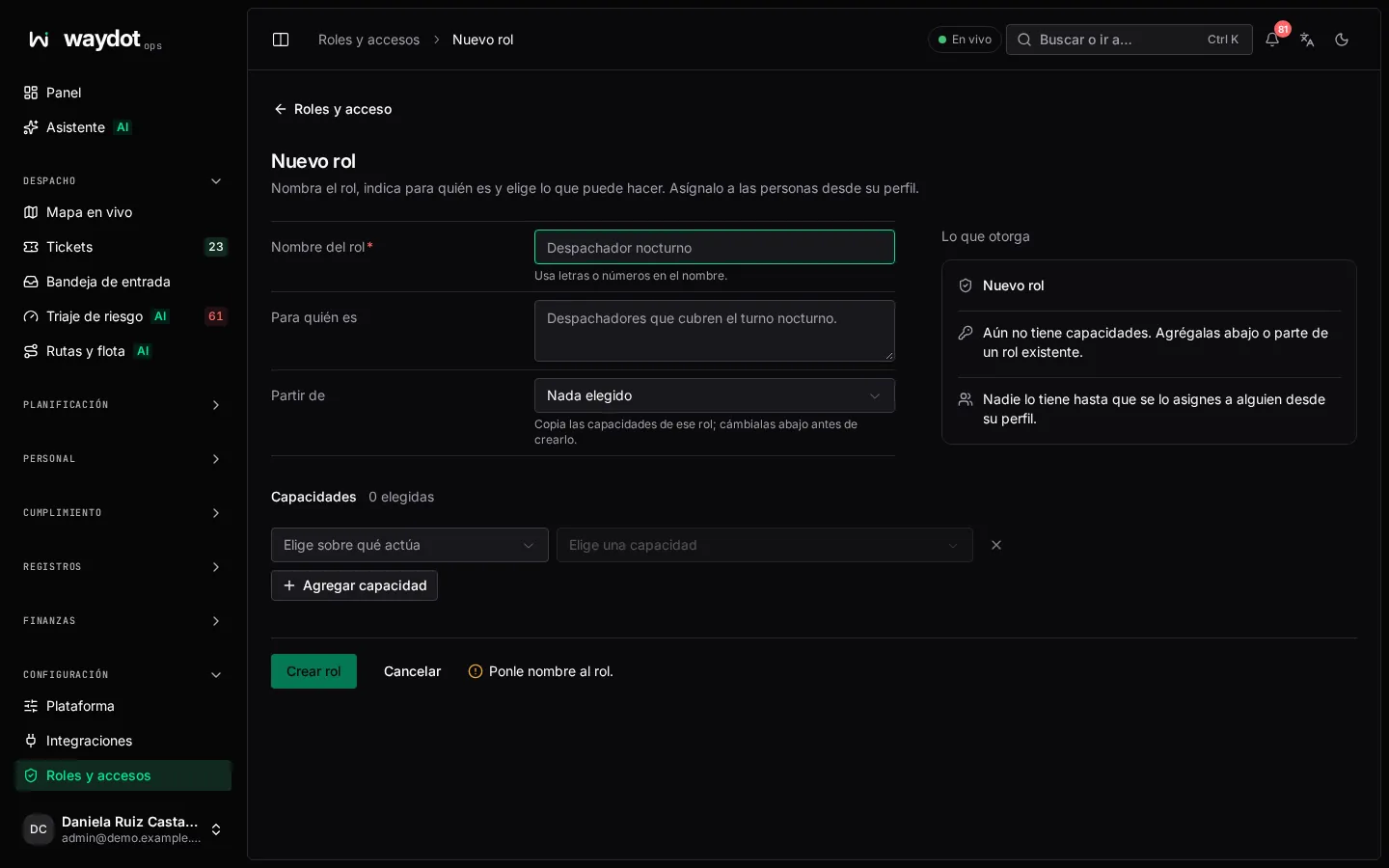
| Field | What it is |
|---|---|
| Role name | E.g. Night dispatcher. Must be unique. The generated Internal identifier is shown; it can't be changed later. |
| Who it is for | One sentence: Dispatchers covering the night shift. |
| Start from | Copies the capabilities of an existing role to adjust (Nothing chosen to start blank). |
| Capabilities | Pick what it acts on (the area) and the capability, or All N capabilities of the area. Add capability; Clear. At least one. |
On the right, What it grants sums up the role and how many console areas it opens. Create role. Nobody holds it until you give it to someone from their profile.
You can only grant what you hold
When creating or editing a role, assigning a role or giving a temporary grant, you can't give capabilities you don't hold yourself: You cannot grant permissions you do not hold yourself. The one exception: HR can assign the Field agent role when onboarding staff.
A role's page
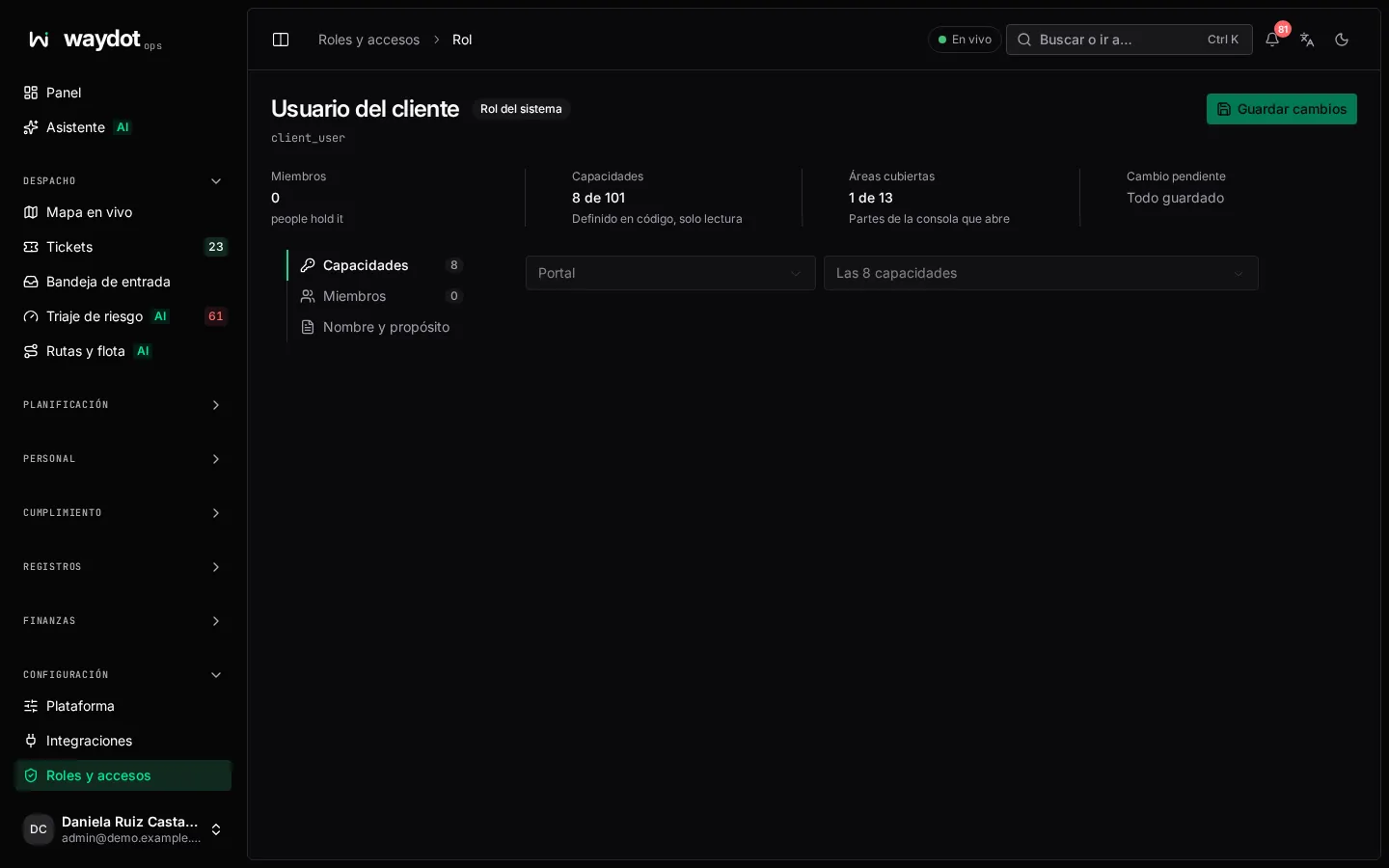
| Section | What it holds |
|---|---|
| Name and purpose | Role name (what people see on profiles and pickers), the description and the identifier (Used by the API; it never changes). |
| Capabilities | The capabilities, with Areas covered and the Parts of the console it opens. Changing them shows a Pending change: Saving changes access for 4 people. Gains … Loses …. Applies on save. |
| Members | Who holds it. Remove from role…: they lose this role's capabilities immediately, unless another role or a direct grant gives the same; their account stays active. Member changes apply immediately. |
| Role record | The changes. |
To give the role to someone, do it from their page in People (Roles).
Permissions
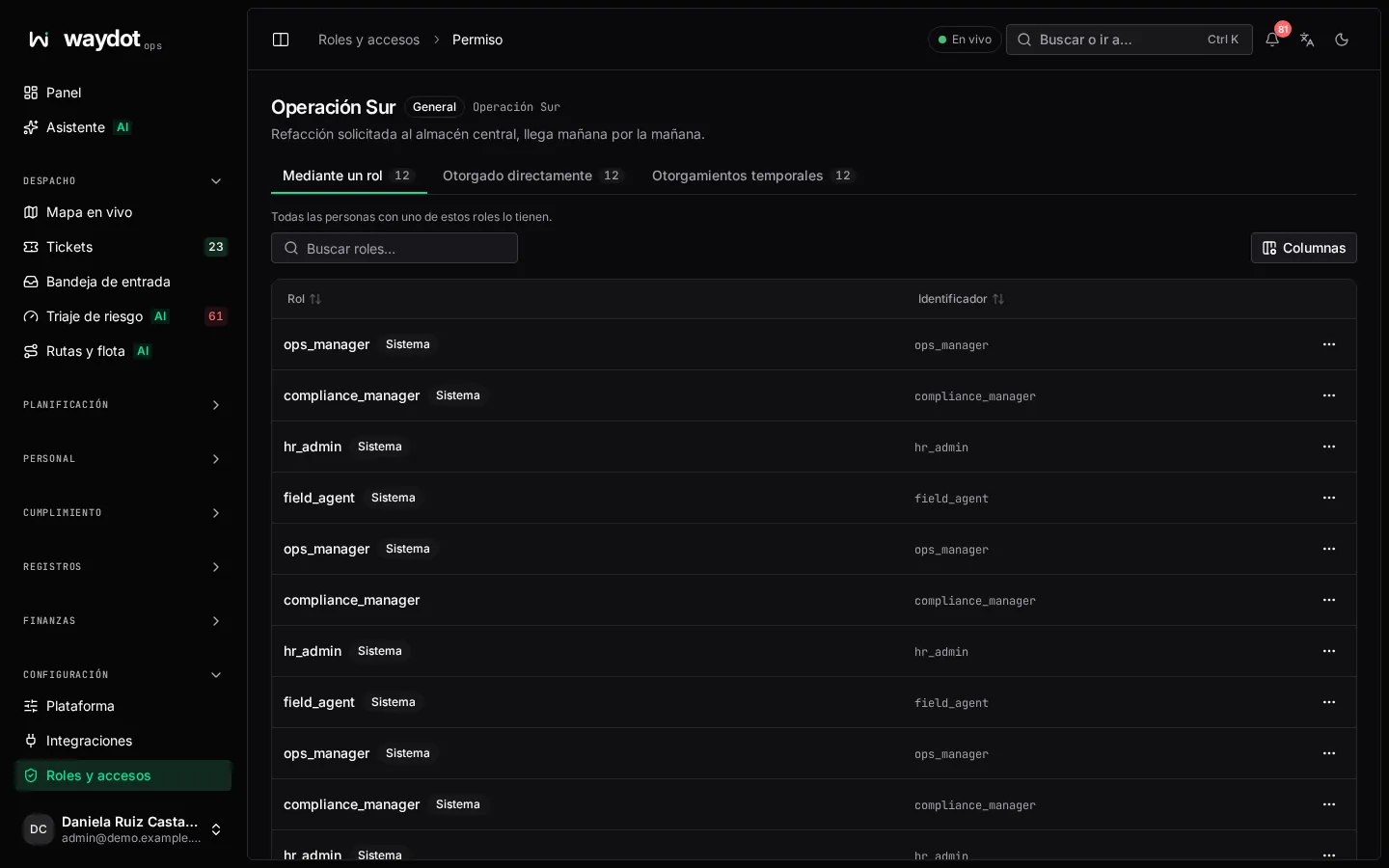
The Permissions tab lists every capability. Opening one shows who holds it and how they got it:
| Section | What it shows |
|---|---|
| Through a role | The roles granting it: everyone holding one of them has it. |
| Given directly | People who hold it personally, whatever their roles. |
| Temporary grants | Those given for a reason until they expire or are revoked (Until revoked). |