

English
Console assistant
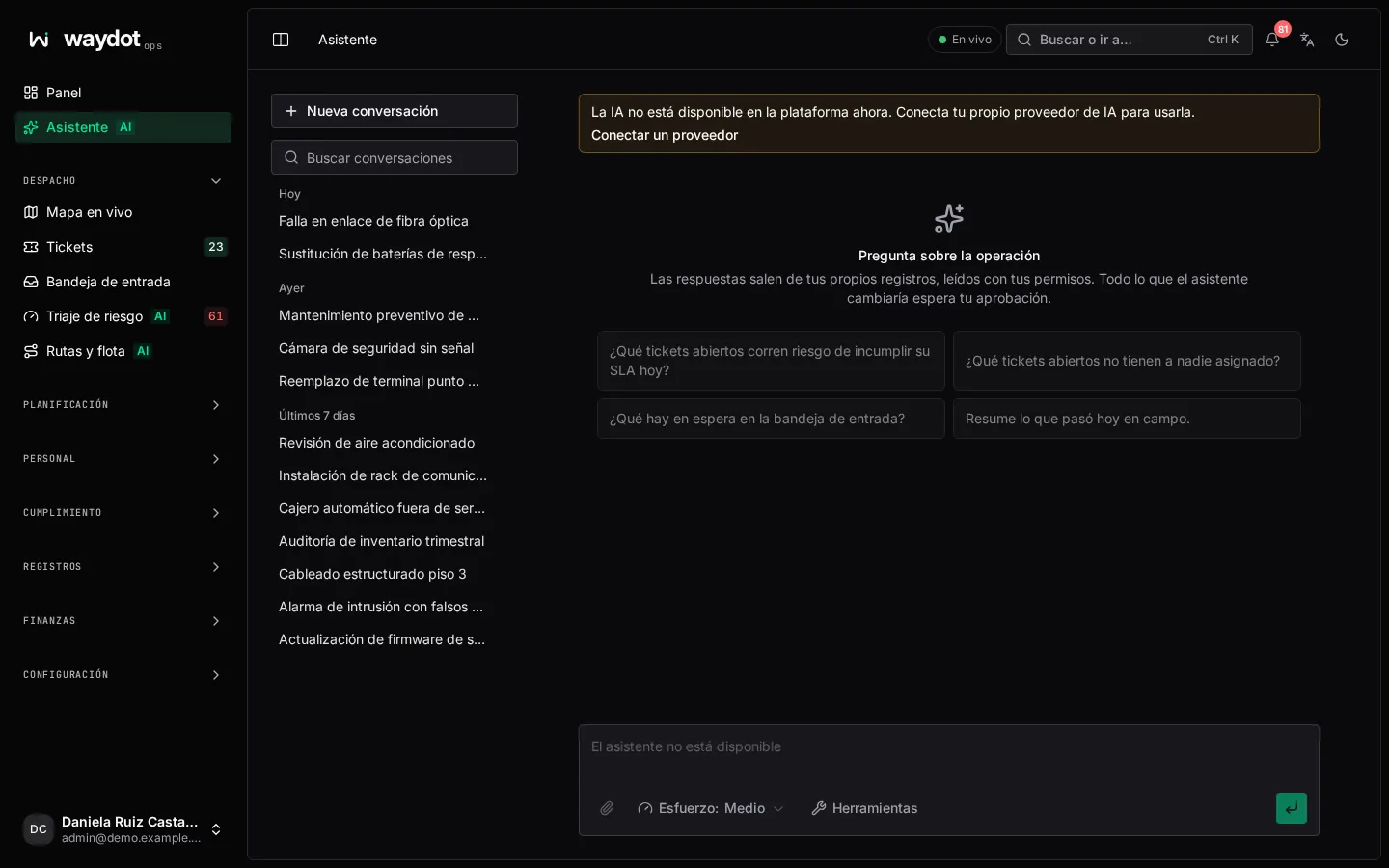
The assistant answers questions about your operation from your own records, read with your permissions: it sees nothing you can't. It can also propose changes (create or assign a ticket, add a note), but anything it would change waits for your approval.
Where it is: Home → Assistant (AI). Who sees it: every console user whose plan includes it. Plan: AI field assistant module (Pro and Enterprise). It consumes AI credits from the monthly pool, unless your workspace uses its own key.
Asking
- Type in Ask about tickets, people or sites… or pick a suggestion: Which open tickets are at risk of breaching their SLA today?, What's waiting in the intake inbox?, Summarize what happened in the field today, Which open tickets have nobody assigned yet?
- Press Send (or Enter). While working it shows Thinking… and which tools it is using.
- The answer links to the tickets, sites and people it mentions. Copy answer copies it.
You can attach photos or PDFs (or drop or paste them) to ask about them, for example the photo of an equipment nameplate.
Approving changes
When the assistant wants to change something, it shows the details with This changes records as you. Check the details before approving. and waits:
- Approve: the change is made in your name and logged as yours.
- Reject: nothing changes.
Per-message options
| Option | What it does |
|---|---|
| Effort | Low answers fast with the fewest lookups; Medium balances; High reasons and looks up more, and uses more credits. Your plan caps the maximum effort. |
| Model | Which model answers. Default uses your workspace's. If the chosen one is busy, a similar one answers and it is noted. |
| Tools | What the assistant can look up. Turn off those you don't want it to use in the next message. Those marked Asks first change records and always ask for approval. |
| Search the web | Lets it look things up on the internet besides your records. |
Available tools: Operations summary, Search tickets, Open a ticket, My tickets, Find a client site, Create a ticket, Rank technicians for a ticket, Assign a ticket, Move a ticket, Add a note to a ticket, Technician availability, Intake inbox, Similar tickets, Search the knowledge base, Past solutions, Ticket guides and Equipment history. Each works only if your role has the matching permission.
Conversations
Conversations keeps your conversations grouped as Today, Yesterday, Previous 7 days, Previous 30 days and Older. You can search them, Rename or Delete (permanent). New chat starts afresh. Conversations are yours: nobody else sees them.
Credits and keys
- Under the message box it reads N of M AI credits used this month. When the pool (or overage ceiling) runs out, the assistant pauses until next month. See Usage.
- If your workspace connected its own AI provider, it reads Answers use your … key and no credits are consumed. See Integrations.
The same assistant outside WAYDOT (MCP)
Tools → The same tools over MCP gives the address for connecting Claude Desktop, Cursor or another agent with a service account token; it does only what that account can do. Create a service account takes you to Integrations.
If something fails
| Message | What to do |
|---|---|
| The answer stopped before it finished. | Try again. |
| Every model on your key is busy right now. | Wait a minute or pick another model. |
| Your provider refused the key. | An administrator must replace it. |
| Your provider account is out of credit. | Top it up with your provider. |
| The assistant is not available | Credits or the ceiling ran out, or the plan doesn't include it. |