

English
What your clients see
Your clients don't sign in to WAYDOT. What they receive goes out with your company's name and logo (Sent by [your company] · Delivered with waydot), set in Company.
Service reports
Client reports are documents with the data of the stores you serve, ready to hand over at the monthly or quarterly meeting. They're produced in the client's language.
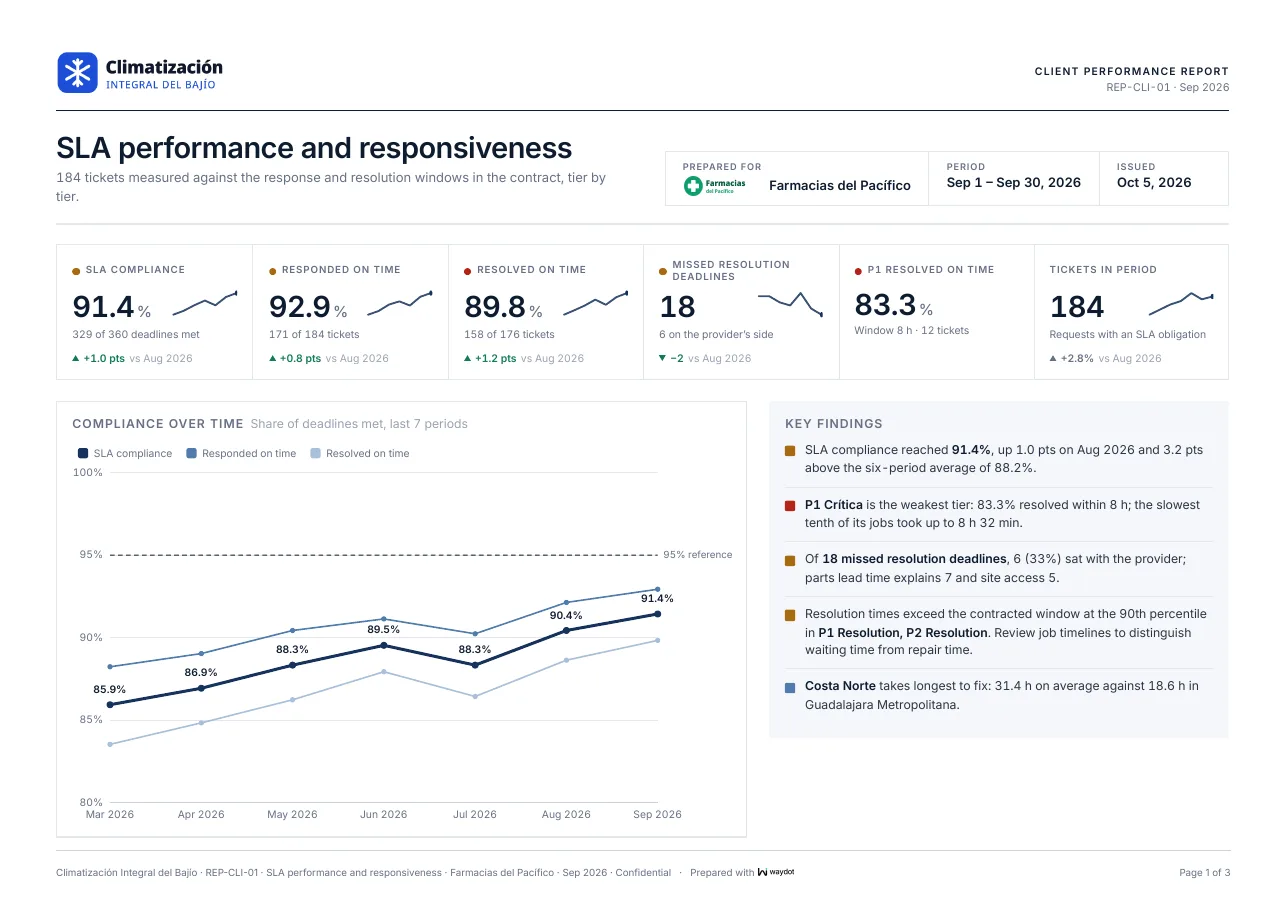
Each report's first page carries the period's measures against the previous one, the trend and the key findings in plain language (P1 Critical is the weakest priority: 83.3% resolved within 8 h), and the following pages the detail by priority, territory and category. The footer shows the report's reference (REP-CLI-01), the period and Confidential.
| Report | For the conversation about… |
|---|---|
| SLA performance and responsiveness | Whether the contract was met: on-time response and resolution, breaches and who they're attributed to. |
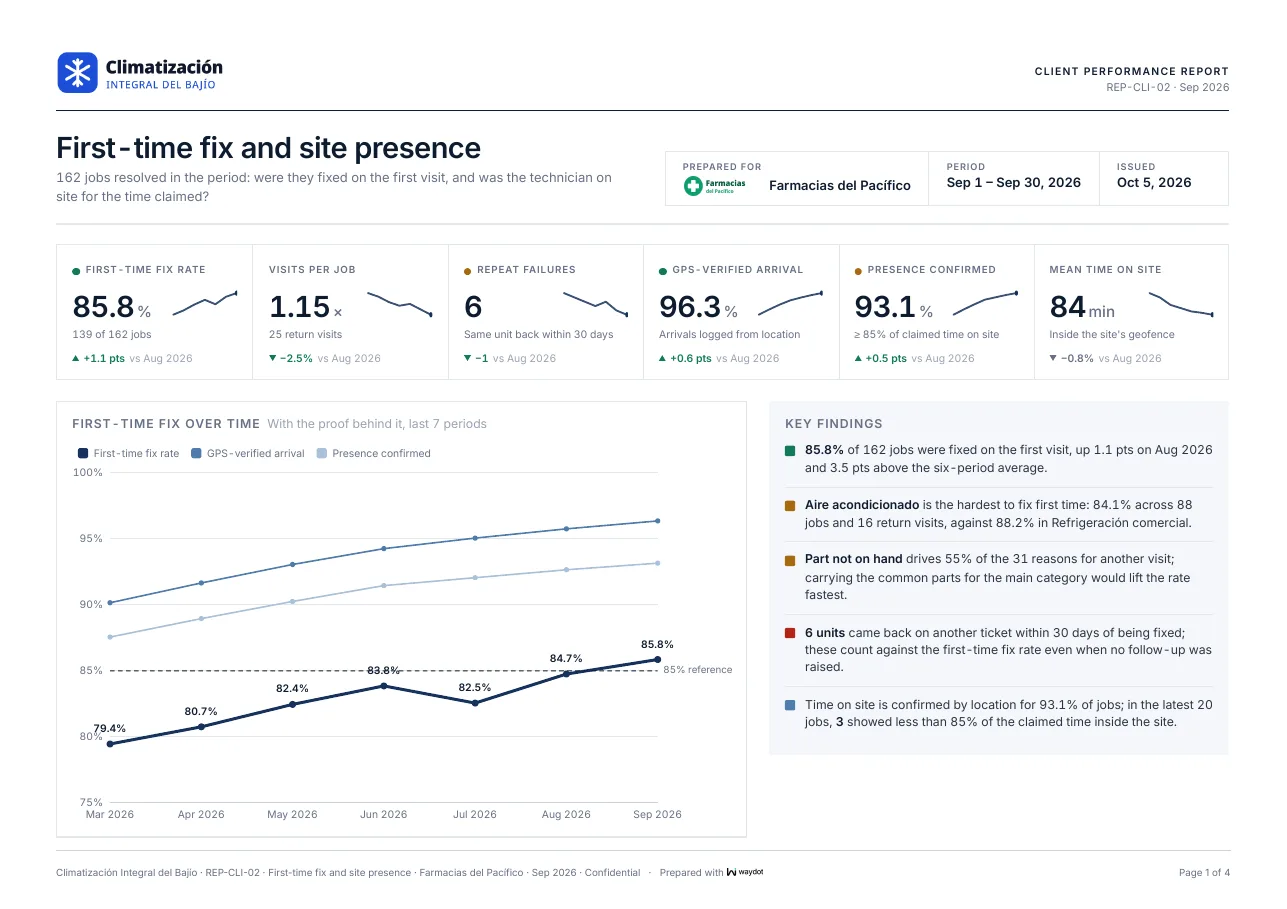
| First-time fix and site presence | Diagnosis quality: visits per job, GPS-verified arrivals, time on site, revisit reasons. |
| Asset lifecycle and renewal | Which equipment fails often, warranties and what's worth replacing. |
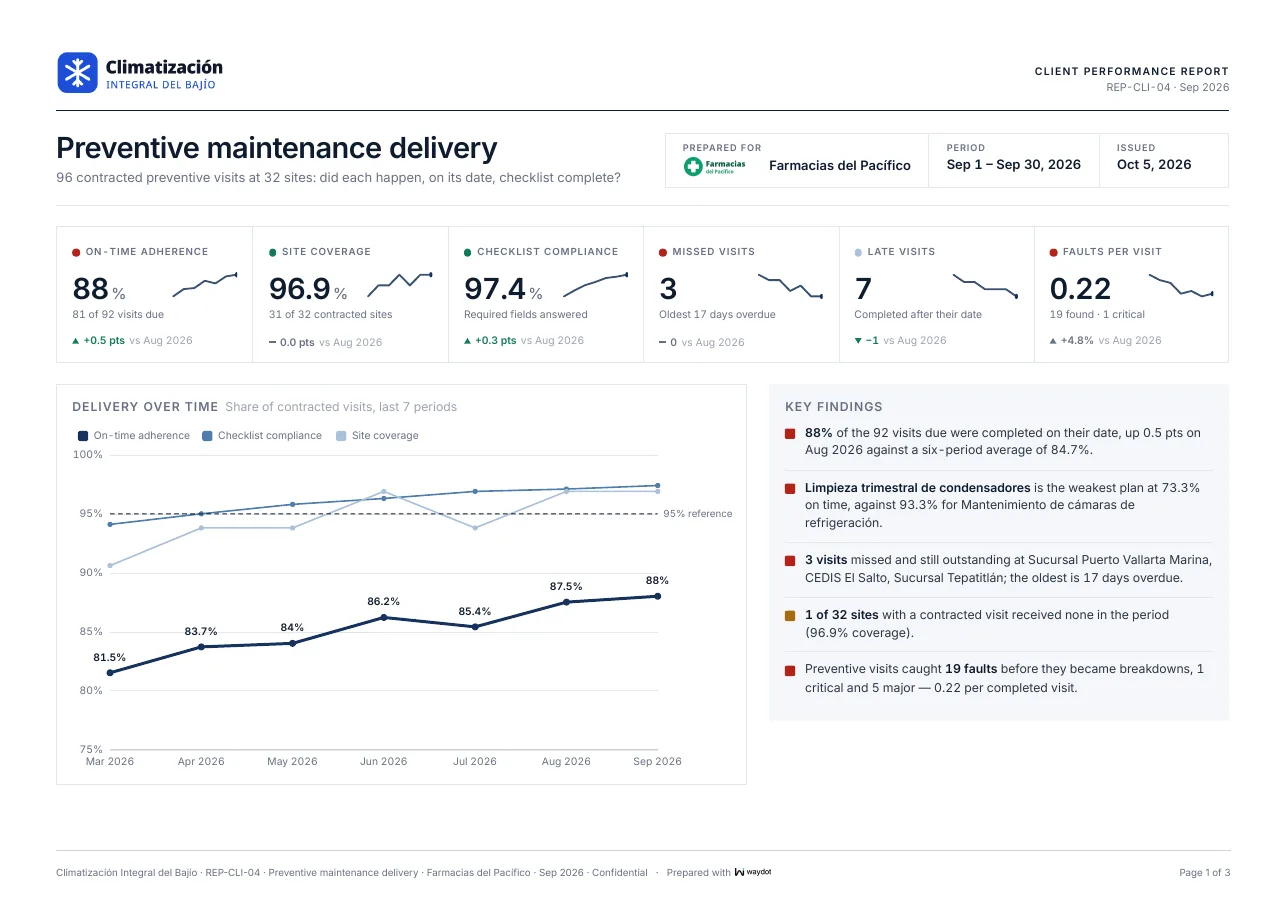
| Preventive maintenance delivery | On-time visits, site coverage, completed checklists and missed visits. |
| Service quality and evidence | Audit defects by severity and the integrity of photo evidence. |
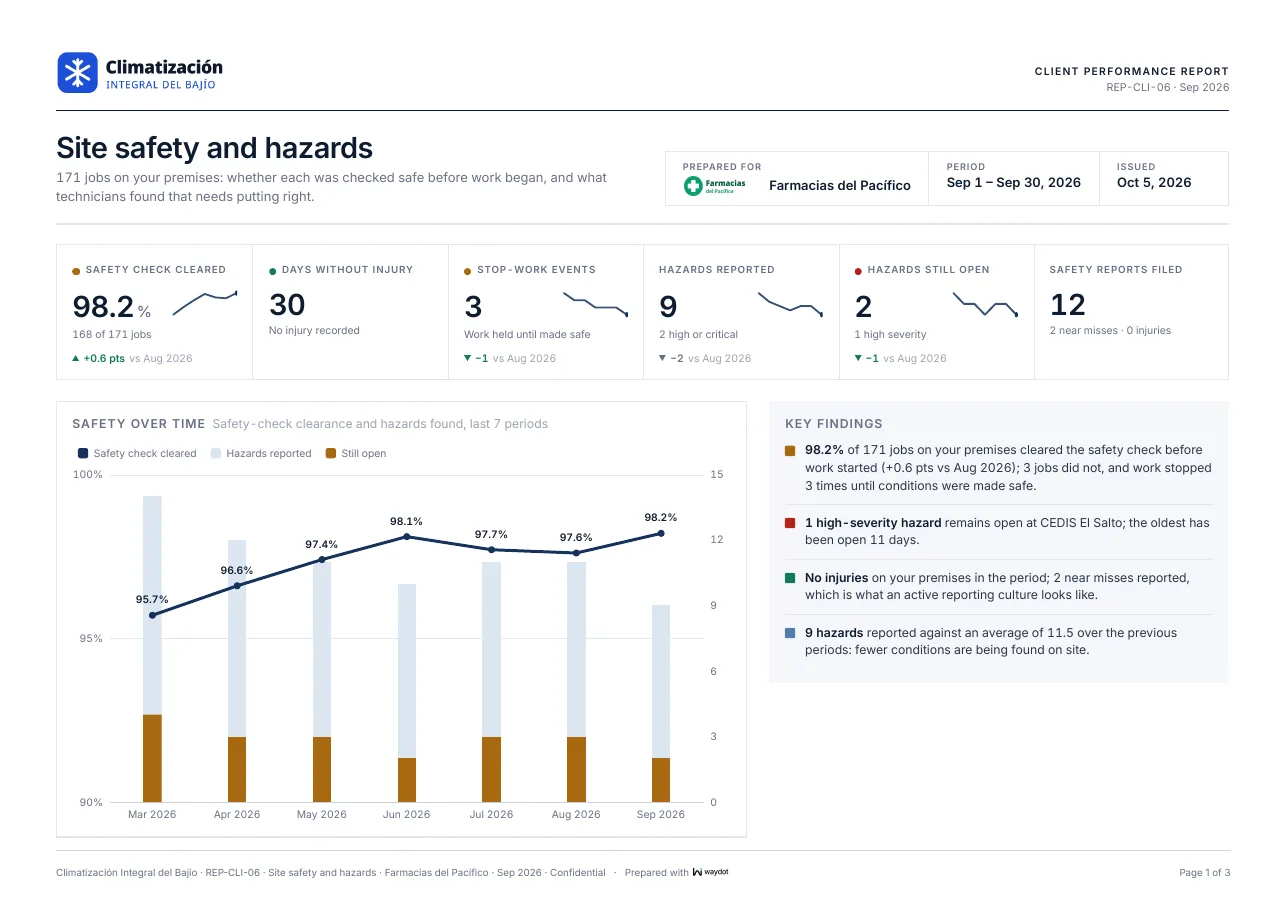
| Site safety and hazards | Safety checks, incident-free days, reports and open hazards. |
| Service demand and out-of-scope work | When demand arrives and the extra work done outside the contract. |
How they receive them
From the client you can produce a report for a period and download it, or schedule its delivery (weekly, monthly or quarterly) as:
| Delivery | What the recipient gets |
|---|---|
| PDF link | The document, ready to print or forward. |
| Spreadsheet link | The same data in a sheet, for those who want to filter it. |
| Console link | For recipients in your own company. |
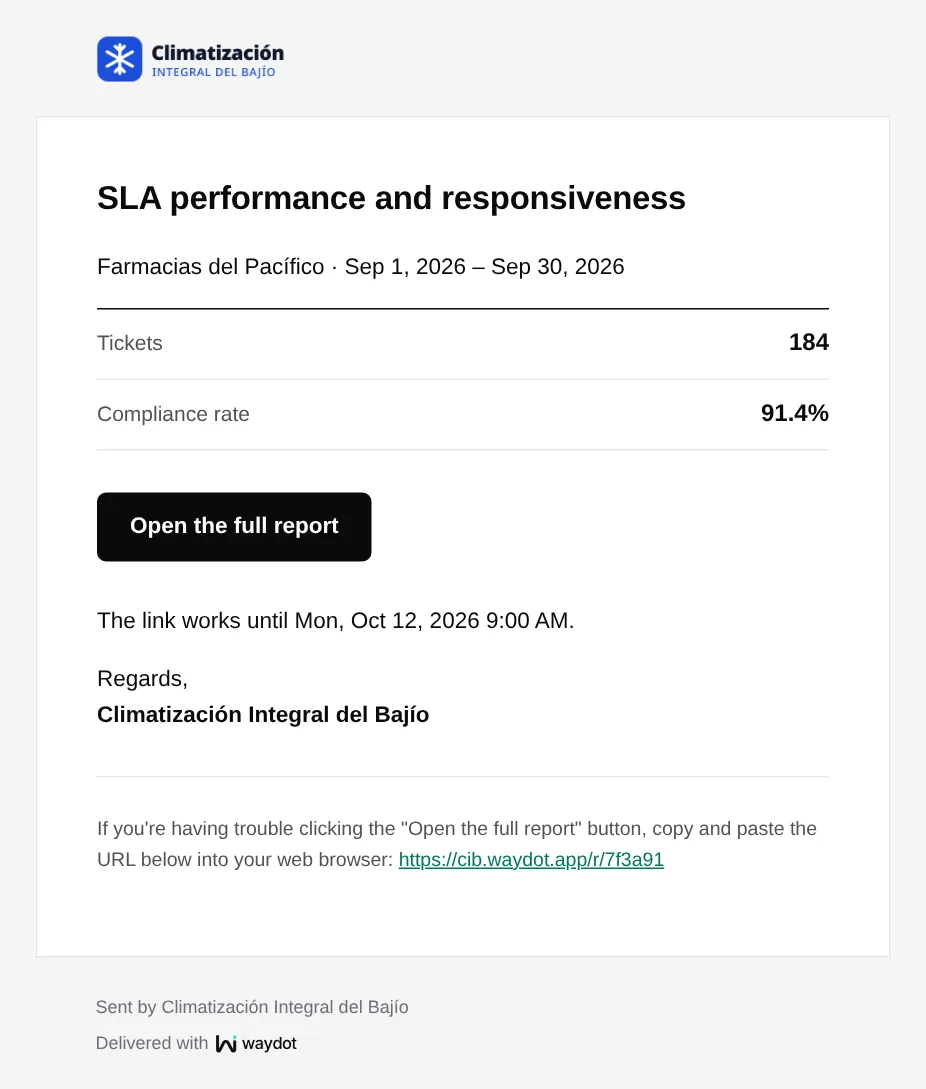
Each delivery arrives by email with the headline numbers and the Open the full report button. The link expires after a few days; after that a new one must be requested.
Updates to people requesting service
When a client requests service by WhatsApp or email (see Intake), the sender gets updates if the connection has Acknowledge senders and Tell requesters how it is going:
| Moment | ||
|---|---|---|
| We received your message | ✓ | ✓ |
| The ticket was raised, with its reference | ✓ | ✓ |
| Technician assigned | ✓ | ✓ |
| On the way | ✓ | |
| Arrived on site | ✓ | |
| Done | ✓ | ✓ |
| Another visit scheduled | ✓ | |
| Cancelled | ✓ |
- On WhatsApp they're chat messages; if the client hasn't written in the last day, they go out as Meta-approved templates.
- By email, nearby changes are held for 15 minutes and sent as one email, and replies go back to the request.
- The language is set by the connection (Spanish or English).
With the WhatsApp assistant, an assistant handles the chat: it identifies the branch, asks what's missing and opens the ticket when the client taps Confirm. A number or address not approved as a requester is first asked who they are.
What applicants and staff see
- Applicants: your careers site, their application emails, the invitation to book the interview and the offer to sign.
- New staff: the invitation to the console or the field app. See Emails WAYDOT sends.