

English
Knowledge base
The knowledge base keeps the procedures technicians follow: how to replace a barcode scanner, how to restore a terminal, what to check on a down link. Technicians read them in the app (offline too), the assistant answers with them, and each ticket shows the guides that match its work.
Where it is: on each client's page, Runbooks section (Guides for general ones), and in each ticket's Knowledge section. Who sees it: people allowed to read the knowledge base. Propose knowledge articles from resolved work allows sending field notes; publish, review and retire knowledge articles allows writing and approving them. Plan: Knowledge base module (Pro and Enterprise).
Kinds of article
| Kind | What it is |
|---|---|
| Guide | A procedure shared across clients (no client). |
| Runbook | A client-specific procedure. |
| Field note | What a technician learned on a ticket, proposed from the ticket. It is limited to that ticket's client and reviewed before technicians see it. |
Writing an article
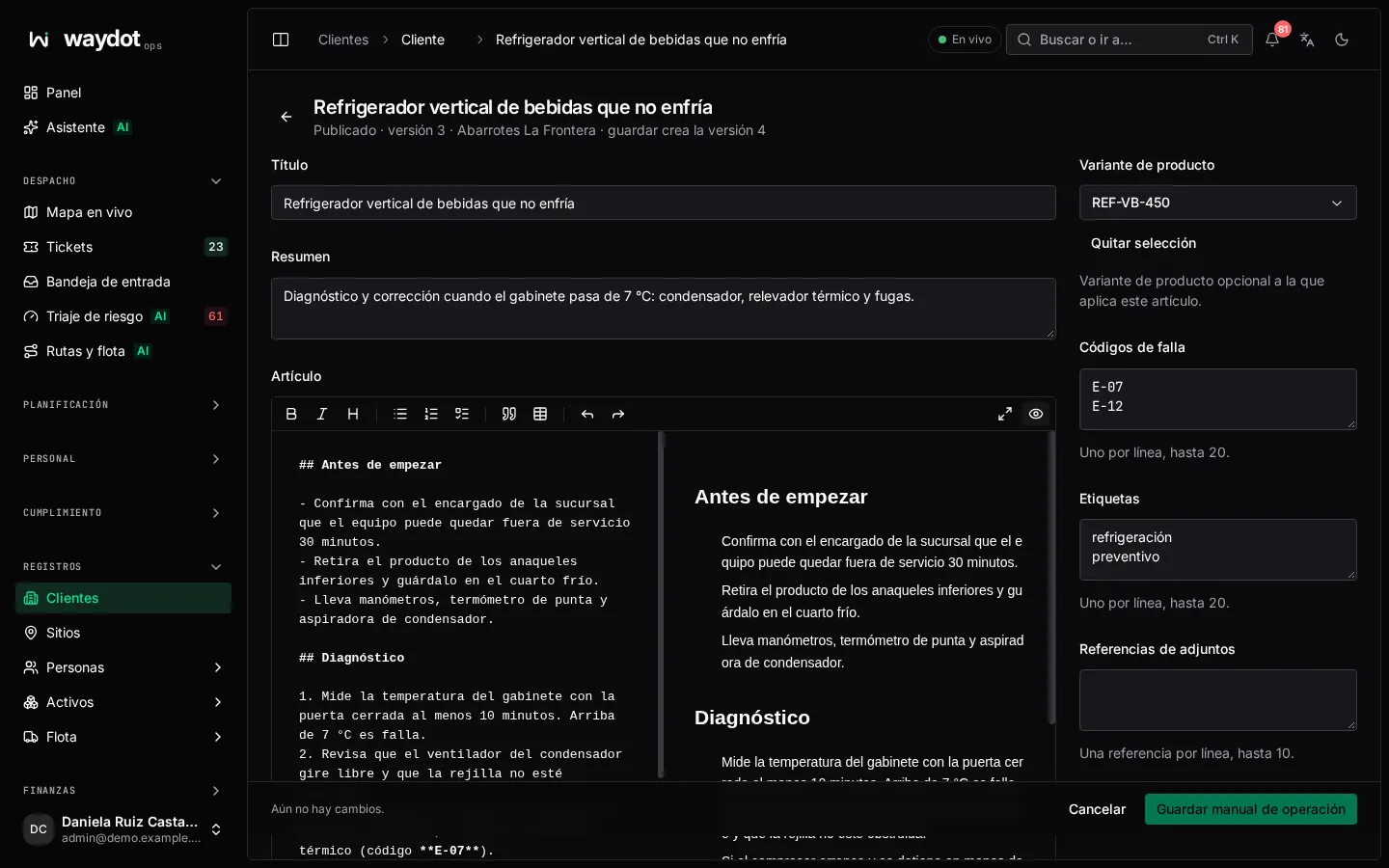
| Field | What it is |
|---|---|
| Title | For example Replace a point-of-sale barcode scanner. |
| Summary | One or two sentences a technician reads before opening it. |
| Article | The steps, checks and warnings. Use the toolbar for headings, lists, bold and tables; the right side shows the article as technicians will see it. Up to 20,000 characters. |
| Client | Empty for a guide shared across clients. |
| Product variant | Optional: the exact equipment it applies to (All equipment otherwise). That's how it matches that equipment's tickets. |
| Fault codes | One per line, up to 10. Searched when a ticket with that code is opened. |
| Tags | One per line, up to 20. |
| Attachment references | One per line, up to 10. |
Save article (or Submit proposal for a field note). Each save creates a new version.
States and review
| State | Meaning |
|---|---|
| Draft | Being written. |
| In review | Sent for review (Submit for review). |
| Needs changes | The reviewer asked for changes. |
| Published guidance | Technicians see it. |
| Archived | Retired; no longer offered. |
On the article, Review this runbook asks for the outcome and notes (required for anything other than publishing). Publish makes it visible to technicians.
The article's page
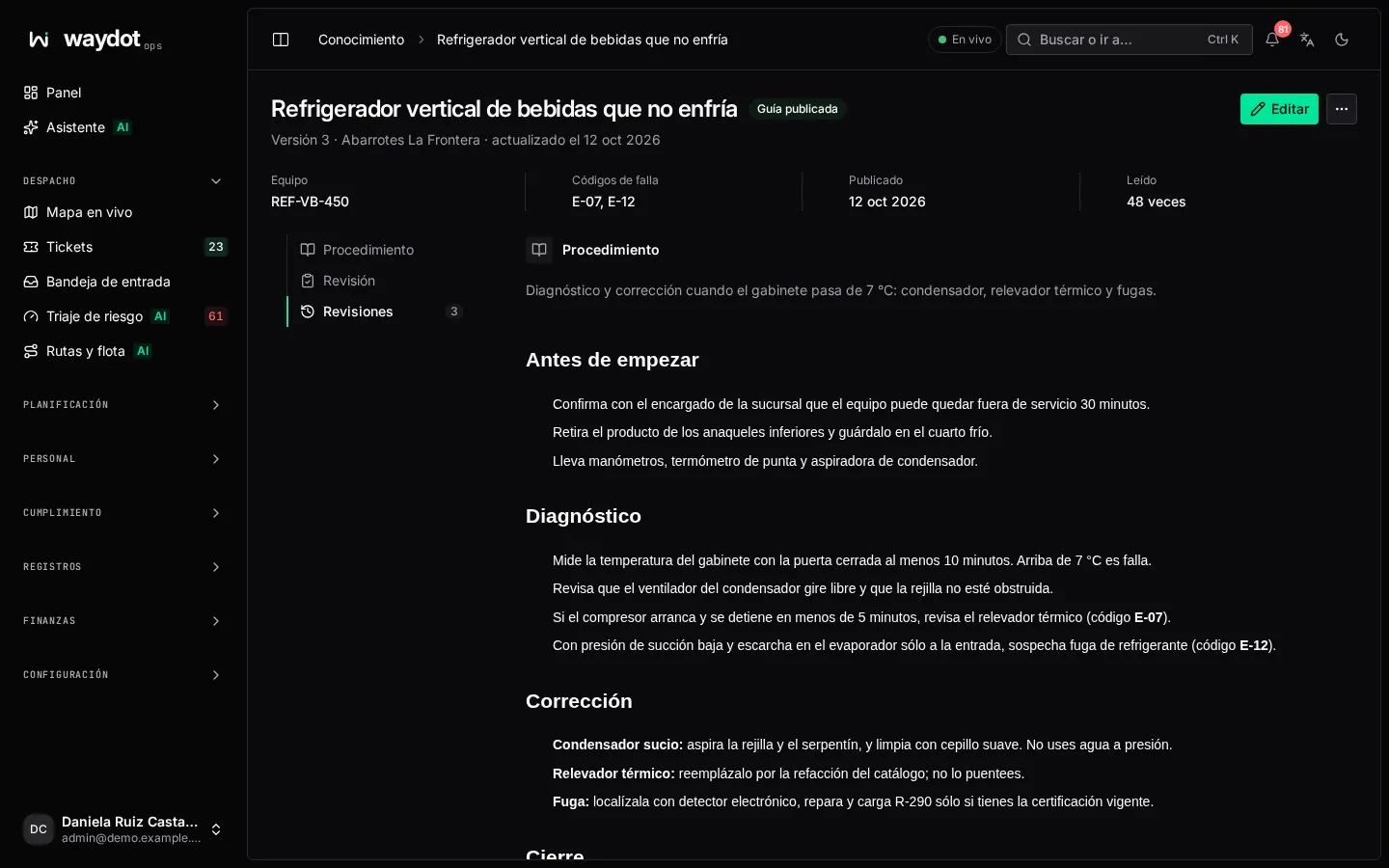
Procedure (the text), Equipment, Fault codes, Tags, Learned on (the source ticket of a field note), Review (who and when), Revisions (the versions) and how many times it has been used.
In ⋯: Export skill package (downloads the article as a package to load into other assistants) and Delete runbook (permanently deletes the article and its revisions).
Proposing a field note from a ticket
In a resolved ticket's Knowledge section, or from the field app when closing a job, propose a New field note: title, summary, the article, product variant, fault codes and attachments. Choose Submit for review. A knowledge administrator reviews and publishes it.
How it's used
- On each ticket, the Knowledge section shows Matching guides for the job and the site's equipment, and Resolved jobs like this one.
- In the field app, the technician searches and opens guides, offline too.
- The assistant answers with these guides and cites the source.