

English
Pre-work assessments
Before starting certain jobs, the agent answers a safety checklist (job safety analysis, JSA) in the app. If an answer isn't the safe one, the work is blocked until it's resolved. Every submission is listed here.
Where it is: Compliance → Safety → Assessments. On each ticket, in the Safety section. Who sees it: those who can read the safety record. Plan: Health and safety (HSE) module.
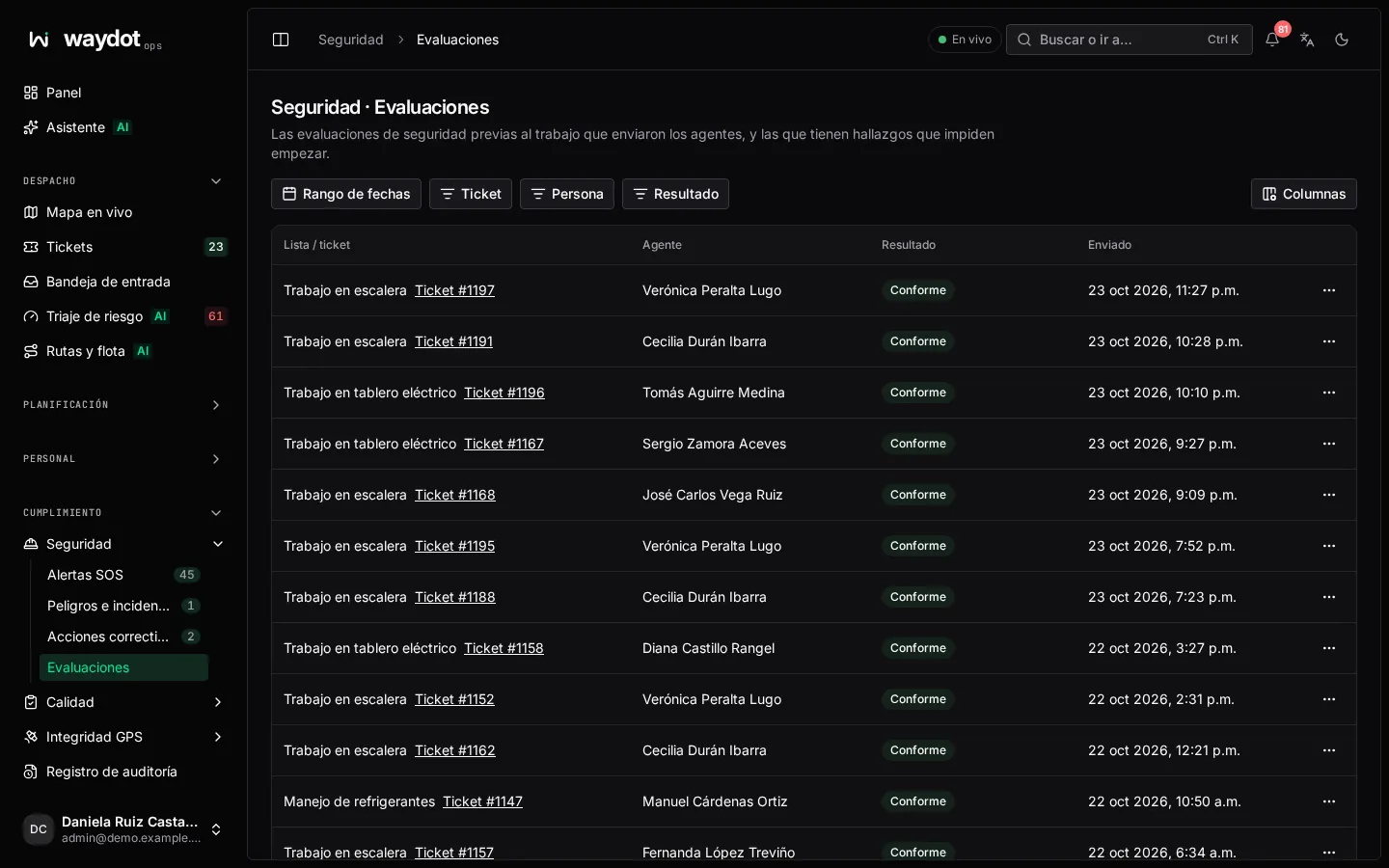
The list
Each submission shows the checklist, the ticket, who submitted it, when and the result:
| Result | Meaning |
|---|---|
| Compliant | Every answer is safe: work can go ahead. |
| Blocking findings | At least one answer wasn't the safe one: the work is blocked and the ticket can't be resolved. |
Filter by result. View answers opens the submission.
A submission
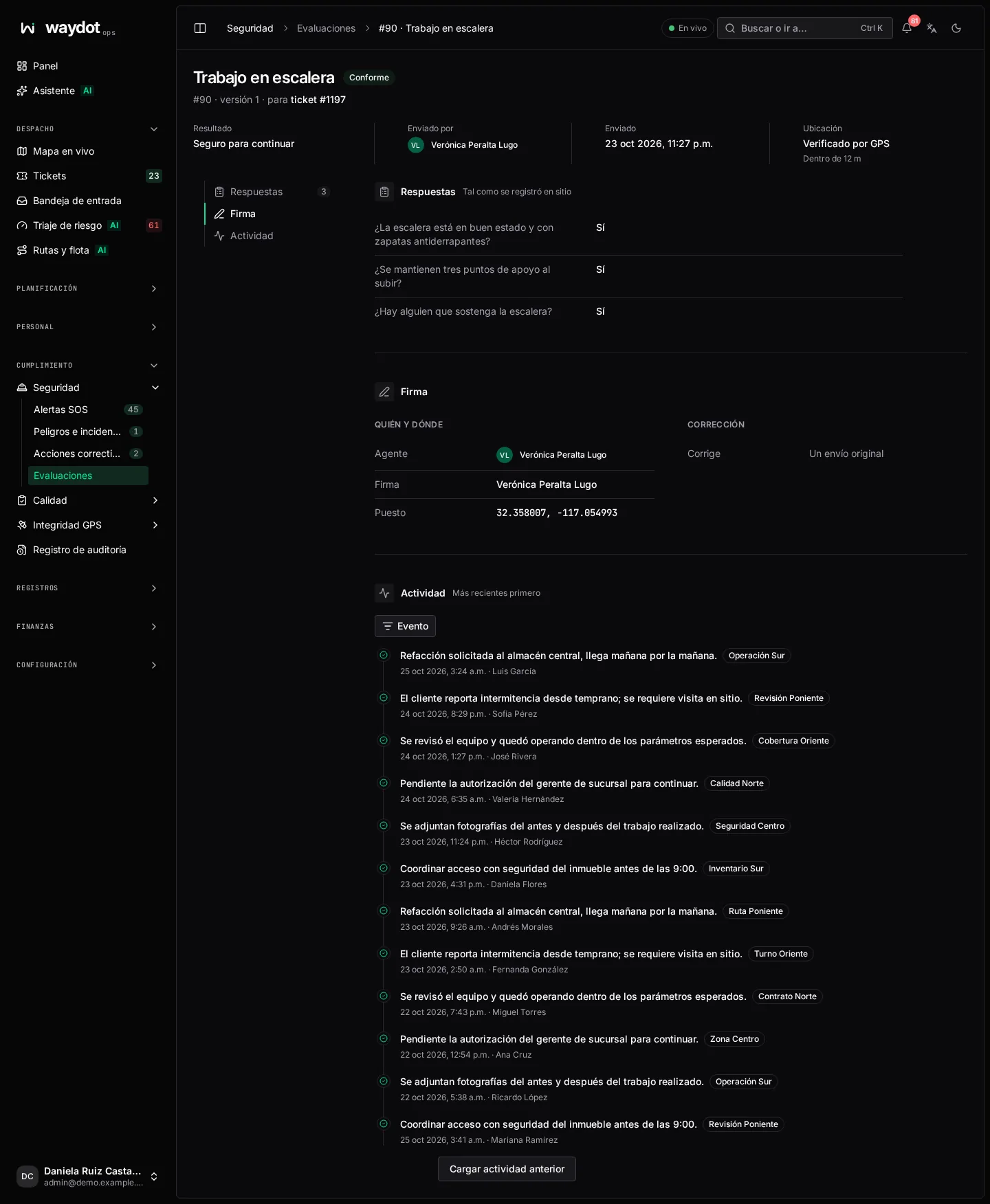
| Section | What it holds |
|---|---|
| Answers | As recorded on site, question by question. |
| Blocking findings | The answers that stop the work: Answered No; the safe answer is Yes. |
| Signature | The submitter's signature, if the checklist requires it. |
| Who and where | Submitted by, ticket, and whether it was GPS verified (Within 20 m of the site). |
| Correction | If this submission corrects another, which one and Why. |
| Recorded changes | The history. |
Correcting a submission
If something was answered by mistake, in the ticket's Safety section choose Fix: answer again and give the Reason for correction. The original answers stay on record; the correction is saved as a new submission linked to the original. A submission made from the console is marked without GPS verification.
The checklists and the safe answer to each question are defined in Safety checklists.