

English
Asset inventory
The inventory records every unit of equipment (a terminal, a camera, a split unit, a tool): what it is, where it is, who holds it, what it cost and what has happened to it.
Where it is: Records → Assets → Inventory. Who sees it: with read assets in your custody and the stock in your territories, your own; with read every asset in your territories, all of them. Registering and editing needs administer assets, warehouses and the product catalog. Plan: Inventory and assets module.
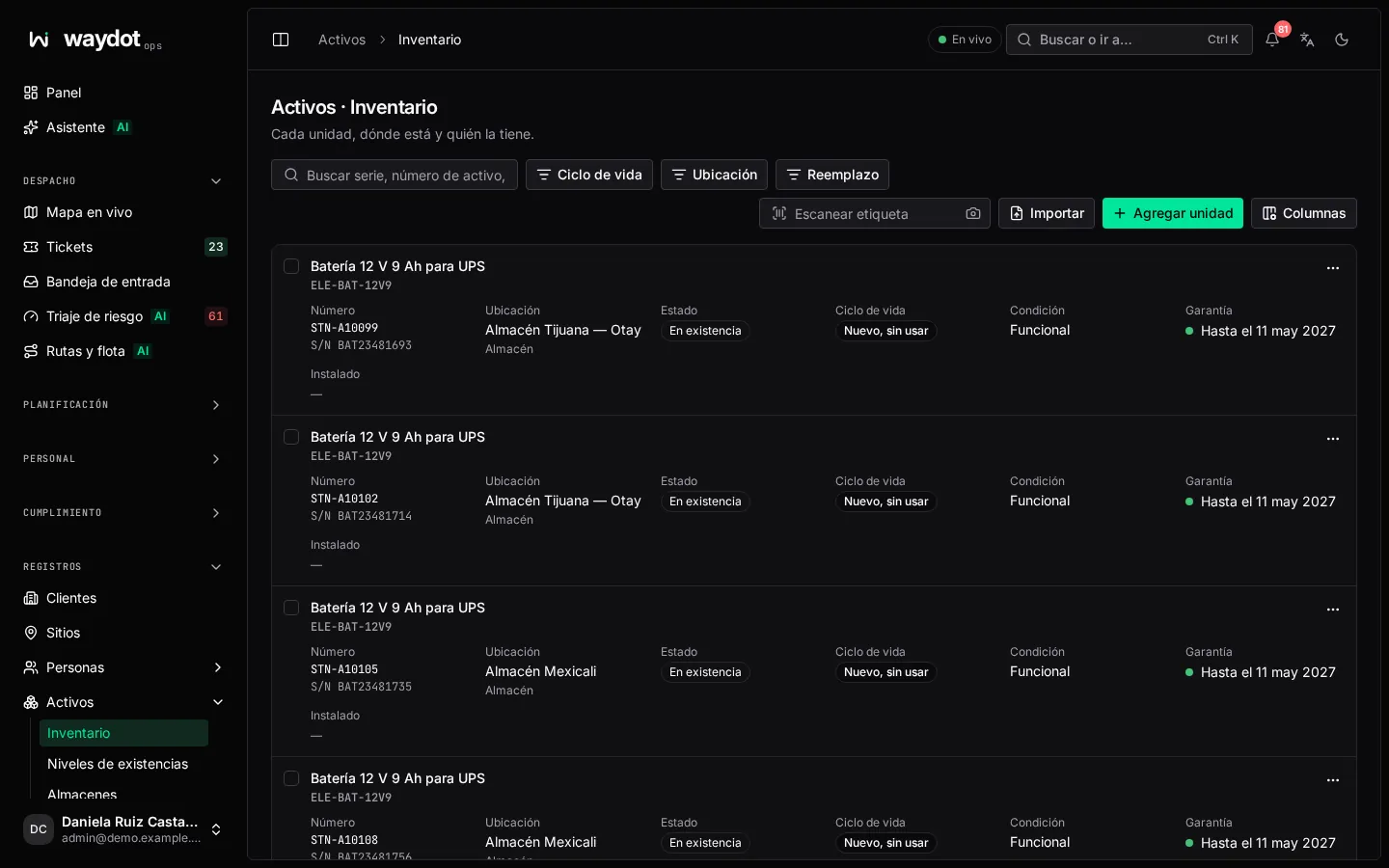
The list
Each unit with its tag, serial, product (category › brand › type › variant), where it is, state and warranty. Search by serial, asset number, barcode or model; filter by category, brand, type, place, state and warranty (Covered, Expiring). Export CSV and Import from CSV.
Each unit's ⋯ menu: Open record, Edit details and Transfer….
Scanning
Scan barcode opens the unit by its tag:
- With a handheld scanner, scan anywhere on the page (or type the tag and press Enter).
- Scan with camera uses the device's camera; keep the tag inside the frame.
- If nothing matches, no unit you can see has that tag.
Registering a unit
Add unit: new units arrive in a warehouse as fresh, unused.
| Field | What it is |
|---|---|
| Variant | What it is: the exact model from the catalog. Required. |
| Arrives in | The warehouse it arrives in. Required. |
| Tag number | Leave empty to have one assigned on save. |
| Serial number | Required except for tools. |
| Barcode | What a scan of its label resolves, when different from the tag. |
| Purchased | Purchase date. |
| Cost | What it cost (like 1,250.00). Empty if unknown. |
| Depreciation | How much of that cost is already depreciated. Can't exceed the cost. |
Register asset → Unit 000123 registered. Then, on its page: transfer it, install it or leave it in someone's custody.
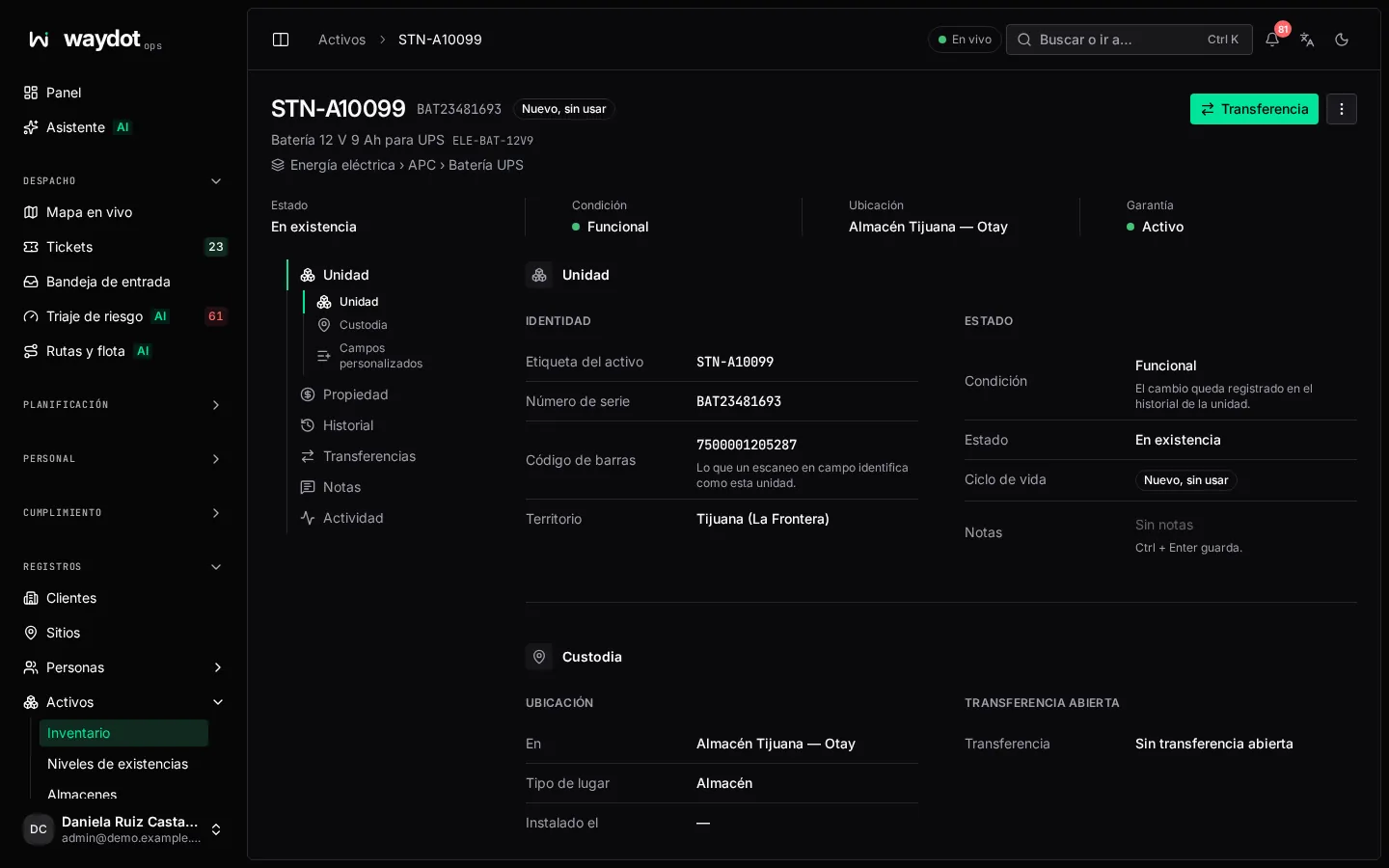
The unit's page
| Section | What it holds |
|---|---|
| Identity | Asset tag, Serial number, barcode (what a field scan identifies as this unit), product and territory. |
| State | The lifecycle (see below). The change is recorded in the unit's history. Notes. |
| Custody | At where it is: a client site, a warehouse, an agent's van (Agent's own stock) or a repair vendor; Installed on; and if there's an Open transfer, where it's Going to. Outside active inventory if written off. |
| Ownership and service life | Purchase date, Cost, Depreciation so far and Share of cost depreciated, Book value, Warranty (Until…, Expired on…, Not covered) and Service life start/end. |
| Transfer history | Every completed or closed transfer of the unit. Export CSV. |
| Recorded asset activity | Everything that happened to it. |
Lifecycle
| State | Meaning |
|---|---|
| Fresh, unused | Just registered. |
| In service | Put into use. It never becomes fresh again. |
| Phasing out | Stays where it's already installed, but can't be installed anywhere new or returned to service. Only allowed once its depreciation reaches the minimum share of cost (configurable). |
| Discarded | Can no longer be installed or moved anywhere, only removed from where it is. It's permanent. |
The actions Put in service, Phase out and Discard ask for confirmation.
Warranty
Warranty is set by the variant's term when the unit is installed. Warranty expires can be overridden for cover negotiated outside the standard term. A warranty counts as expiring the configured days before it ends.
Depreciation
By the variant's method: Entered by hand (each unit's figure is kept), Straight line or Declining balance (calculated monthly from cost, service life and salvage value). When a unit has lost the configured share of its value it is flagged Replacement due for replacement planning.
Unit history
History gathers by date everything that happened to the unit: transfers, installations, tickets naming it (with symptom and work done), audits and investigations. Use it to see whether a unit fails often before deciding to repair or replace it.