

English
Notification rules
A notification rule listens for an event (a ticket assigned, an SOS, an expense submitted…) and tells the chosen people, on the chosen channels, with the message you write.
Where it is: Configuration → Notification rules, with the Rules and Delivery log tabs. Who sees it: people allowed to read notification deliveries; creating and changing rules needs write notification rules.
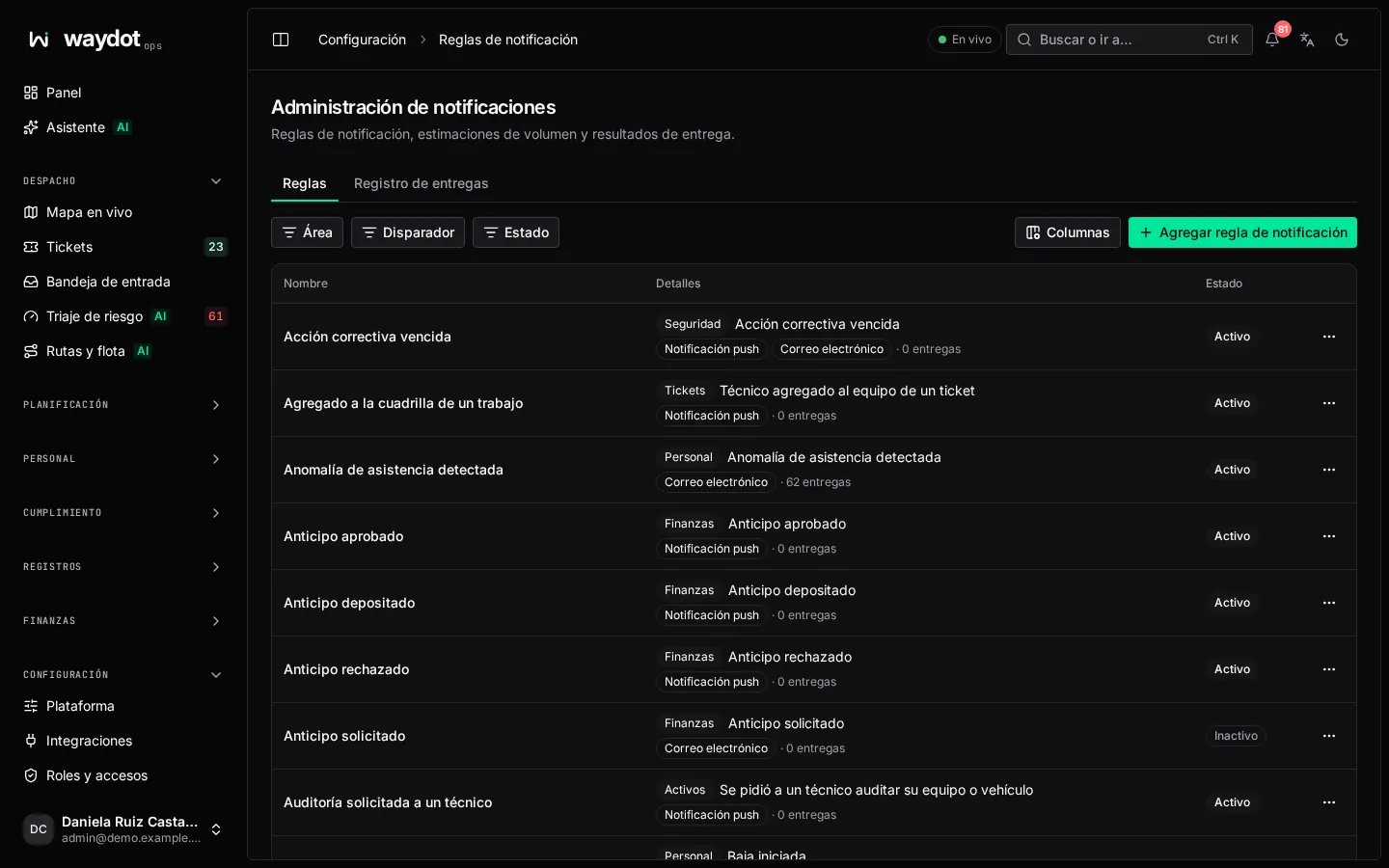
The list shows each rule with its Trigger, its Area, whether it's Active and how many deliveries it has made. If you have no rules yet, Start with a rule people will want suggests some; Create this rule opens one ready-made so you choose who hears and how.
Creating a rule
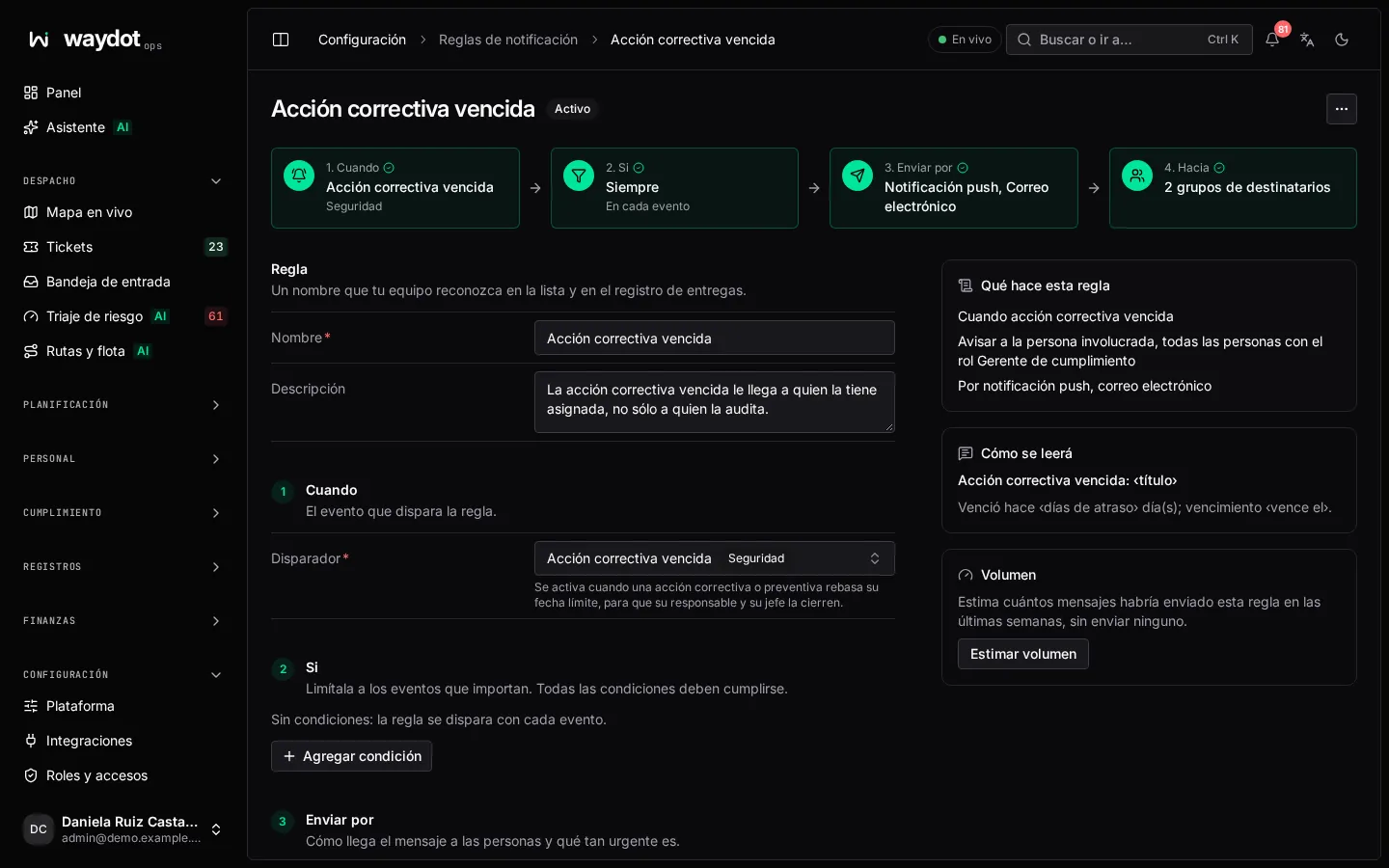
The rule reads like a sentence: When … If … Send via … To …
Rule
A name your team recognizes in the list and the log.
When: the trigger
The event that fires it. Search by name. Those marked Checked on a schedule don't happen in an instant but are checked every few minutes (for example Ticket left unassigned). Greyed-out ones (Not available yet) aren't produced by the platform yet.
| Area | Events |
|---|---|
| Tickets | Ticket raised · assigned to an agent · offered to an agent · status changed · left unassigned · agent added to the team · follow-up visit raised · approaching or past its SLA · escalated |
| Records | Note written on a record |
| Quality | Quality audit failed |
| Location | Agent entered / left a geofence |
| Assets | Stock at its reorder point · asset damaged · warranty expiring · units on their way to an agent's inventory · equipment or vehicle audit requested |
| Safety | Safety checklist found an unsafe condition · incident reported · hazard observation · emergency SOS · corrective action overdue |
| Fleet | Fuel purchase logged · paper expiring · maintenance due · vehicle out of service · work order opened / completed · vehicle returned |
| Scheduled visits | Scheduled visit passed unresolved |
| Finance | Expense submitted · advance requested / approved / turned down / deposited · leftover returned · funding period due / past grace / nearly spent |
| Workforce | Attendance anomaly · document or credential expiring · leave requested / decided · attendance correction · shift offered / claimed for swap · change of details requested · hiring and onboarding · offboarding started · last day reached · contract ending · probation ending · incapacity recorded · NOM-035 needs referral · disciplinary record |
| Payroll | Payslip published · payroll submitted for approval · approved · has exceptions · salary change awaiting approval |
| Recruitment | New applicant · interview scheduled · offer accepted / declined |
Changing the trigger clears its conditions.
If: the conditions
Narrow it to the events that matter; every condition must hold. Each condition is a Field, a Comparison (is, is not, is one of, is not one of, is more than, is at least, is less than, is at most, contains) and a Value (for is one of, one per line). Add condition. No conditions: the rule fires on every event. The fields depend on the event (priority, client, territory, category…).
Send via: channels and priority
| Channel | Where it arrives |
|---|---|
| Push notification | In the console and the mobile app. Each person can mute it. |
| SMS | To the registered phone. Charged per message. Each person can mute it. |
| To the account's email. Each person can mute it. | |
| Webhook | To another system, not a person: the Webhook URL gets each event as JSON. |
Priority: Routine, Important or Emergency. Each person picks in their notifications the lowest priority that reaches them and which can break their quiet hours.
To: the recipients
| Recipient | Who it is |
|---|---|
| Assigned agent | The ticket's technician. |
| The person the event is about | For example, whoever asked for the leave. |
| Territory managers | The managers of the event's territory. |
| Everyone with a role | Pick the role. |
| Escalation contact | The next one in the chain. |
| A specific person | Search for them. |
| Account manager | The client's. |
Those marked Found from the event when it happens are resolved at that moment. Each person gets one notice, even if they're in several groups.
Message
Message title and Message body. Insert a value adds event data (ticket number, site, priority…), filled in when sent. How it will read shows an example.
Limits and status
| Field | What it is |
|---|---|
| Most messages per hour | Per person. Empty: the workspace's (20). A rule can be stricter, never looser; emergencies are exempt. |
| Active | An inactive rule is kept but sends nothing. |
| Estimate volume | How many messages the rule would have sent with the last few weeks' events, without sending any: About 40 notifications a week, from 120 past events. |
What this rule does sums it up. Save rule: Saved active: it starts notifying with the next event.
Delivery log
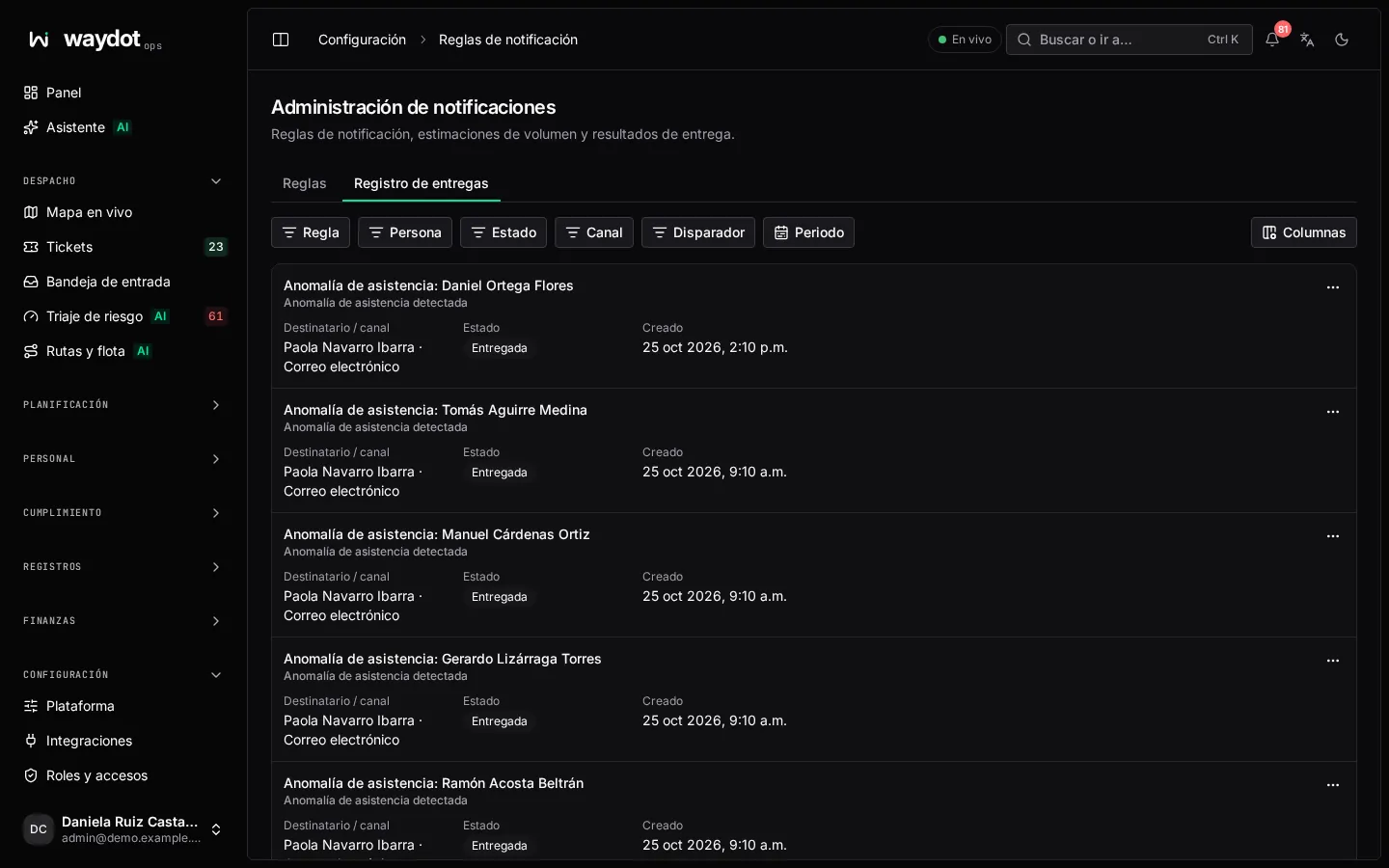
Every notification sent, with its Message, Recipient / channel, Trigger, attempts, when it was Created and its state:
| State | What it means |
|---|---|
| Pending | On its way. |
| Delivered | It arrived. |
| Read | The person opened it. |
| Failed | Couldn't be delivered; the Failure is shown. |
| Held back | Not sent, with the reason: During their quiet hours, Off shift, On a break, Hourly limit reached, Below their chosen priority or channel muted, Already sent or No address for this channel. |
Retry tries the failed ones again.