

English
Fleet work orders
A work order is work on a vehicle: a fault a driver found, a service that's due, or work already booked or done at a shop.
Where it is: Records → Fleet → Work orders. Who sees it: those who can read vehicles; reporting needs log faults for your vehicle; booking, completing and cancelling, manage vehicles. Plan: Fleet module.
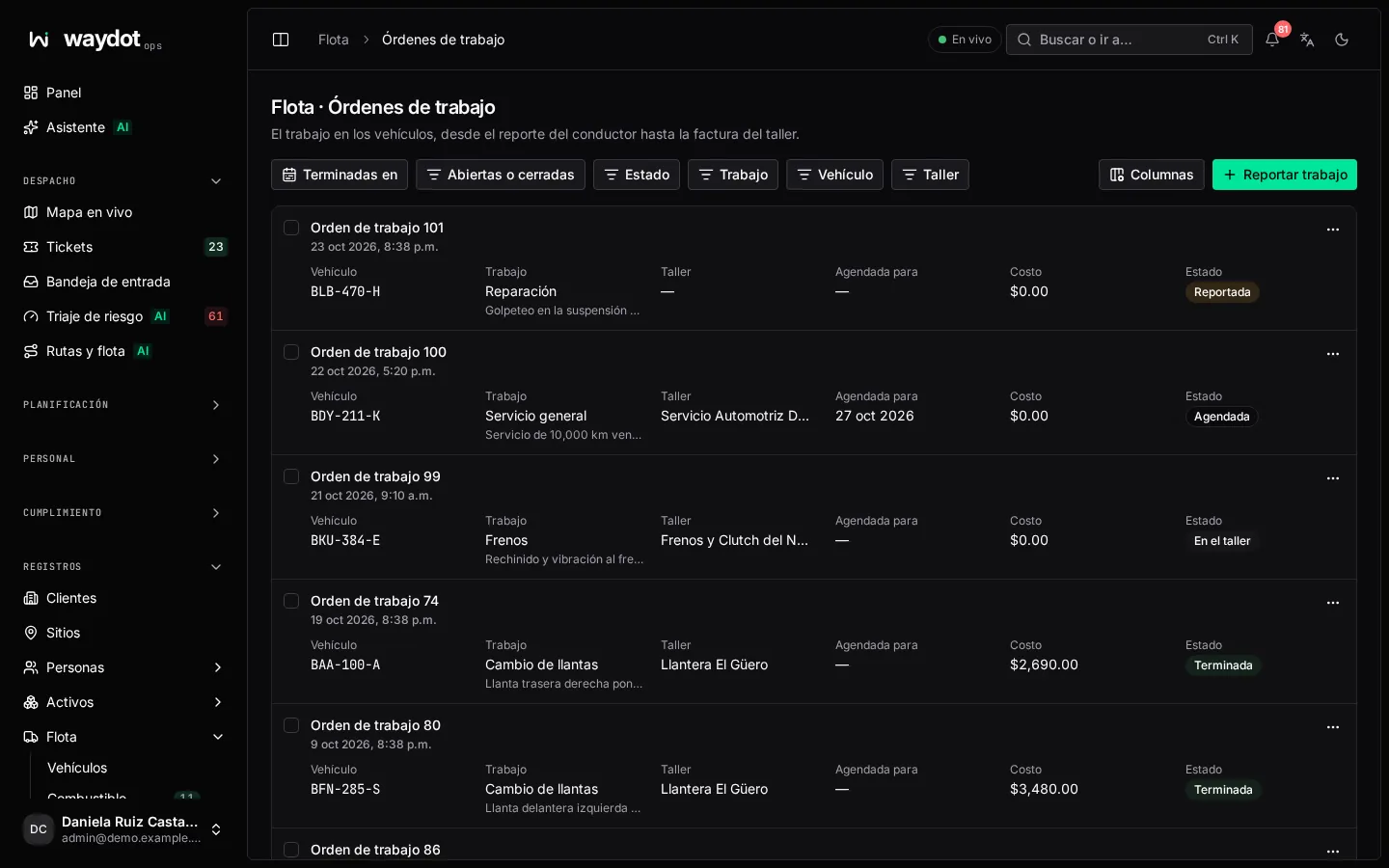
Columns: number, vehicle, Work (kind), Reported, Shop, Booked for, Completed, Cost, Invoice and state. Filter by Open, Completed or cancelled, vehicle, kind and Completed in a period.
Logging work
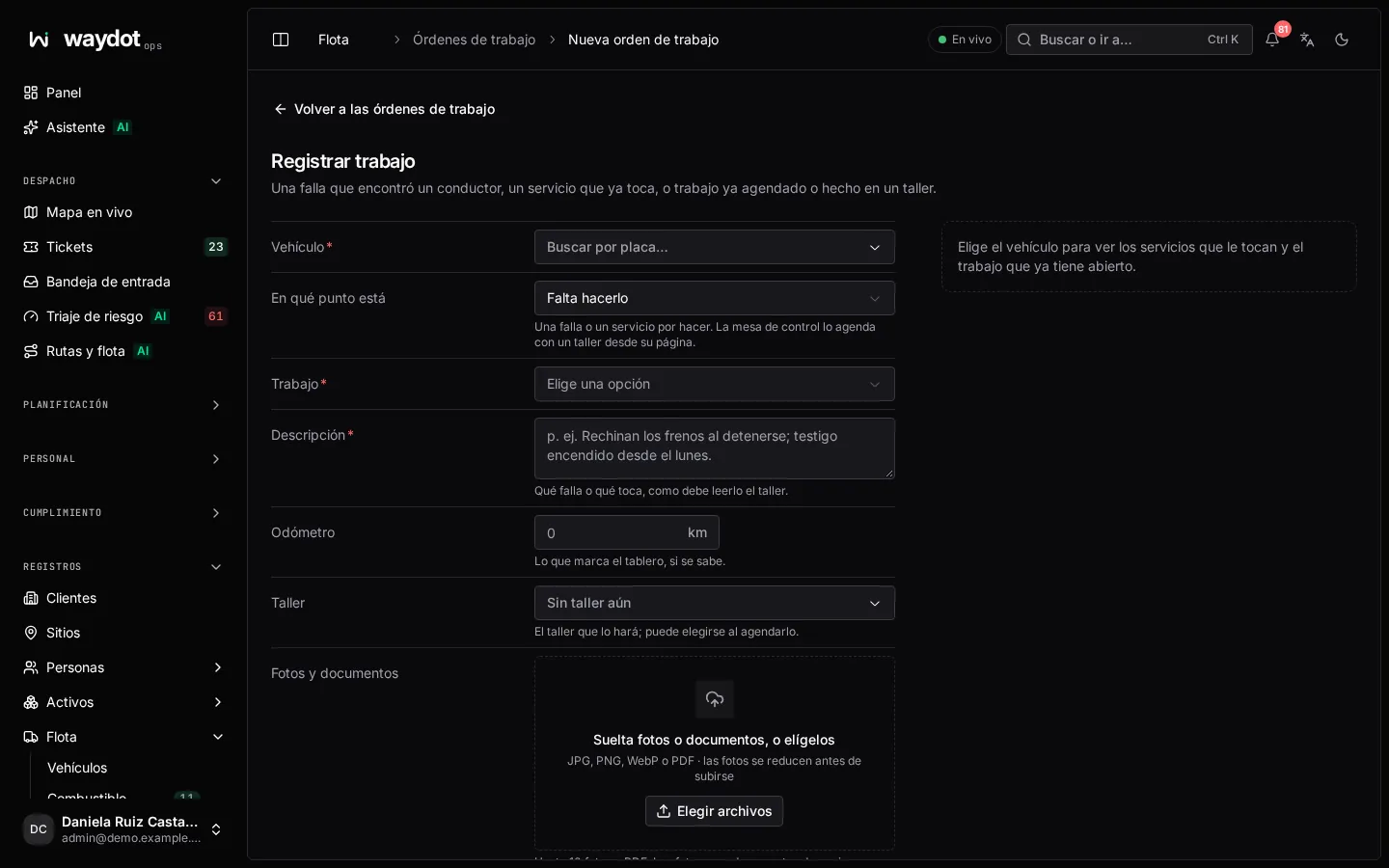
- Pick the Vehicle. On the right, About this vehicle shows who holds it, the due services (Overdue by 300 km, Due on 3 Nov) with This one to answer one, and the Open work on this vehicle (it warns if there's already one of the same kind).
- Where it stands:
- Still to do: a fault or service to do; dispatch books it with a shop.
- Booked with a shop: the day the vehicle goes in and the shop, if known.
- Already done: work that already happened, with what it cost, so it counts in costs.
- Fill in:
| Field | What it is |
|---|---|
| Service plan | If it's a scheduled service (finishing it moves the plan on), or Unplanned work. |
| Kind of work | Oil change, Brakes, Repair… |
| Description | What's wrong or due, as the shop should read it (Brakes squeal when stopping…). In Already done: what was done. |
| Odometer | What the dashboard reads, if known. |
| Shop | The one doing it (No shop yet). |
| Booked for / Done on | Depending on where it stands. |
| Cost | In Already done. |
| Photos and documents / Invoice and photos | Photos or PDF. |
- Report work, Book work or Log work.
Moving an order along
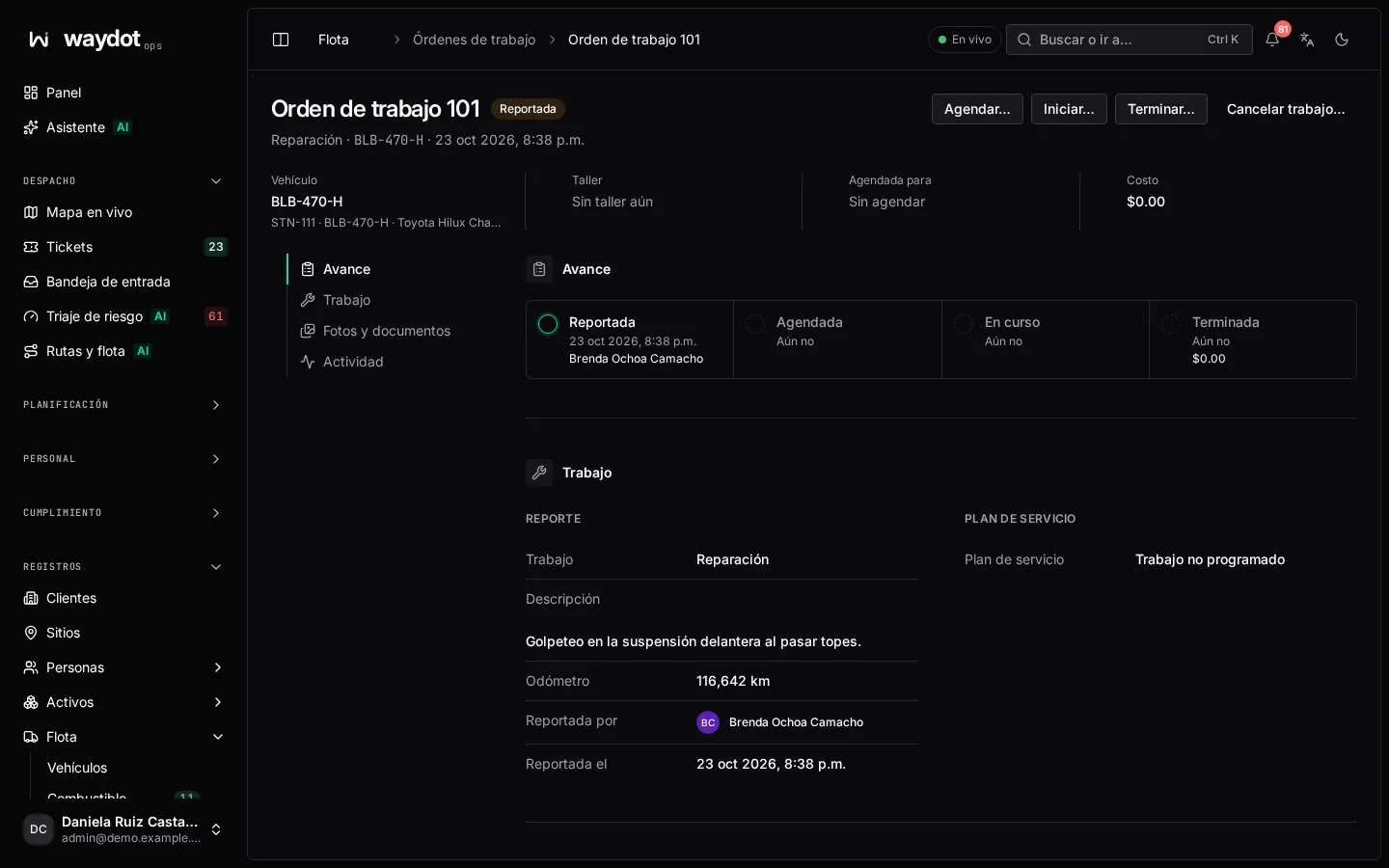
| State | Next step |
|---|---|
| Reported | Book: Booked for (the day it goes to the shop) and the shop. |
| Booked | Start: the vehicle is at the shop and work is under way. |
| In progress | Complete (see below). |
| Completed | Counts in costs. |
| Cancelled | Cancel work asks why it won't be done; whoever reported it will see it. |
Completing the work order: Cost and invoice (invoice number), the Odometer on return (added to the history), Completed on (empty = now) and the Resolution (what was done and what was replaced). If it answers a plan, the plan moves on to its next service.
The page also shows Reported by, the plan with its Interval and Last done, the photos and documents (Add files) and the activity.