

English
Sites
A site is a place where work happens: a store, a branch, a tower. Every ticket and every visit happens at a site. It belongs to a client and sits in its territory hierarchy.
Where it is: Records → Sites, and on each client's page. Who sees it: people allowed to read sites and the geographic hierarchy (only those in their territories); creating and changing needs write sites and geographic nodes. Plan: Basic up to 1,000 sites, Pro up to 15,000 and Enterprise unlimited.
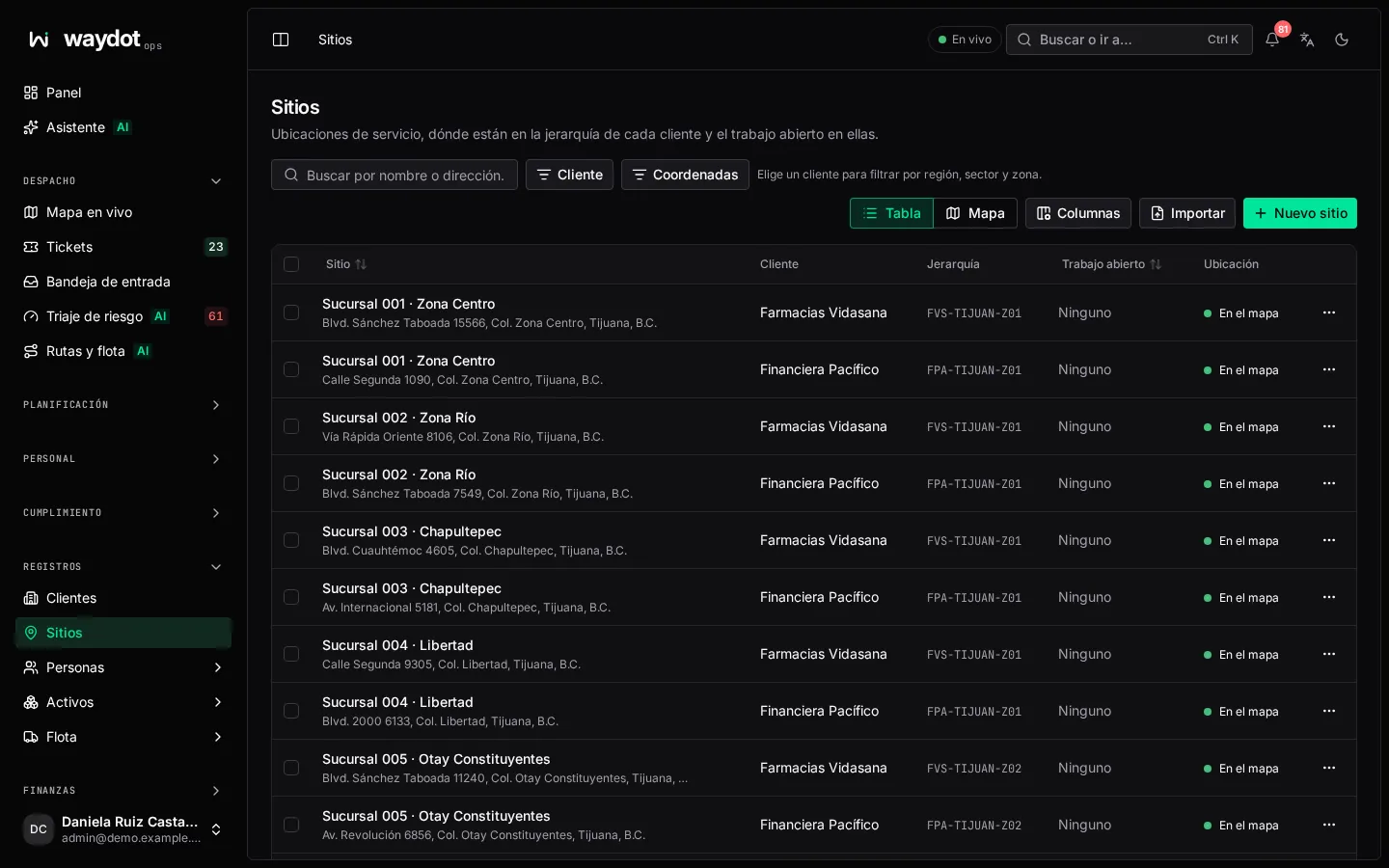
The list
Service locations, where they sit in each client's hierarchy and the open work at them. Show sites as Table or Map.
- Search by name or address; filter by client and, with a client chosen, by region, sector and zone; filter by On the map / No coordinates.
- Each row shows client, name, address, tier and open work (3 open or No open work). The ⋯ menu offers Open site, Raise ticket and Edit site.
- On the map, sites without coordinates only appear in the table. If there are too many, the first ones are shown and you're asked to narrow the filters.
- Export CSV and Import from CSV (see Import records).
Creating a site
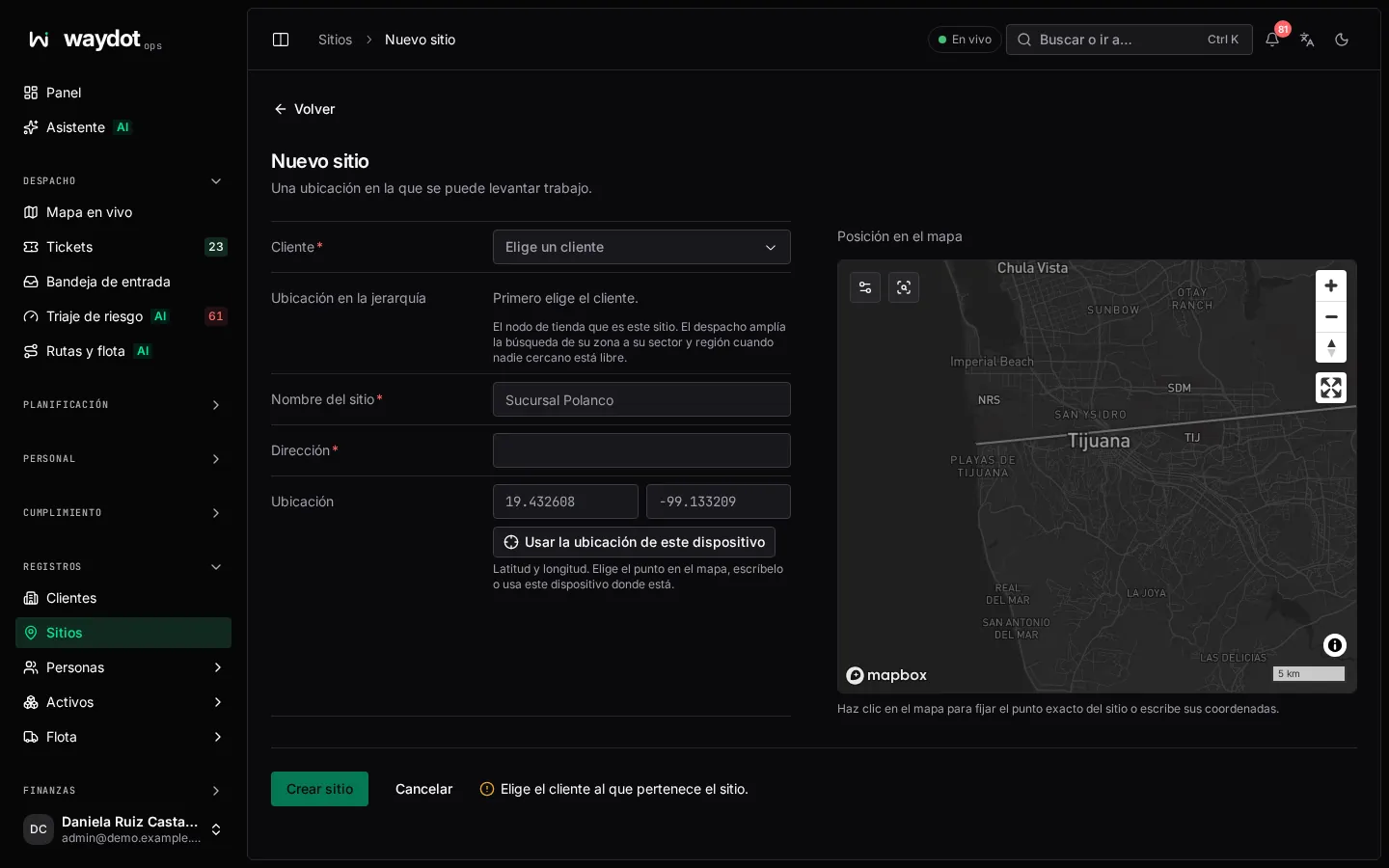
| Field | What it is |
|---|---|
| Client | Who it belongs to. Required. |
| Site name | Unique for that client, for example Sucursal Polanco or the store number. |
| Address | Required. |
| Map position | Latitude and longitude. Click the map to set the exact point, type them, or Use this device's location if you're there. Give both or neither. |
| Place in hierarchy | The store node this site is within the client's territories (region › sector › zone › store). If you leave it on an area, the site belongs to that area. |
Create site. The summary says Adds Sucursal Polanco for Abarrotes La Frontera, placed on the map (or not placed yet).
Without coordinates
A site without coordinates can't have travel times calculated (dispatch can't measure proximity), doesn't appear on the map and its arrivals can't be verified.
The site's page
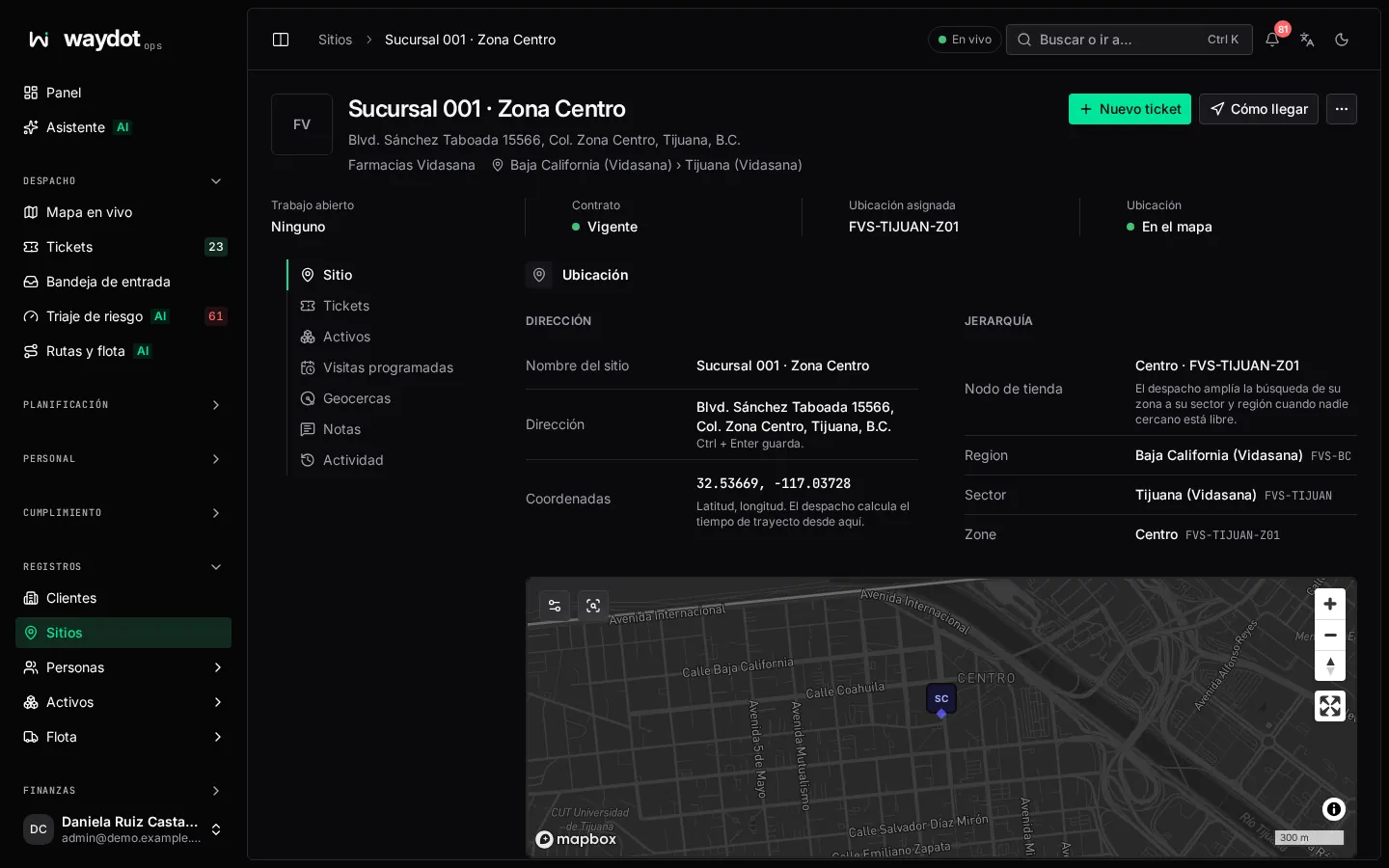
Actions: New ticket, Directions and, in ⋯, Copy address, Copy coordinates and Delete site.
The header shows the client, address and hierarchy (Baja California › Tijuana), and four facts: Open work, Contract (In force), Placement (the store node) and Location (On the map or not).
| Section | What it holds |
|---|---|
| Location | Site name, Address, Coordinates (dispatch scores travel time from here; Not recorded — travel time cannot be scored) and the Hierarchy: the Store node with its region, sector and zone (Not placed — dispatch offers it to the whole client). Dispatch widens from its zone to its sector and region when nobody nearby is free. A map with the point. |
| Store & access | Site ID, registered, Last changed and the Client access requirements the agent sees On arrival. |
| Contract | What applies to this site from the client's contract: Coverage (contract, time zone, service hours, holidays), Contacts and Service levels. Open contract goes to the client. |
| Tickets | The site's tickets, open and closed: what was done before sending someone. |
| Assets | The units installed at the site, with their history. |
| Scheduled visits | Plans covering this site and when each raises its next ticket (Next: 3 Nov). |
| Geofences | The boundaries that verify an arrival here. Without one, arrivals aren't verified by location. Manage geofences. |
| Notes | The team's conversation about the site. |
| Activity | Recorded changes. |
Each field is edited in place (Ctrl + Enter saves). Coordinates are typed as latitude, longitude.
Deleting a site
⋯ → Delete site. A site with linked tickets or assets may not be deletable; the deletion is kept in the audit log.