

English
Quality rules
A quality rule defines, for a kind of job, what evidence the technician must capture before resolving, what share is sampled for inspection and, optionally, a rubric the inspector grades with.
Where it is: Configuration → Quality rules. Who sees it: those who can read the quality record; creating and changing needs write quality rules and verify defects. Plan: Quality assurance module.
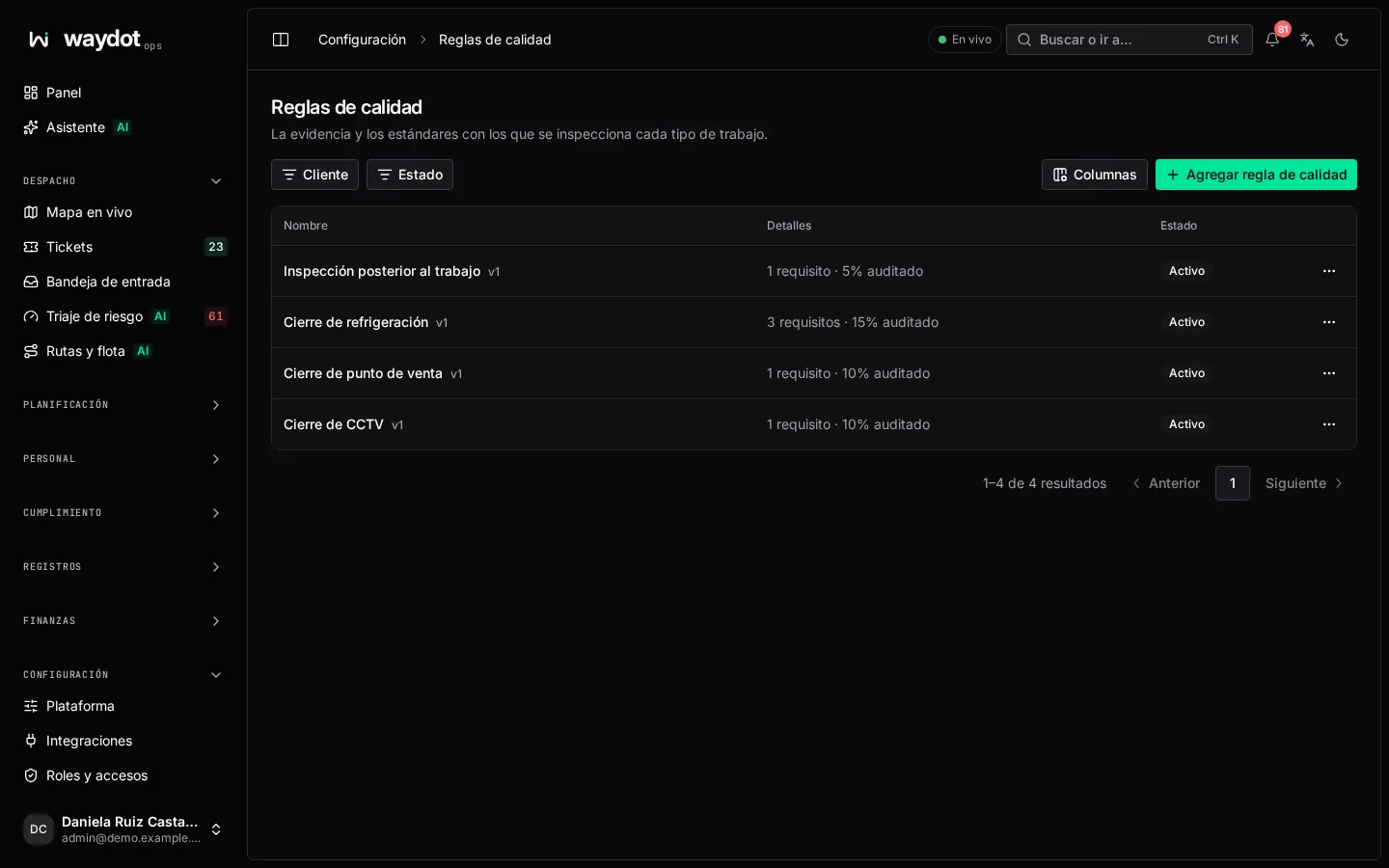
The list shows each rule with how many requirements it has and its audit rate (20% audited, No sampling rate).
Creating a rule
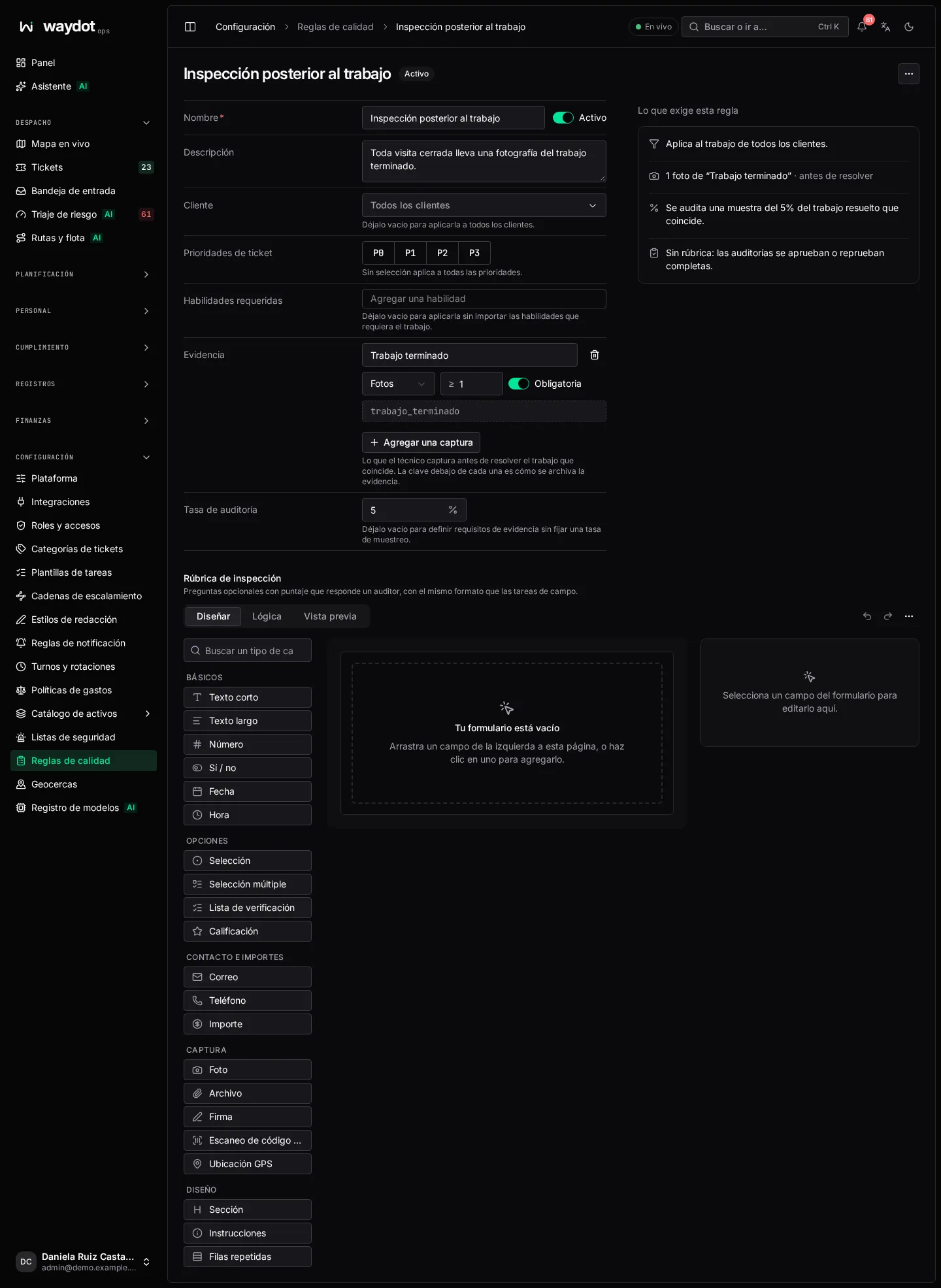
| Field | Meaning |
|---|---|
| Name | For example Split installation. |
| Description | What it checks and why. |
| Client | Empty: applies to every client. |
| Ticket priorities and Required skills | Which jobs it applies to. No selection, all. |
| Evidence | What the technician captures before resolving matching work. Each capture has: what it shows (Before: the whole unit), the Medium (Photos or Videos), Minimum captures (1 to 10), whether it is Mandatory and its key (how it's filed). Add a capture adds another. |
| Audit rate | Percentage (0 to 100) of matching resolved work drawn for inspection. Empty: sets evidence requirements without sampling. |
| Inspection rubric | Optional scored questions the inspector answers, with the form editor. Without a rubric, inspections pass or fail as a whole. |
A rule must ask for something: evidence, an audit rate or a rubric question.
On the right, What this rule enforces summarizes it: Applies to Farmacias del Valle work that needs HVAC. 2 photos of "Before: the whole unit" · before resolving. A 20% sample of matching resolved work is audited.
Save rule.
How it applies
- On the ticket, the Evidence section lists the requirements and marks which are Complete or Pending. Mandatory captures must be there before resolving.
- In the field app, the technician sees which photos are missing.
- On resolution, the draw decides whether the job goes to inspection.
Evidence checks
Each photo or video keeps the capture time and position and its fingerprint. It counts as Outside site if taken more than 250 meters from the site (a rooftop or a street cabinet are legitimately photographed some distance away), and suspicious if the device time runs more than 2 minutes ahead of the server. Both values are changed in Platform settings → Quality.