

English
Scheduled visits
A scheduled visit is a job booked in advance by a visit plan: preventive maintenance, an installation, an audit, a reading or equipment pick-up. A few days before its date, each visit raises its ticket, which follows the normal lifecycle of any ticket.
Where it is: Planning → Scheduled visits → Visits. Who sees it: people allowed to read scheduled visits; moving or assigning them needs manage scheduled visits. Plan: included from Basic.
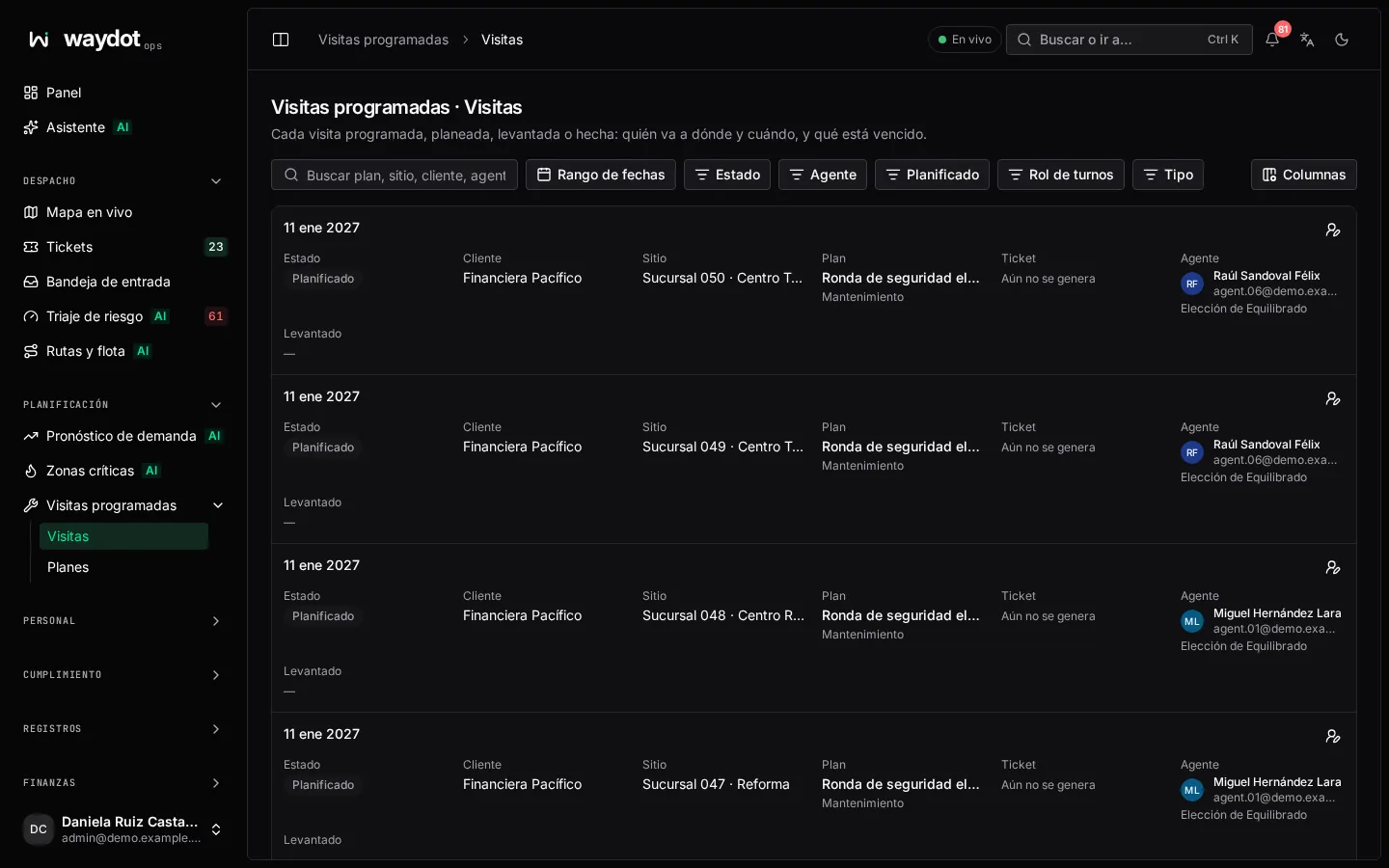
The visit list
| Column | What it shows |
|---|---|
| Visit date | The day the visit falls on. |
| Status | See below. |
| Client and Site | Who and where. |
| Plan | The plan that booked it. |
| Ticket | The generated ticket, once it exists. |
| Agent | Who goes. Nobody yet when still to assign. |
| Raised | When the ticket was generated. |
States
| State | Meaning |
|---|---|
| Planned | Booked; its ticket isn't raised yet. |
| Ticket raised | It has raised its ticket, which is under way. |
| Overdue | Its date passed without being completed (N days late). |
| Completed | Its ticket was resolved. |
| Cancelled | The ticket was cancelled or the plan stopped covering it. |
Filters
Search by plan, site, client, agent or ticket, and filter by Status, Type (Maintenance, Other visits, Renewal), Agent (Someone planned / Nobody yet) and Roster (Covered by the roster / Needs a shift change).
Ticket generation switched off
If you see Ticket generation is switched off, plans and their visits are kept but raise no tickets. It is turned on in Platform settings → Operations.
A visit
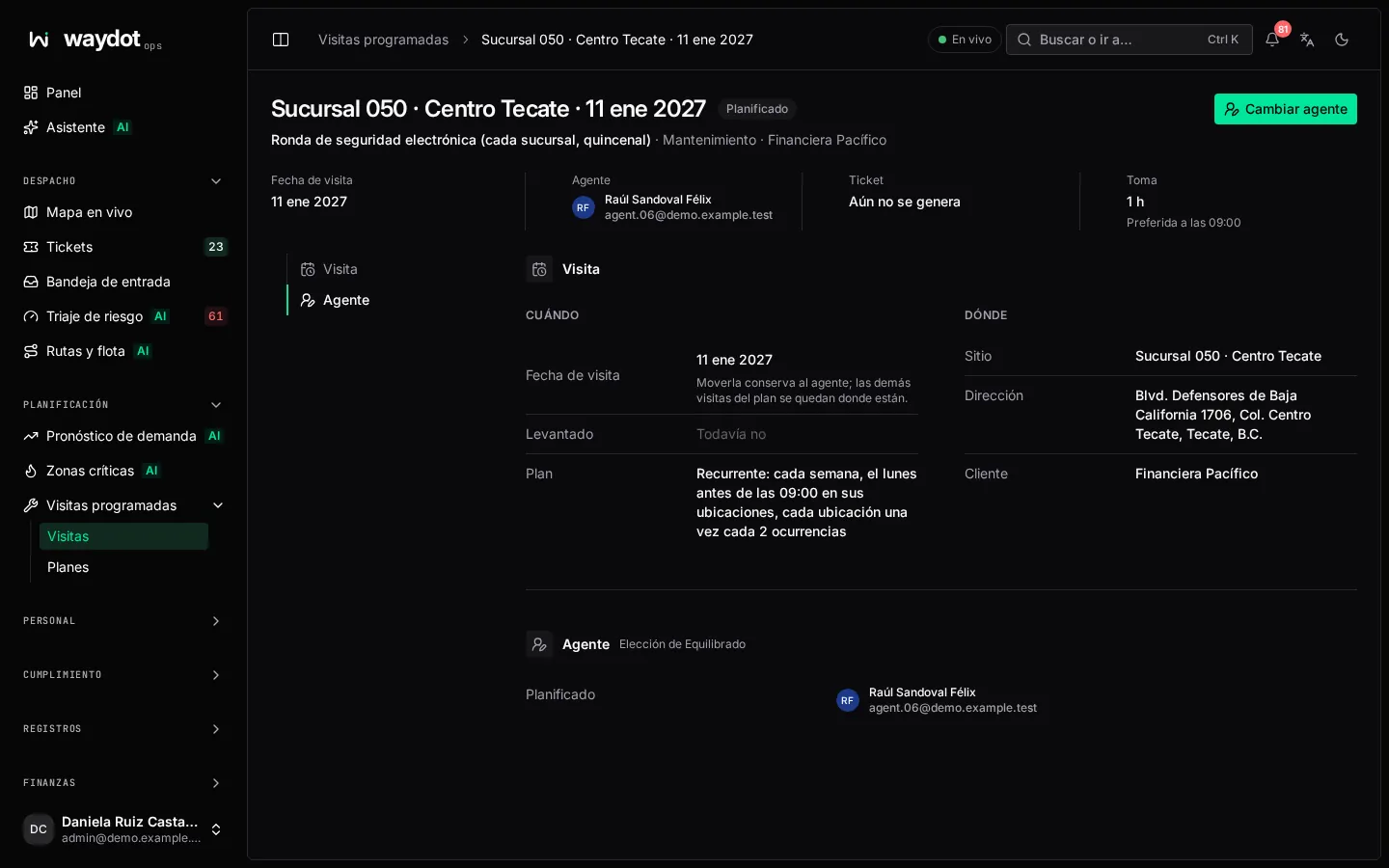
A visit's page shows:
| Item | What it is |
|---|---|
| When | The visit date (Preferred at 10:00 if the plan sets a time) and Due. Moved to… if someone changed it. |
| Where | The site. |
| Plan | The plan that booked it, with its type. |
| Who goes | The planned agent and whose choice it was (Plan's choice, Ops' choice). Nobody yet — the plan's policy assigns one before raising the ticket. |
| Roster | Whether the agent has a shift that day. Needs a shift change or overtime if not. |
| Ticket | The generated ticket (Not raised yet before the generation date). |
| Units to remove | In renewals: the units the ticket will name. |
Changing the agent
Before the ticket is raised, Choose agent or Change agent opens Who goes on this visit: everyone in scope, best first, by:
| Factor | What it measures |
|---|---|
| Free capacity | How light their week is (N visits that week, N open tickets). |
| Proximity | How close their other stops are (3 km away). |
| Turn | Whose turn it is: how many visits from this plan they've done this cycle. |
| Skills | Whether they have the skills the plan asks for. |
Choose Plan this agent, or Leave unassigned for Ops to decide. If the agent has no shift that day, the conflict is shown.
Once the ticket is raised, the agent is changed by reassigning the ticket (The ticket is raised; reassign it from OT-…).
Moving the date
Move date asks for the New visit date. Moving keeps the agent; the plan's other visits stay where they are. Only Planned visits without a ticket can be moved.
How the ticket is raised
Every day, WAYDOT raises the tickets for visits whose date is the plan's lead time away (for example 3 days before). The ticket:
- carries the plan's title, instructions, urgency, time on site and skills;
- is assigned to the planned agent (or left to dispatch if none);
- is due at the plan's time on the visit day (or end of day), or on the deadline if the plan is By a deadline;
- carries the plan's task lists and the plan's badge;
- in renewals, names the units to remove.
In the ticket queue these tickets have Origin: Scheduled visit.