

English
Geofences
A geofence is a circle on the map. Arriving inside it counts as a visit: that's how arrivals at sites, attendance clock-ins and clock-outs and visits to warehouses and depots are verified.
Where it is: Configuration → Geofences. Who sees it: those who can read location trails; drawing geofences needs draw geofences. Plan: Geolocation module. (Without it, sites still have their arrival radius from their record.)
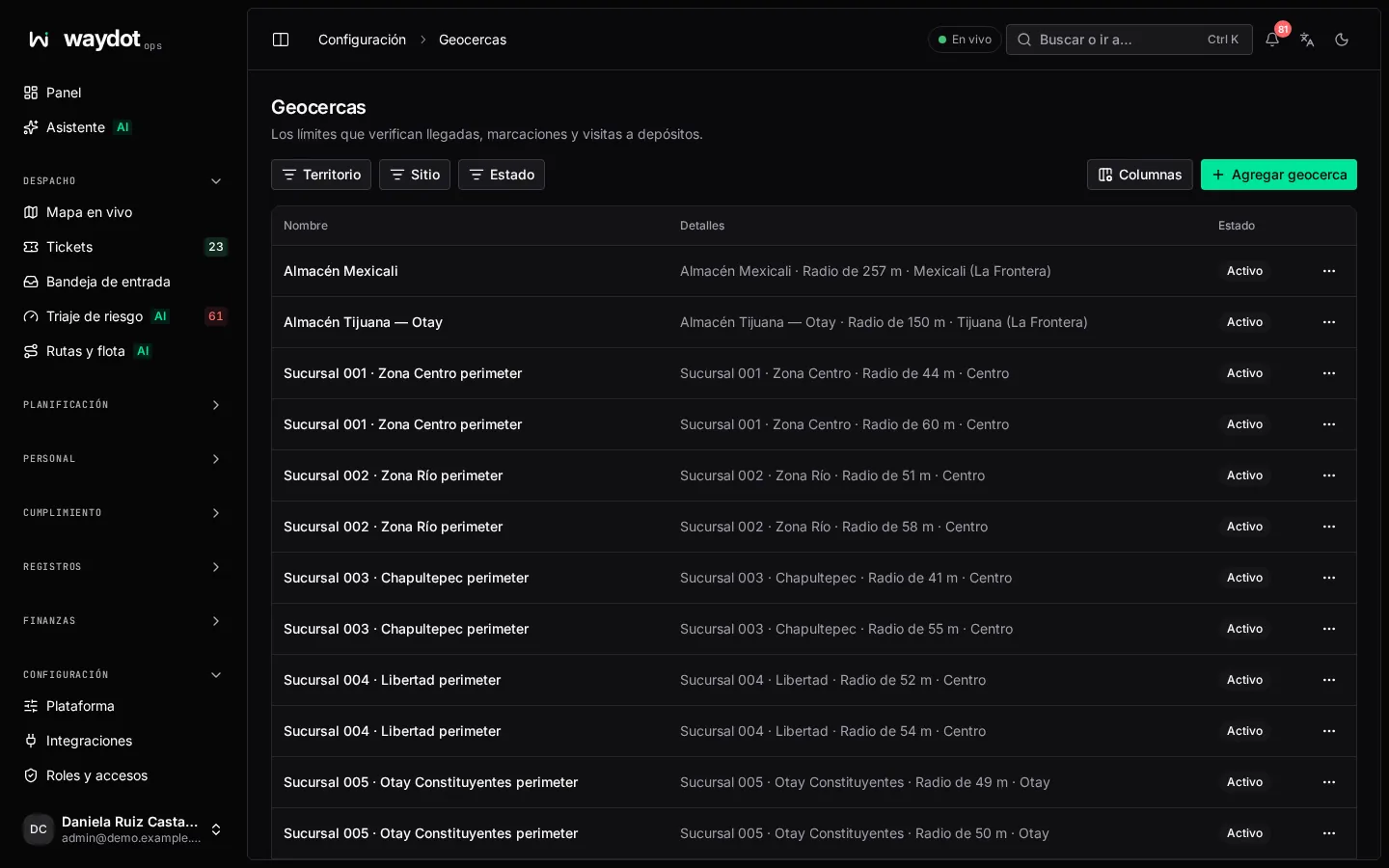
The list shows each geofence with where it is (At a site, At a warehouse, a point), its Radius and whether it Records visits.
Creating a geofence
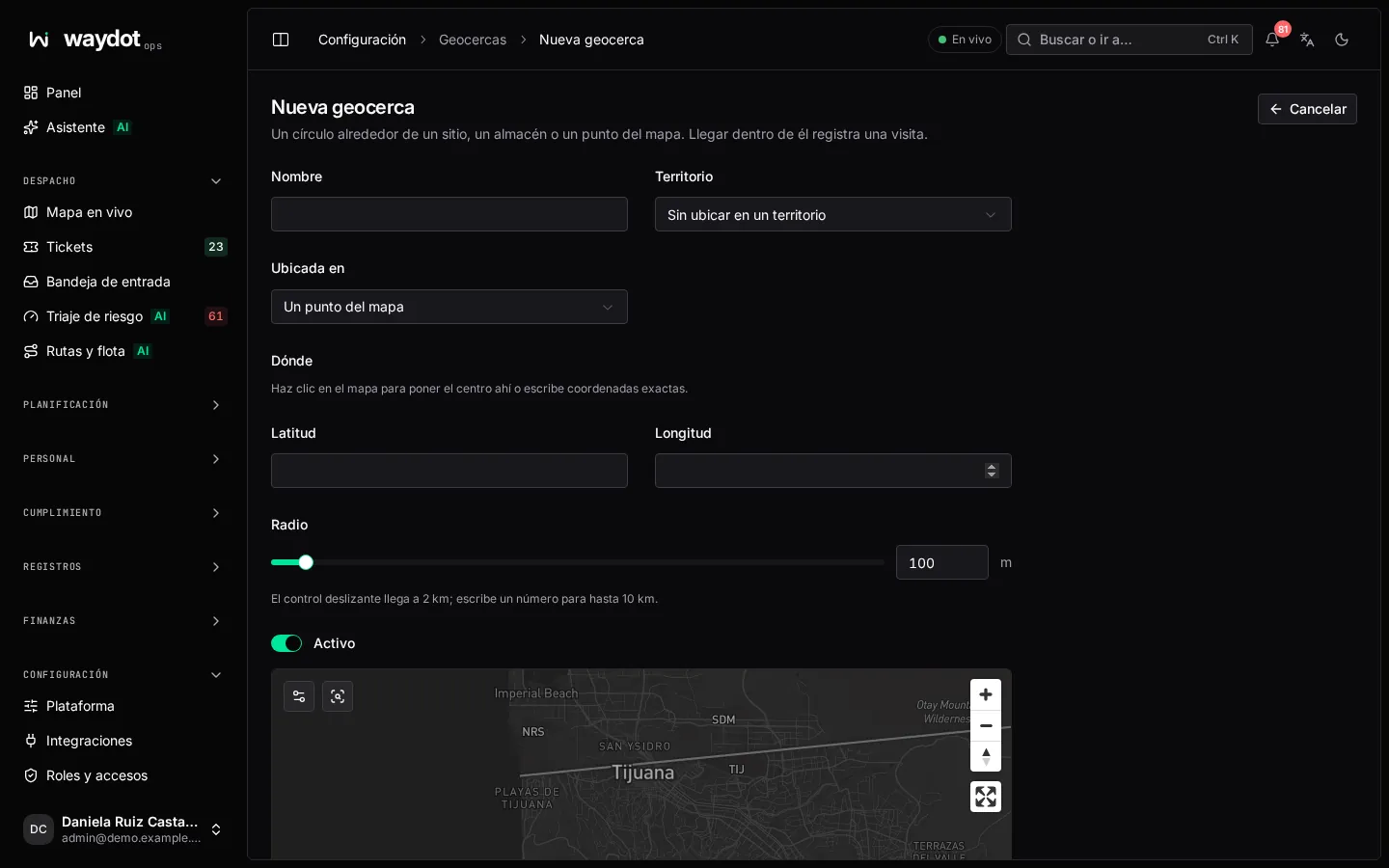
| Field | What it is |
|---|---|
| Name | What it's called. |
| Geofence centre | A site, A warehouse or A point on the map. Anchored to a site or warehouse, it follows its position on creation and then stays fixed. If the site or warehouse has no coordinates you're warned: the geofence wouldn't describe a circle until they're added. |
| Where | For a point: click the map or type coordinates as latitude, longitude. |
| Radius | In meters, 10 m to 10 km. The slider goes to 2 km; type a number for more. The blue ring on the map is the boundary. Without a radius, 50 m is used (configurable). |
| Territory | Where it sits. |
| Records visits | On, each entry and exit is recorded. Turn it off to stop recording while keeping the visits already recorded. |
Save geofence.
Its page
| Section | What it holds |
|---|---|
| Fence | Identity, Drawn around (the site or warehouse), Centre, Radius, Recording or Paused. |
| Visits | Each Entered, Exited and Duration (Under a minute, Still inside). Filter by Still inside now. |
| Recorded changes | The history. |
Actions: Directions, Copy coordinates and Delete geofence. A geofence with recorded visits may refuse deletion; turn off Records visits to keep its history.
Arriving at a site
An agent counts as arrived at a site when within the arrival radius (50 m by default) and moving slowly (under 15 km/h; faster is driving past). Both values are changed in Platform settings → Location.