

English
SOS alerts
When an agent presses SOS in the field app, WAYDOT sends their location and instantly notifies the emergency responders. The alert appears here, on the Dashboard (red notice) and on the live map until someone closes it.
Where it is: Compliance → Safety → SOS alerts. Who sees it: everyone sees alerts they're part of; with read the safety record across your territories, all in their territories. Responding needs answer SOS alerts (operations managers, compliance managers and super administrators). Plan: included in every plan. It works even when the workspace is read-only for billing.
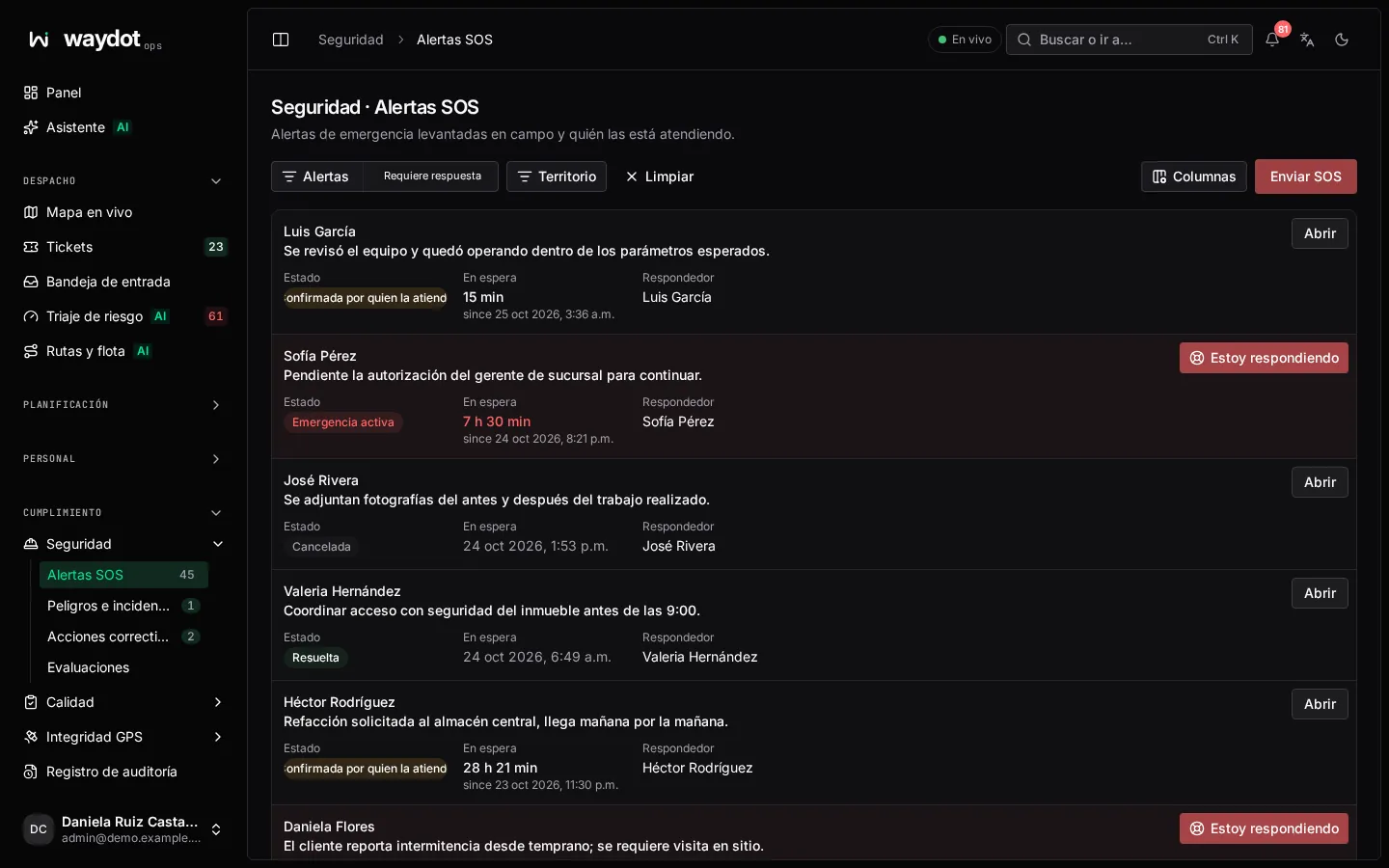
The list
Each alert shows who raised it, when, its message (or No message), the state and Respond. The Needs a response filter keeps only open ones. When there are none it says nobody is waiting for emergency help.
States
| State | Meaning |
|---|---|
| Active emergency | Nobody has acknowledged it yet. |
| Responder acknowledged | Someone said I'm responding. |
| Resolved | Closed as resolved. |
| Cancelled | Stood down as a false alarm or cancelled by whoever raised it. |
Handling an alert
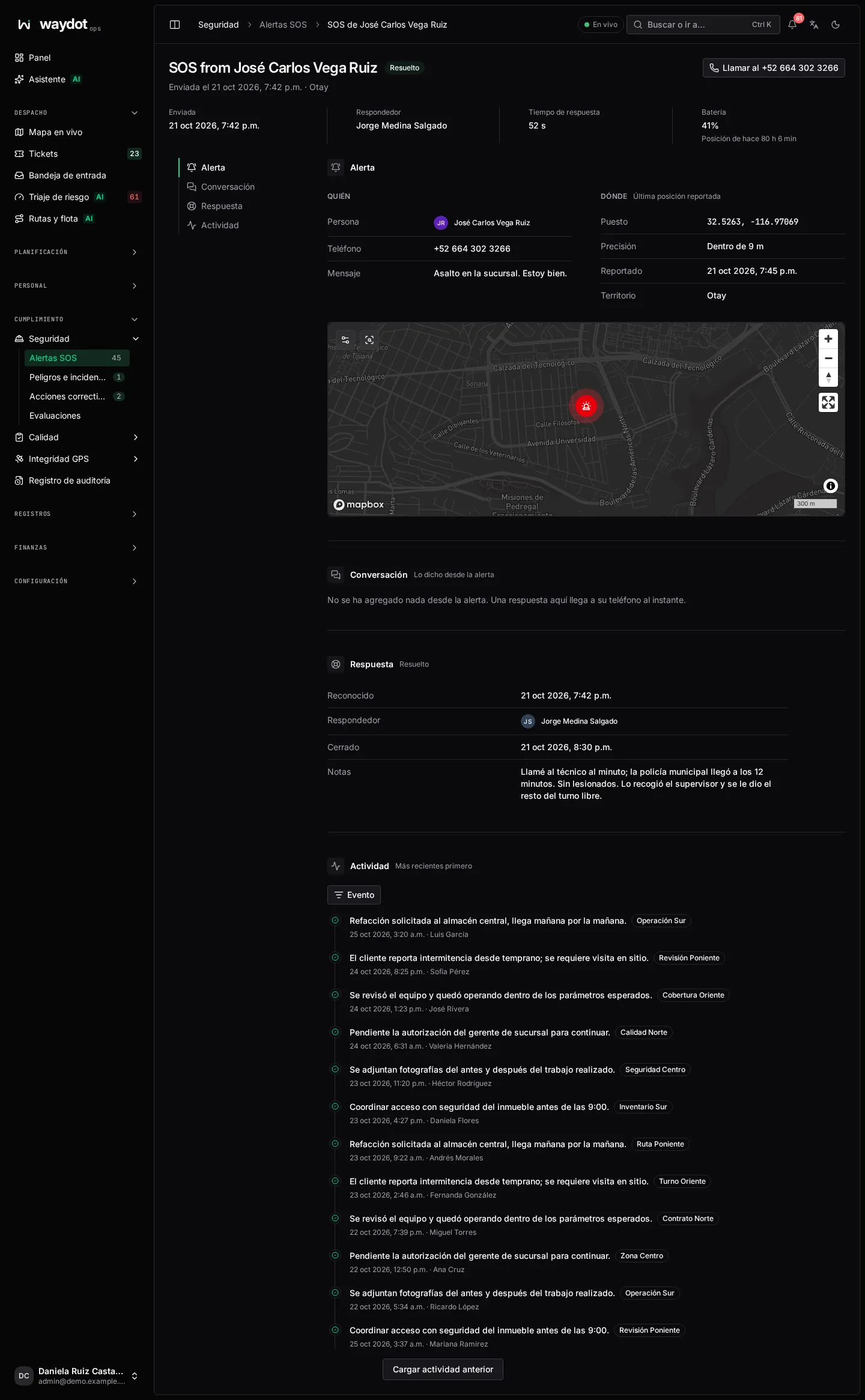
The alert shows:
| Section | What it holds |
|---|---|
| Alert | When it was raised, the Response time so far, the phone's Battery and the message. |
| Who | The person and their phone (Call …), or No phone on file. |
| Where | The map with the Last reported position, how long ago (Position from 2 min ago) and its Accuracy (Within 15 m). If there was no GPS it says the phone sent no position with this alert. |
| Conversation | What's been said from the alert. A reply here reaches their phone instantly: tell them who is on the way and what to do. |
| Response | Who responded, when and the notes. |
Steps:
- Choose I'm responding. It tells the person and the other responders that you're handling it. It doesn't close the emergency.
- Call the person and write to them in the conversation.
- Coordinate help (emergency services, the nearest colleague on the live map).
- When the situation is over:
- Close as resolved… asks What happened.
- Stand down as false alarm… asks Why it was a false alarm.
On closing, responders stop receiving alerts. Everything is kept in Recorded changes.
If something serious happened
After closing the alert, file an incident report to investigate it and define corrective actions.
Raising an SOS from the console
Raise SOS in the list lets someone in the console ask for help, with a Message (optional). No location is sent from this form. In the field, use the app's button: see SOS in the field app.