

English
Corrective actions
A corrective action fixes what happened; a preventive one stops it happening again. Each comes from a hazard or incident, has an owner and a due date, and is verified by someone other than whoever did it.
Where it is: Compliance → Safety → Corrective actions. They're created from the report they address (Add action). Who sees it: those who can read the safety record; creating, verifying and closing needs write safety checklists and close investigations. Plan: Health and safety (HSE) module.
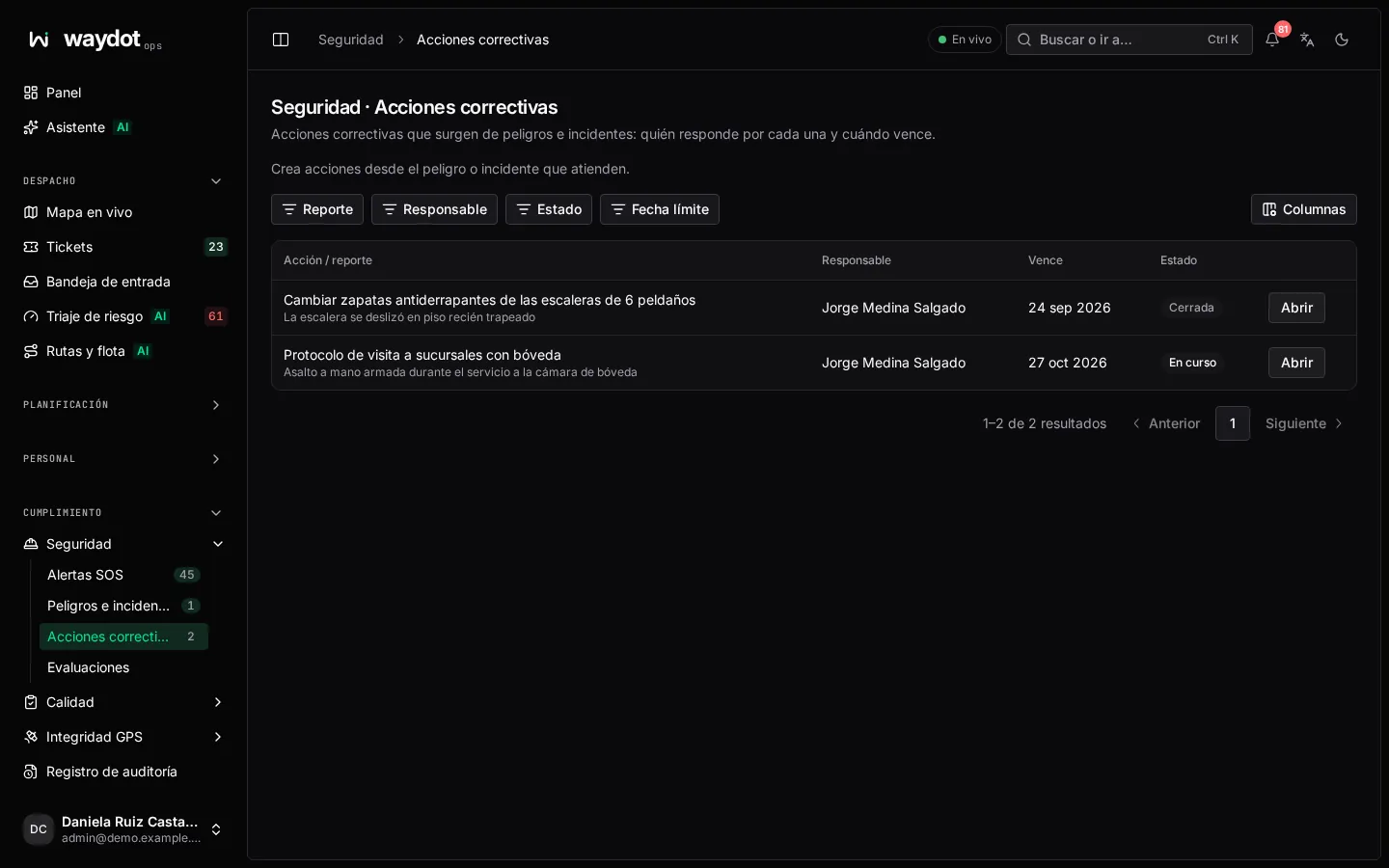
The list shows Action / report, owner, Due date (overdue ones stand out) and state. The Compliance Dashboard counts Overdue actions.
Creating an action
From the report, Add action (or New action):
| Field | What it is |
|---|---|
| Action type | Corrective — fixes what happened or Preventive — stops it happening again. |
| Title | One line. Required. |
| Required action | What has to be done. Required. |
| Owner | Who does it. Optional when creating: it's added without an owner and can be assigned on its page. |
| Due date | By when. |
Save action.
The action's page
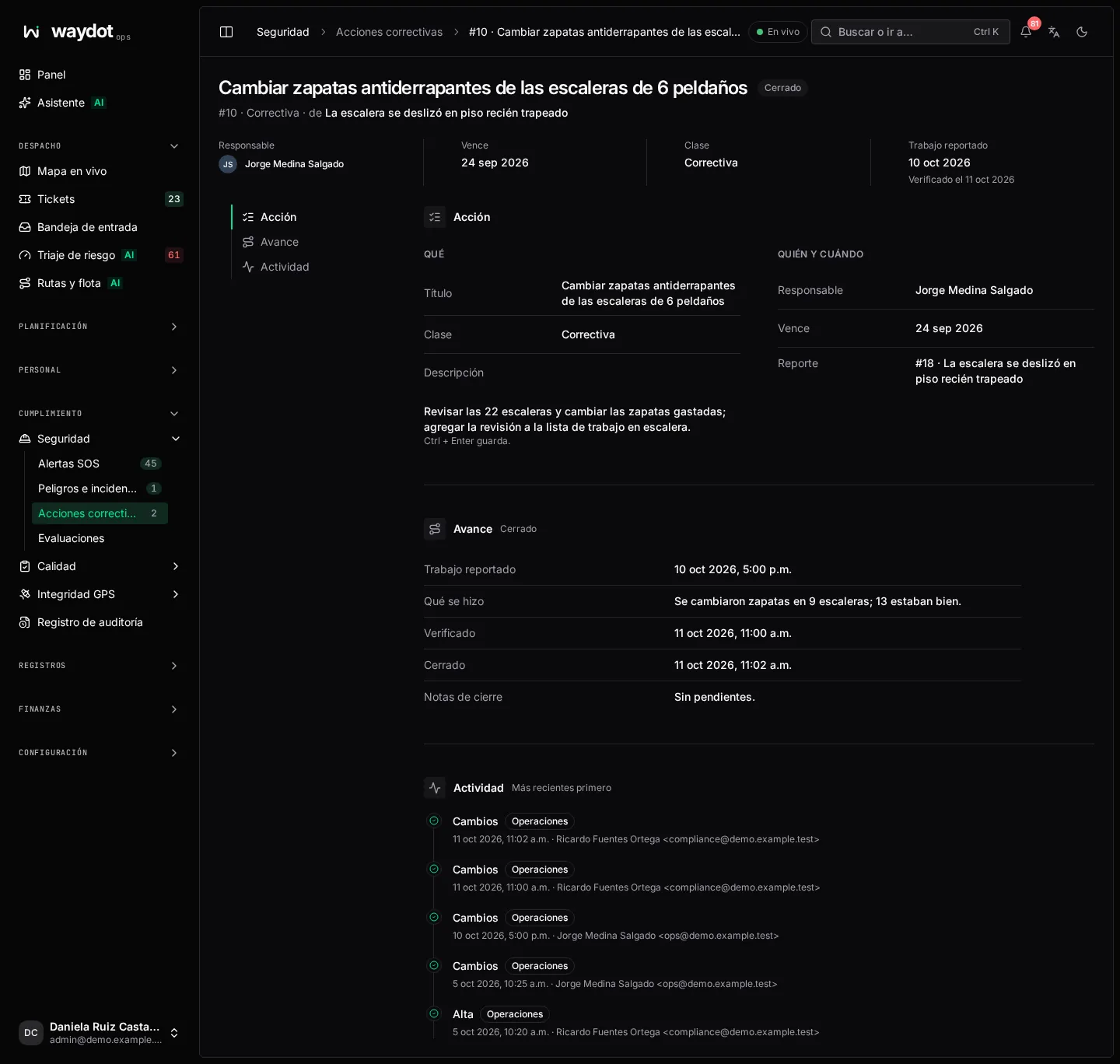
| Section | What it holds |
|---|---|
| What | Kind, title and required action (edited in place; Ctrl + Enter saves). The source report. |
| Who and when | Owner and due date (No due date if none). |
| Progress | Work reported, What was done, Closing notes and Verified on…. |
| Recorded changes | The history. |
States and moving on
| State | Meaning |
|---|---|
| Draft | Just created. |
| In progress | The owner is working on it. |
| Work verified | Someone other than the owner confirmed it was done. |
| Closed | Finished. |
| Cancelled | No longer applies. |
In Move this action on:
- The owner chooses Start work.
- When finished, Report work complete with notes on What was done (required). The action waits for verification.
- Someone else chooses Verify completed work (notes are required to verify). Verification is done by someone other than the owner.
- Close action.
There are also Cancel action and Return to draft.