

English
Recruitment
From opening to hire: you publish the opening, applicants apply on your careers page (or you add them), pass screening, book their interview, interviewers evaluate them, you send the offer for signature and hire. Hiring creates their account and starts their onboarding.
Where it is: Workforce → Hiring → Recruitment. Who sees it: people allowed to maintain employee files. Interviewers see the applicants they interview. Plan: Human resources add-on.
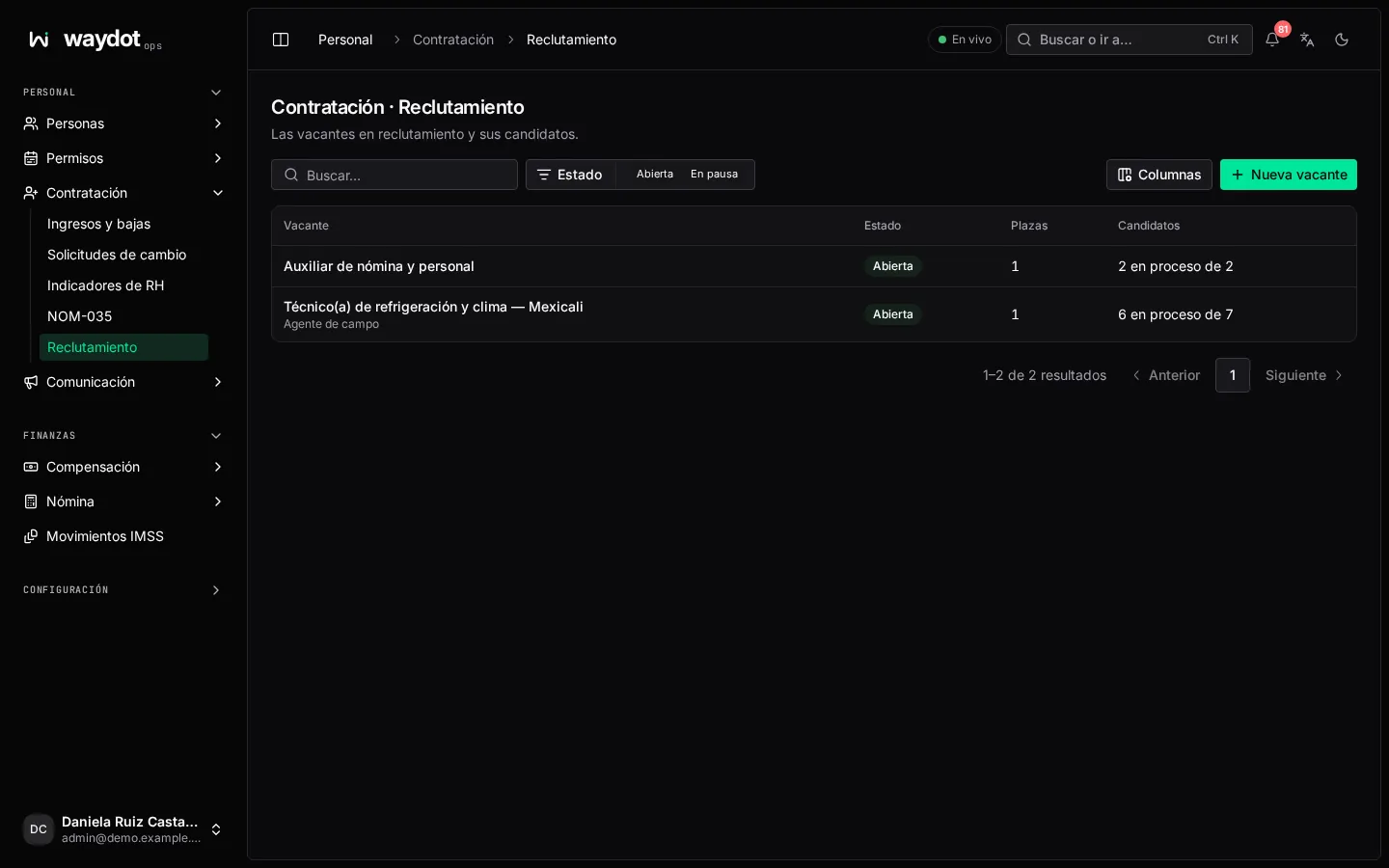
Openings
Each opening with its Positions, Applicants (5 in progress of 12), its state and when it was opened. New opening opens one.
States: Open, Paused (Put on hold), Filled (closes by itself when the positions are hired, or Mark filled) and Closed (Close; Reopen opens it again).
Opening a job
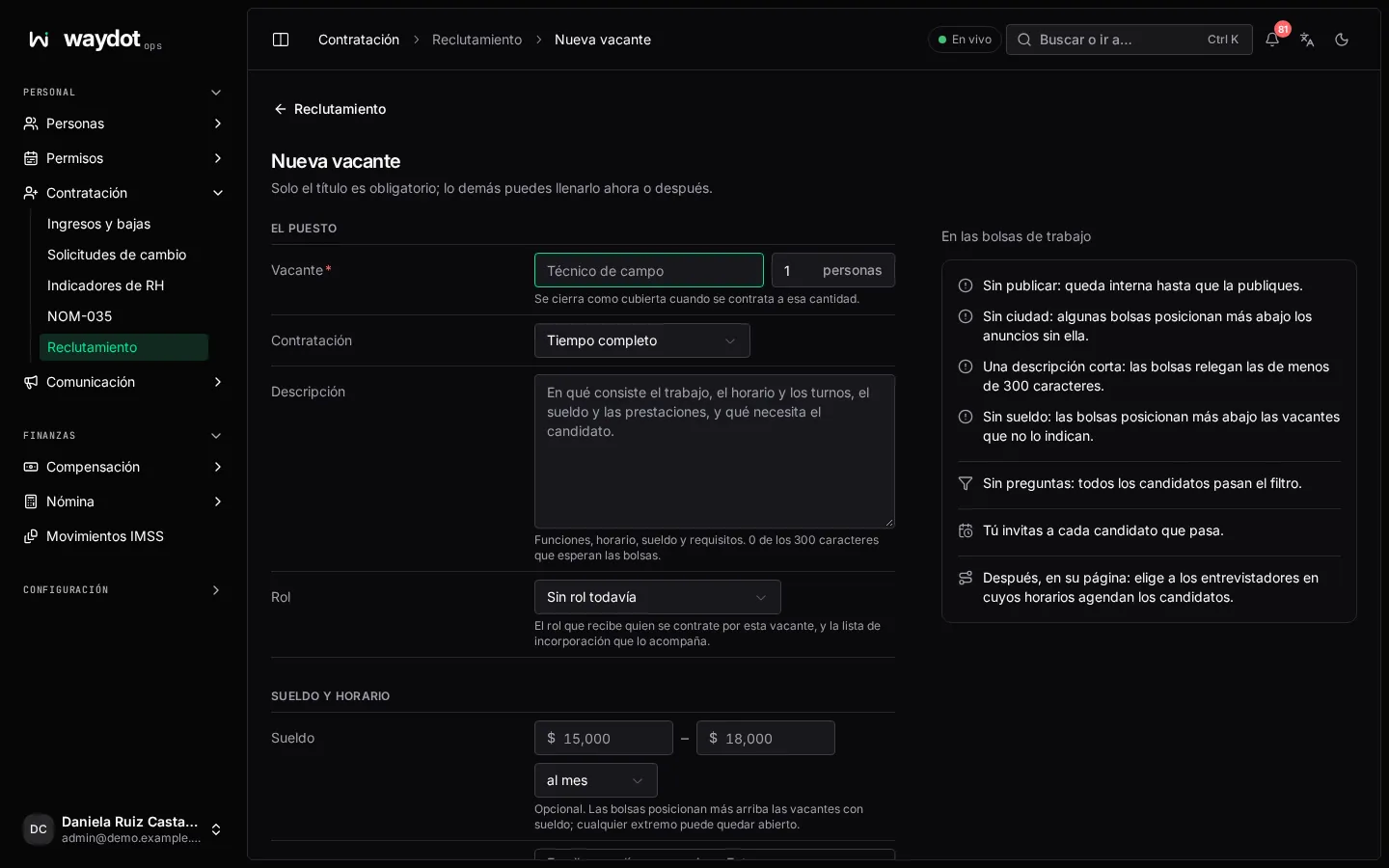
Only the title is required; the rest can be filled now or later.
| Section | Fields |
|---|---|
| The job | Title (Field technician), how many people it hires (closes as filled once they're hired), the Role the hire gets (and the onboarding checklist that comes with it) and the description: duties, schedule, pay and requirements. Job boards expect a few hundred characters. |
| Pay and hours | Hiring (Full time, Part time, Contract, Temporary, Internship), Salary from / to and Salary period (per hour, day, week, month or year). Optional, but boards rank openings with pay higher. |
| Where | City or area boards list it in. |
| Screening questions | See below. |
| Publishing and interviews | Publish on the careers page and the job board feed, its Address (the end of the public link), the length of each interview and the place (a branch or a video call link). |
On the job boards tells you what it's missing to rank well (pay, publishing, city, a full description). Open the opening.
Screening questions
Asked on the careers page after the contact details. Pick a suggested one (Do you have a valid driver's license?, How many years of experience…?, Can you work the schedule in the posting?, Do you live near the workplace…?, Do you hold the certification this job requires?) or Write my own.
| Field | What it is |
|---|---|
| Answer type | Yes or no, A number, Free text or answers to choose from. |
| Which answer rules an applicant out | For yes or no: Answering no rules out / Answering yes rules out / none. For a number: Rules out below. Free text never rules out. |
| Mandatory |
An applicant whose answer rules them out is left for you to review instead of passing screening; applicants never see which answers rule out.
On the opening's page, Careers page also sets Required certifications and Cities hired in (whoever doesn't meet them doesn't pass), Invite automatically (send the booking link as soon as someone passes) and the Interviewers: applicants book within the interview hours each one sets on their profile.
The Job posting adds Schedule (up to six lines: Monday to Friday), Benefits (up to twelve: Statutory benefits, Food vouchers) and the Workplace address.
Public link and Job board feed: share the XML feed with boards that take one (Indeed, Jooble, Talent.com…). See Careers site.
The applicant board
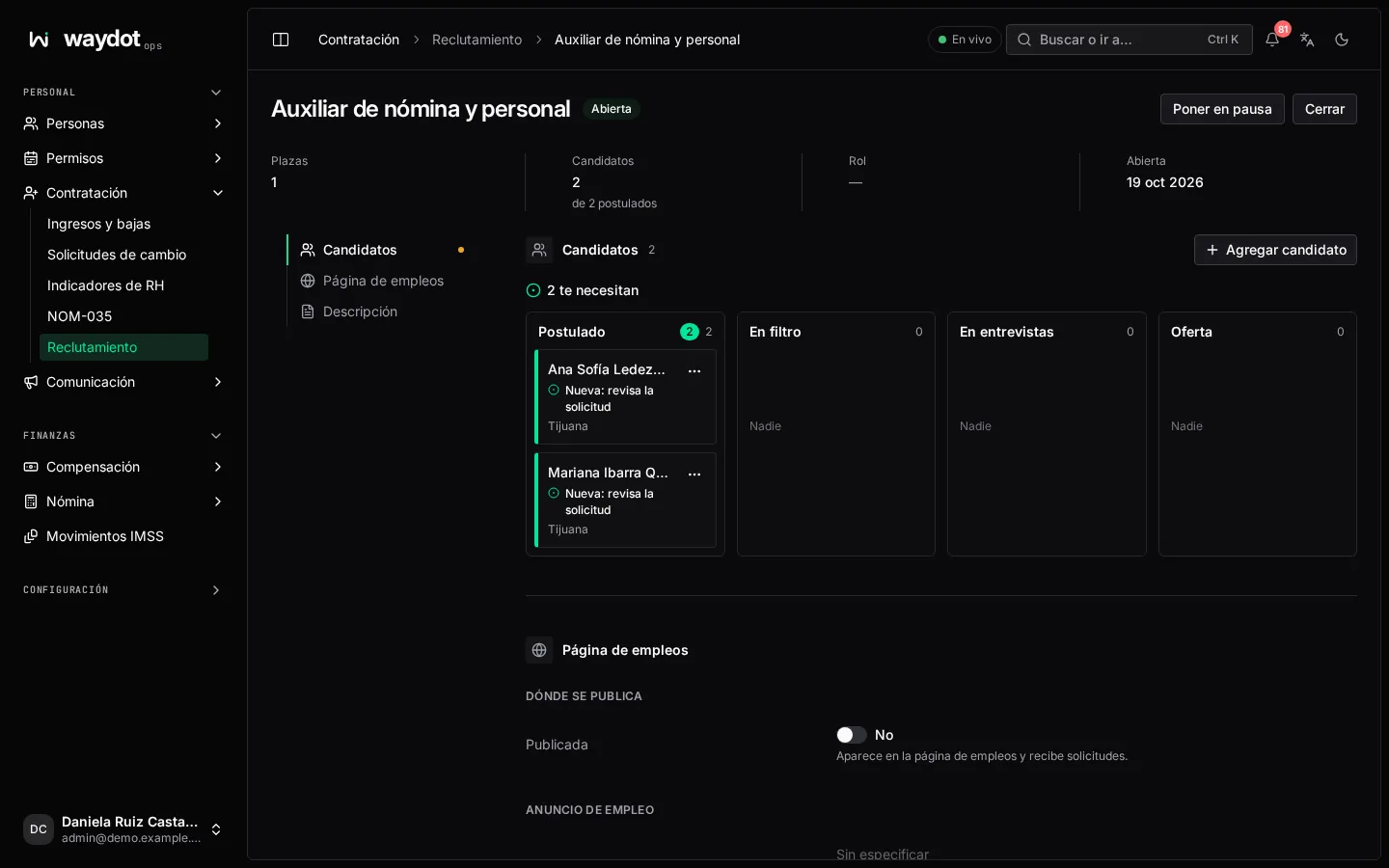
Applicants by stage: Applied, Screening, Interviewing, Offer, Hired. Drag a card or use Move to. Each card shows whether it Passed or was flagged by screening, Résumé attached and Booking link sent. At the top: what needs you and what waits on others; at the bottom, Closed applications.
Add applicant: someone who applied by phone, in person or by referral (name, email, phone, Origin). They enter at the first stage.
The applicant's page
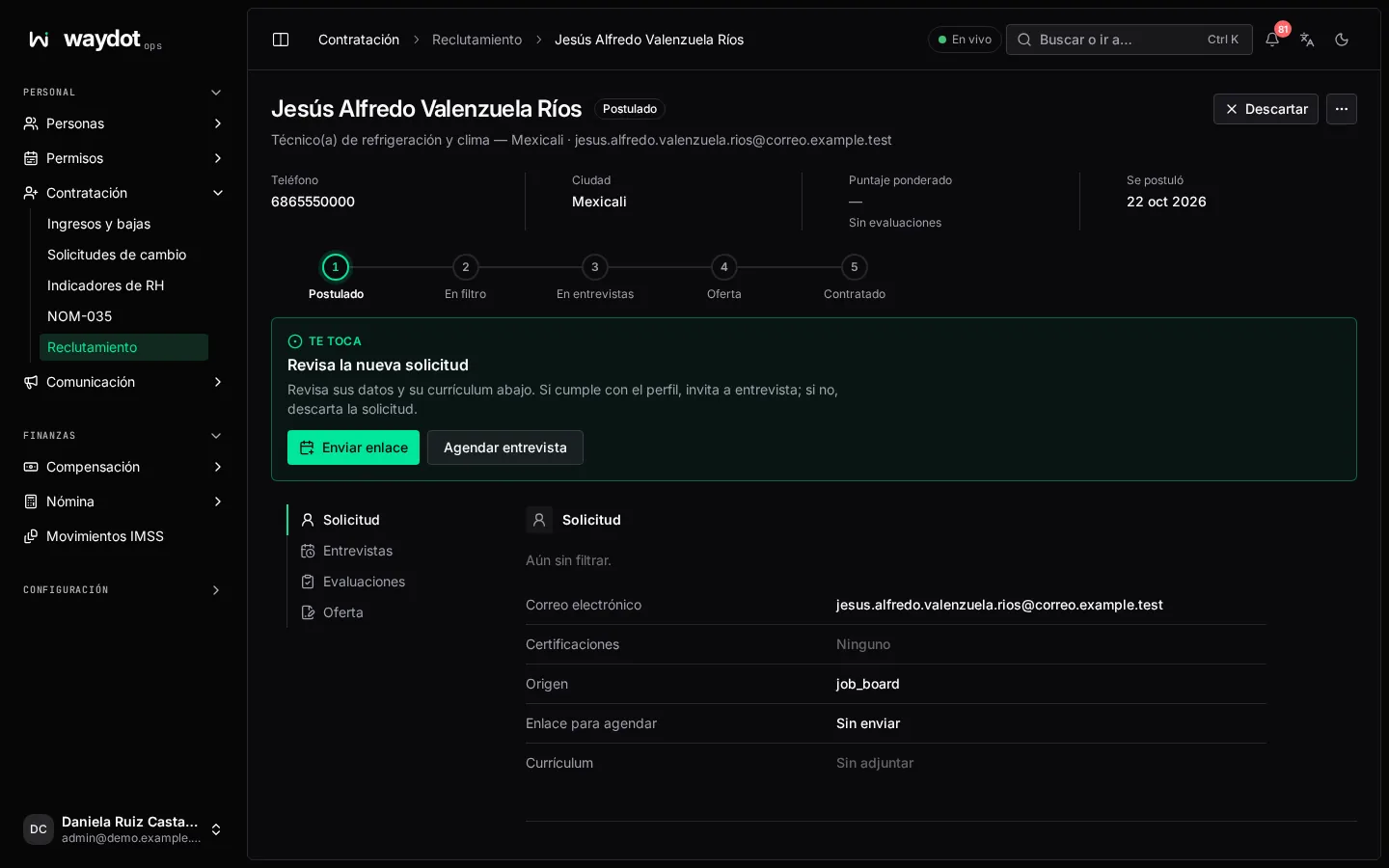
What happens next tells you the next step and who it depends on (Your turn, Waiting for the candidate, Waiting for the interviewers), with its action:
| Step | What to do |
|---|---|
| Read the new application | Check their details and résumé; invite or discard. Read from the résumé sums up their experience and skills. |
| Missing a requirement | They don't meet everything the opening asks (Missing: …). You can still invite them. |
| Invite them to an interview | Send booking link so they pick a time on the interviewers' calendar, or Book interview yourself. |
| Waiting for them to book | The link expires after some days; Resend link if they don't answer. |
| Interview on … | Afterwards, each interviewer records their evaluation. |
| Record your evaluation | See below. |
| Decide | Read the evaluations: make an offer or discard. |
| Prepare the offer / Send the offer | See below. |
| Waiting for them to sign the offer | If they answered in person, record They accepted / They declined. |
| Hire | They accepted: Hire creates their account, sends the invitation and starts their onboarding. Open their employee record. |
Discard closes the application (it can't be reopened); Tell them by email sends a short, kind message. Withdrew records they withdrew.
Booking an interview
Starts, Minutes, Interviewers (each can see the applicant and record their evaluation; if someone already has another appointment you're warned, not stopped) and Place. With video meetings connected, each interview gets its link (Join meeting).
Evaluating
Record evaluation (only whoever interviewed them): rate from 1 (Poor) to 5 (Excellent) Technical, Safety, Communication and Reliability, the General rating, the Recommendation (Strong hire, Hire, Maybe, Do not hire) and notes. The scorecard combines each interviewer's (Weighted score, Recommended for an offer or Suggests rejection). If two interviewers say do not hire, discarding is suggested.
The offer
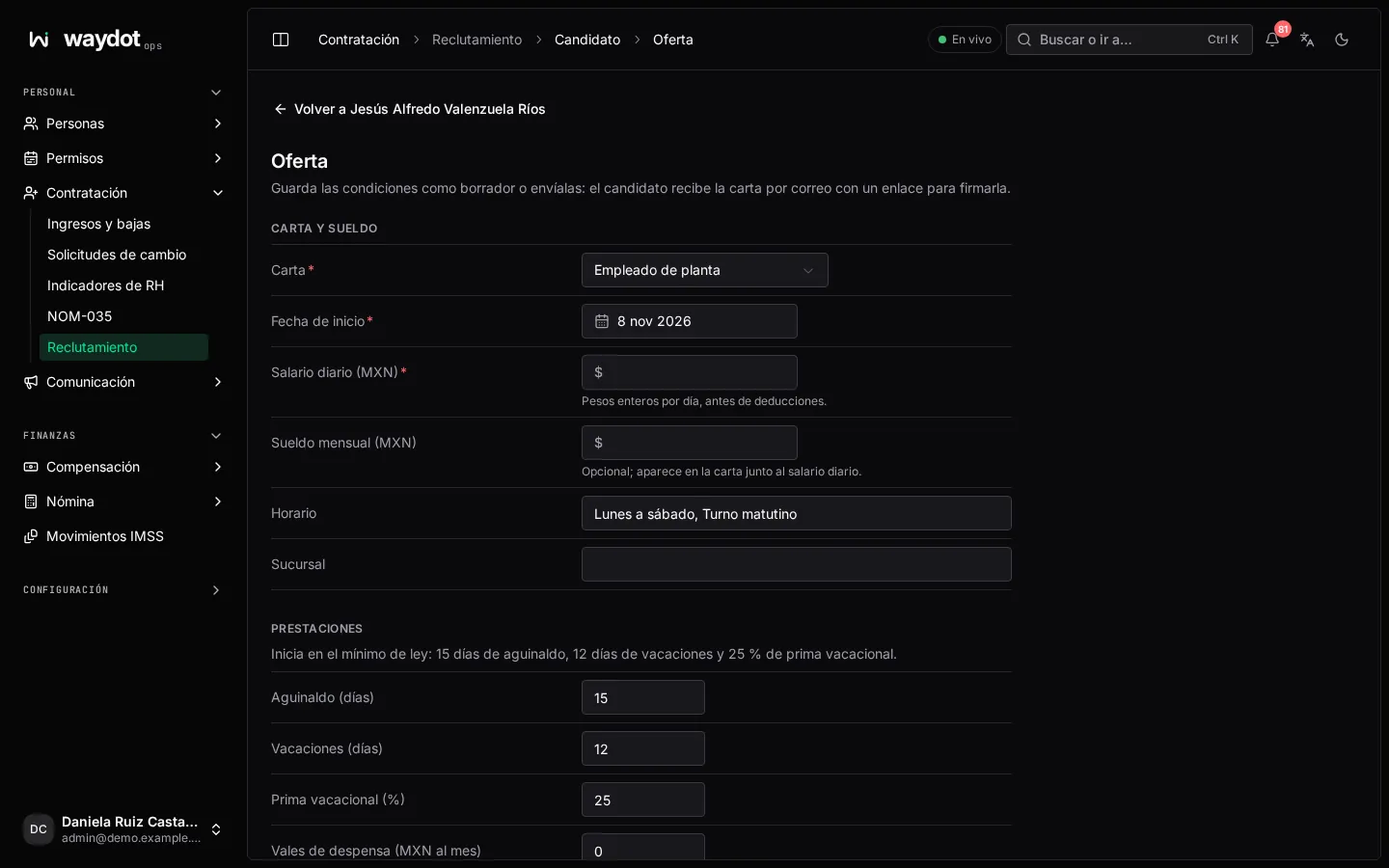
| Field | What it is |
|---|---|
| Letter | Full-time employee, Apprentice (initial training) or Contractor. |
| Starts on | |
| Daily wage (MXN) | Whole pesos per day, before deductions. |
| Monthly salary (MXN) | Optional; shown on the letter (the daily times 30.4 is suggested). |
| Benefits | Start at the statutory minimum: Year-end bonus 15 days, Vacation 12 days, Vacation premium 25%. Plus Food vouchers, Tool allowance and Other benefits. Values below the minimum aren't accepted. |
| Schedule and Branch |
Save draft or Send offer: the applicant gets the letter by email with a link to read it and sign it online (needs e-signature). Once signed, the offer is Accepted and the Signed letter is filed. A sent offer can't be edited; if they decline, Draft a new offer.