

English
Escalation chains
An escalation chain says what happens to a ticket nobody accepts: who's told and when, and when the ticket is taken back to be dispatched again.
Where it is: Configuration → Escalation chains. Who sees it: people allowed to read escalation chains; creating them needs write escalation chains. Plan: Escalation chains module (Pro and Enterprise).
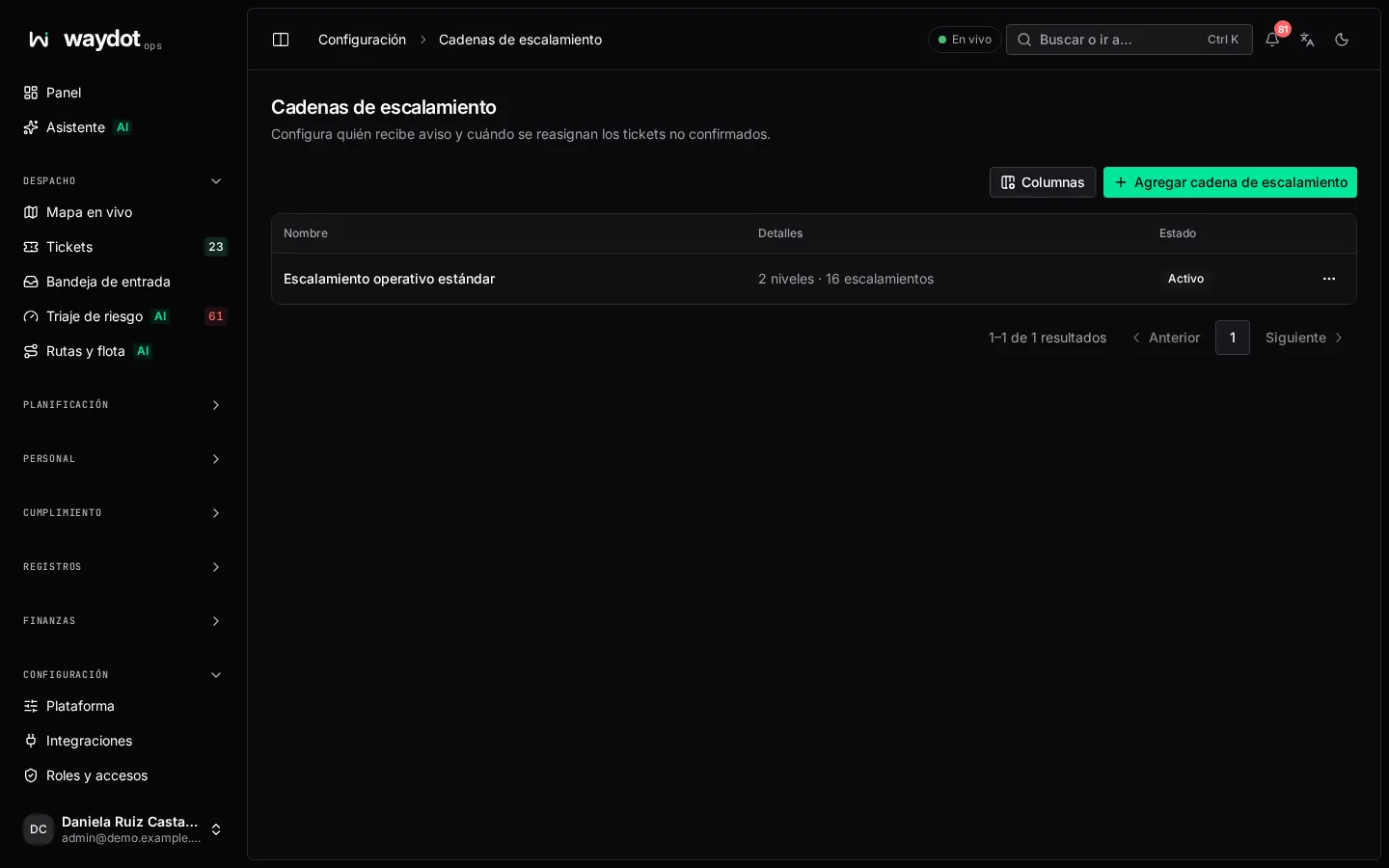
The list shows each chain, how many levels it has, which tickets it applies to and how many escalations it has caused.
Creating a chain
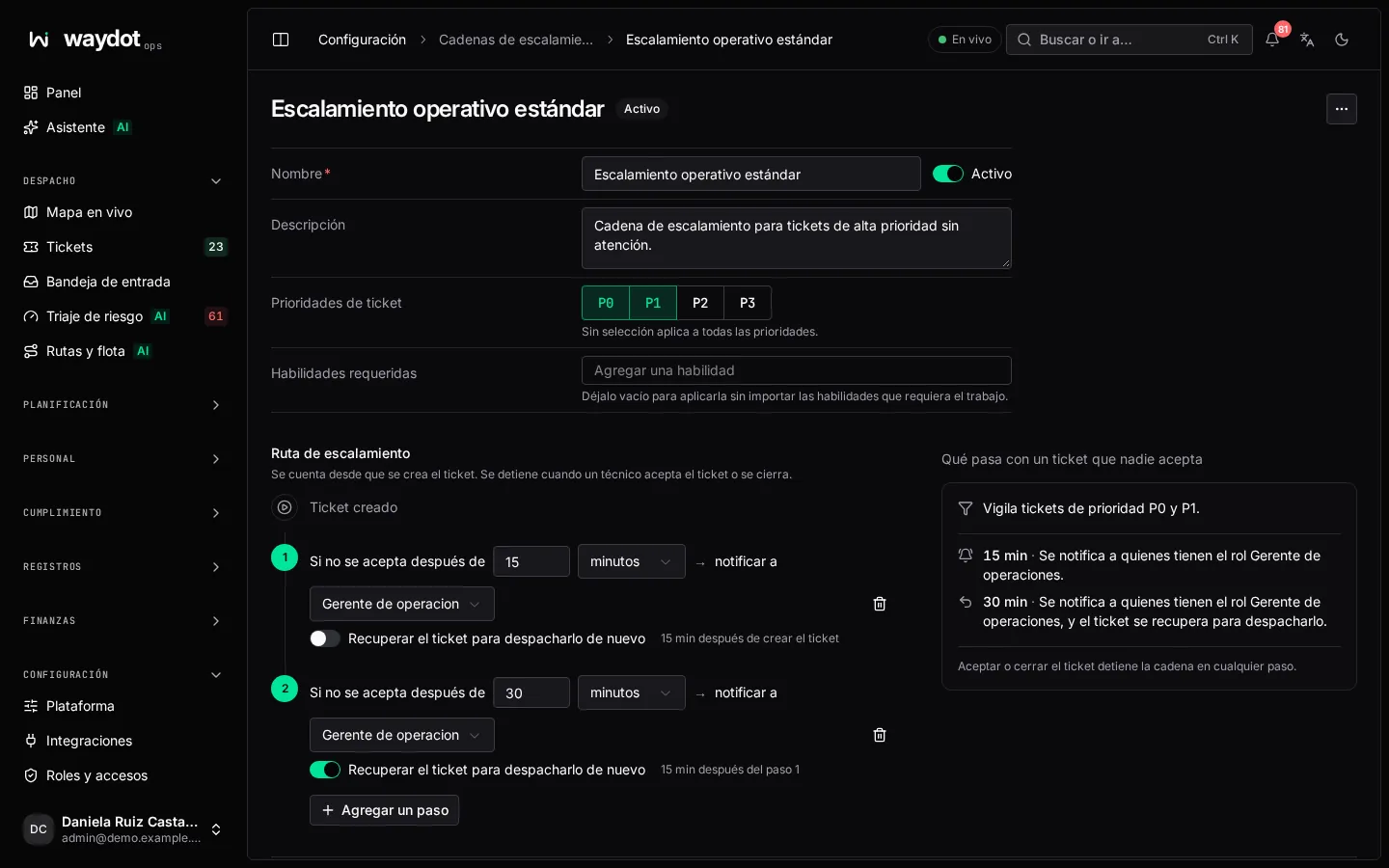
| Field | What it is |
|---|---|
| Name | E.g. P1 response. |
| Which tickets | The priorities and skills it applies to. Empty: Watches every ticket. |
| Escalation path | The steps, five at most. |
The path counts from when the ticket is created (Ticket created) and stops when a technician accepts the ticket or it's closed, at any step. Each step:
| Part | What it is |
|---|---|
| If not accepted after | How long to wait, in minutes, hours or days. At least a minute, a week at most, and longer than the previous step. |
| notify | A role: everyone holding it is told (or nobody). |
| Take the ticket back so it can be dispatched again | Removes the assignment and offers it again. |
Each step must tell someone or take the ticket back. Add a step. What happens to a ticket nobody accepts tells it step by step (30 min after the ticket is created: everyone with the Operations manager role is told…). Save escalation chain.
Escalation and SLA
They're two different things:
- The chain watches acceptance: a ticket nobody takes.
- The Escalate after in the client's service levels and the SLA warnings in notification rules watch the deadline.
Every escalation stays in the ticket's history. The Automatic escalation switch in platform settings stops them all without deleting the chains.