

English
Attendance register
The register shows, day by day, each person's clock-in and clock-out against their shift, and the hours waiting to be approved for payroll. Clock events come from the field app (Clock in / Clock out), with the phone's location and time.
Where it is: Workforce → Attendance → Register. Who sees it: each person their own attendance (read your own attendance); with read attendance across your territories, their territories'. Approving hours and deciding corrections needs approve attendance and rule on corrections. Plan: included from Basic.
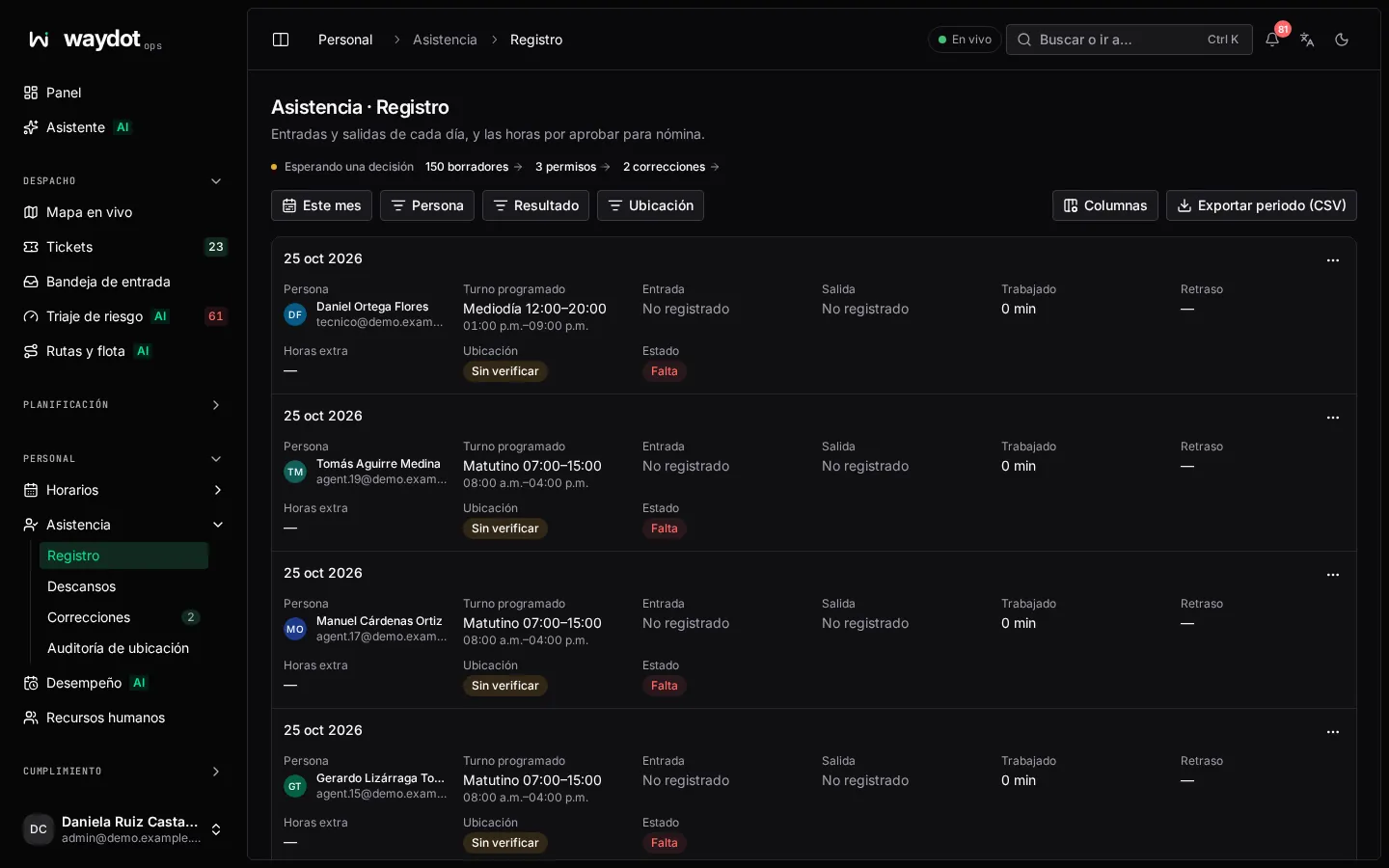
Columns
| Column | What it shows |
|---|---|
| Person | Who. |
| Scheduled shift | The shift published that day and its hours, or Unscheduled. |
| Clock in / Clock out | The recorded times, or Not recorded. |
| Worked | Time between clock-in and clock-out, less breaks. |
| Late by | Minutes after the shift's grace. |
| Overtime | Time worked beyond the shift's length, past the configured threshold. It is only flagged; it is authorized by hand. |
| Location | Verified if the clock event happened inside an authorized area (site geofence, base or authorized home), Not verified otherwise. |
| Status | See below. |
States
| State | Meaning |
|---|---|
| Present | Clocked in within the shift's grace. |
| Late | Clocked in after the grace. |
| On a break | Taking their break. |
| Absent | The Absent after minutes (60 by default) passed after the grace without a clock-in. |
| Excused | No clock-in, but the absence is covered (for example by approved leave). |
| Incomplete | Clocked in but not out; the record closed itself after the shift ended (240 minutes by default). |
| Pending correction | A requested correction hasn't been decided. |
| Approved for payroll | The hours were approved; payroll picks them up. |
Days that are Approved, Incomplete, Excused or Pending correction can't be approved from the list.
Filters and export
Filter by period (This month…), Person, Result and Location. Export period (CSV) downloads the whole period; Export matches (CSV), only what is filtered.
An attendance day
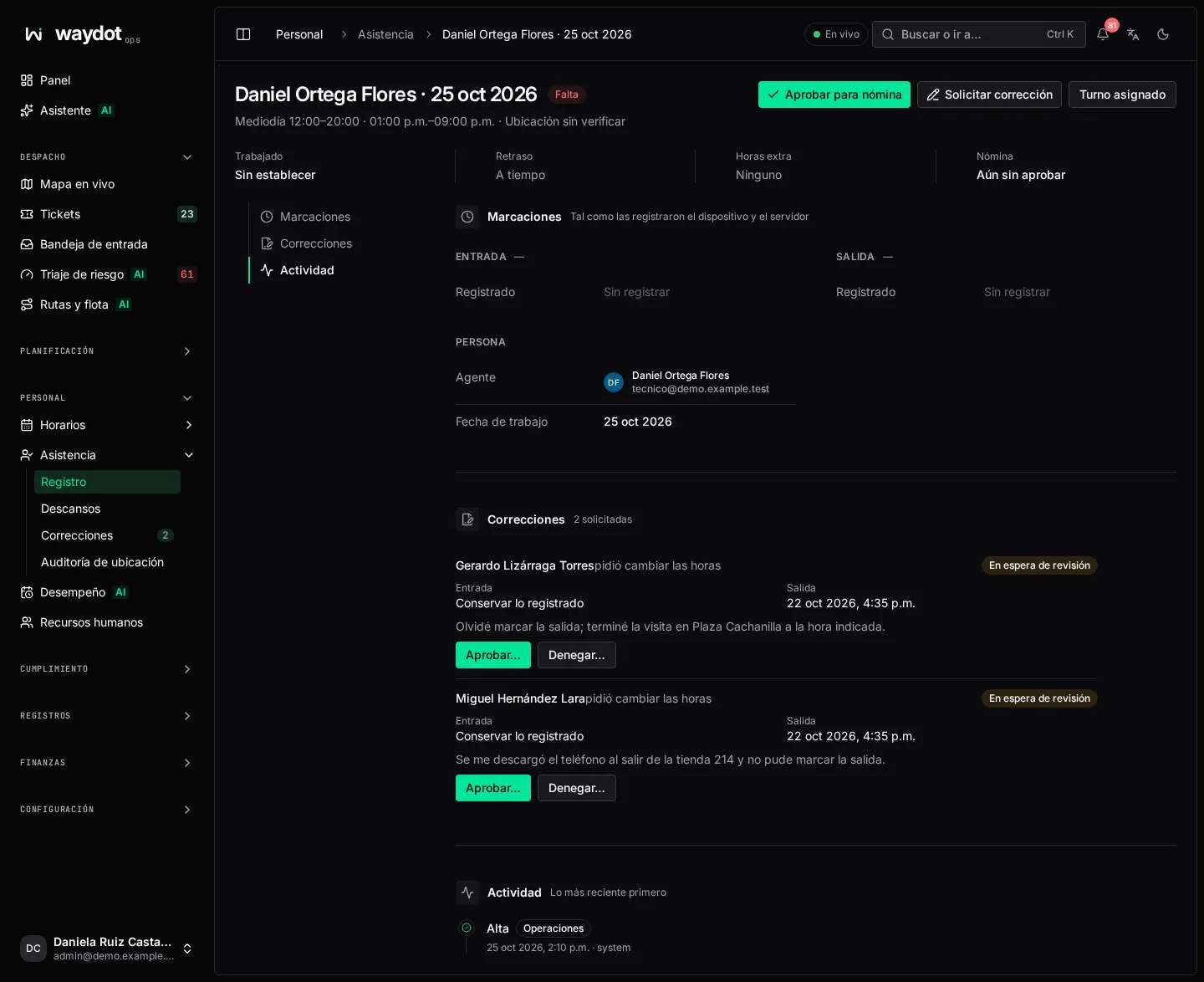
Clicking a row opens the day:
| Item | What it is |
|---|---|
| Worked, Late by, Overtime | The day's calculations. N h so far if still on shift. |
| Payroll | Not approved yet or Approved on …. |
| Clock events | Clock-in and clock-out as the device and the server recorded them: the time Captured on device, the time Received by server (they differ when the phone had no signal), Presence (Verified in geofence or not), the Geofence and Entered by (Someone else, on the agent's behalf if a supervisor clocked for them). |
| Corrections | Requests to change times and their decision. |
| Activity | Recorded changes. |
Actions:
| Action | What it does | Permission |
|---|---|---|
| Approve for payroll | Marks the day's hours approved; payroll picks them up. | Approve attendance |
| Request correction | Asks to change the clock-in or clock-out (see Corrections). | Anyone for their own day; supervisors for their team's |
| Rostered shift | Opens the day's shift in the planner. | — |
In the list, each row's ⋯ menu offers View hours, Request correction and Approve hours for payroll.
How it's calculated
Defaults (changed in Platform settings → Attendance):
| Rule | Value | What it does |
|---|---|---|
| Early clock-in window | 120 min | How early a clock-in still counts for the assigned shift. |
| Grace | Each shift's own (15 min by default) | Clock-ins within the grace are on time. |
| Absent after | 60 min | With no clock-in after grace + this time, the day is marked Absent. |
| Overtime after | 30 min | Time beyond the shift's length that is flagged as overtime. |
| Close open shifts after | 240 min | A record without clock-out closes as incomplete this long after the shift ends. |
| Clock-in radius | 50 m | How far from an authorized area a clock-in still counts as verified. |
| Least accurate clock-in | 50 m | A clock event with GPS accuracy worse than this is refused. |
| Require a position | Yes | Without a position the clock event isn't accepted. A clock-in outside every authorized area is always accepted, marked Not verified and reported. |