

English
Vehicles
The fleet records each vehicle with its papers, who holds it, when it's due for service, how far it travels and what it costs.
Where it is: Records → Fleet → Vehicles. Who sees it: with read the vehicle assigned to you…, yours; with read every vehicle in your territories, those in your territories. Registering, handing over and managing papers and plans needs manage vehicles, their papers, assignments and maintenance plans. Plan: Fleet module.
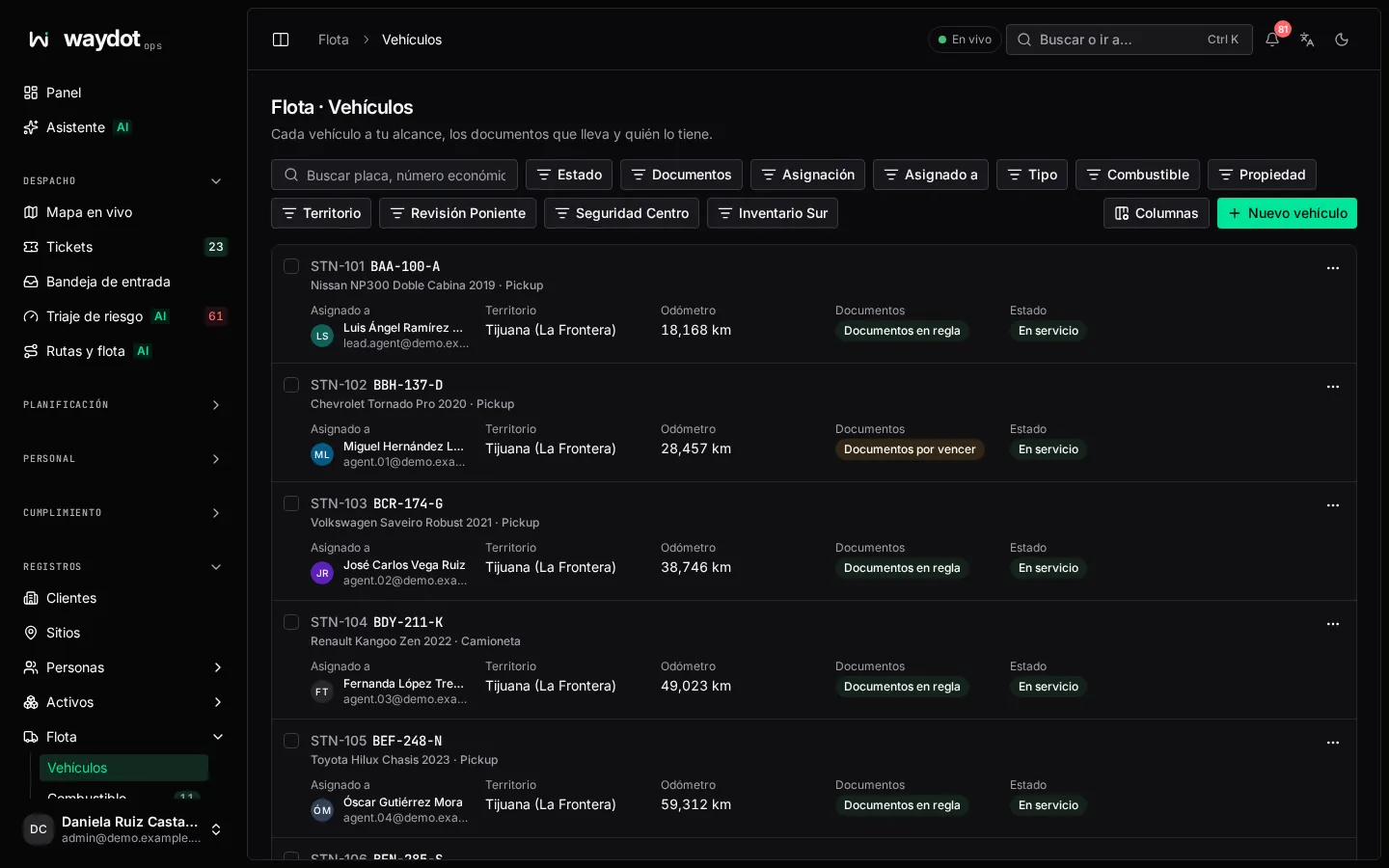
The list
Every vehicle in your reach, the papers it carries and who holds it: Plate, Fleet number, make, model, year, type, fuel, Assigned to (Nobody), Odometer, Papers and state (In service, Out of service, Retired).
Search by plate, fleet number, VIN, make or driver; filter by state, type, assignment and territory. Export CSV.
Registering a vehicle
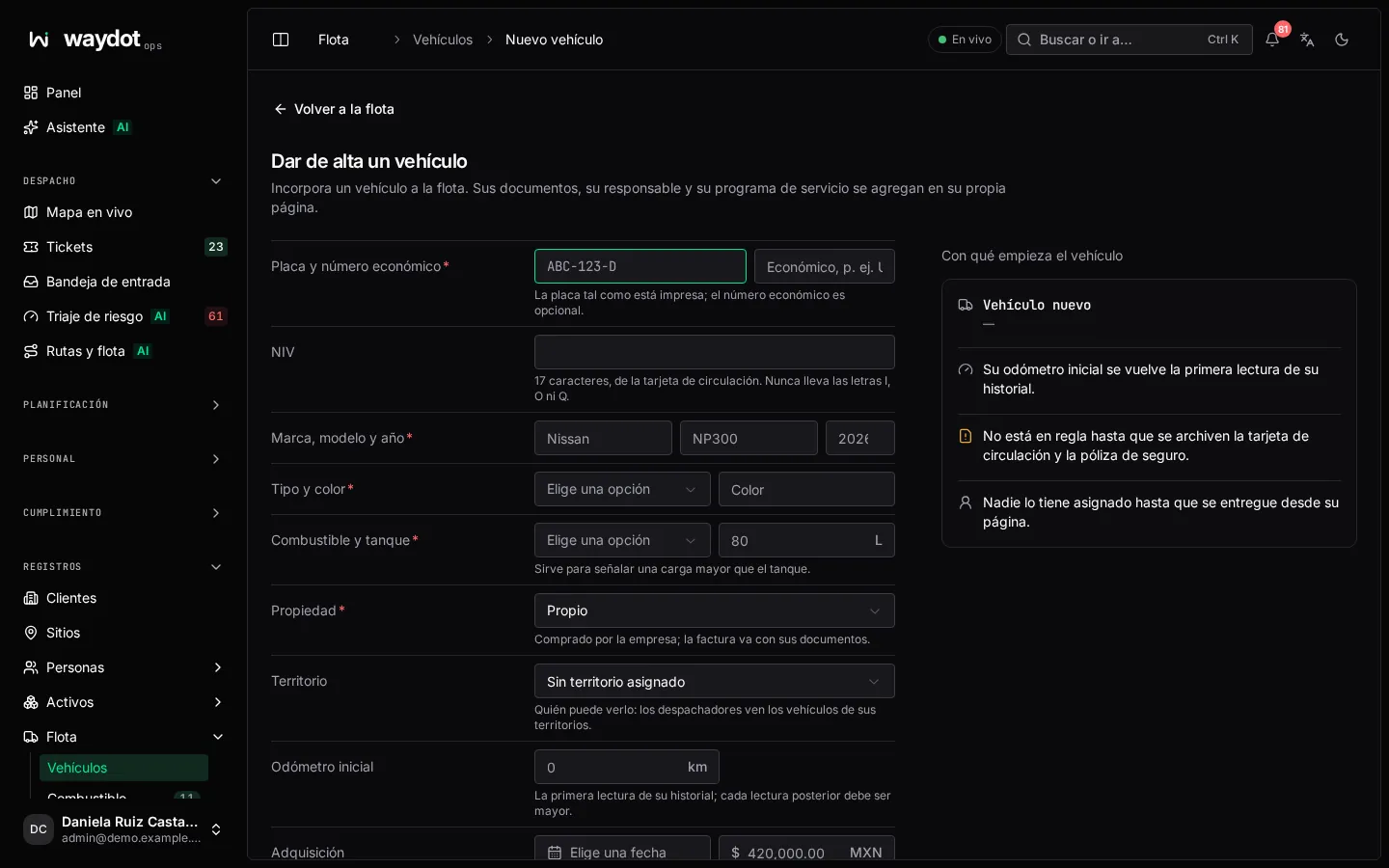
| Field | What it is | Rules |
|---|---|---|
| Plate | As printed (ABC-123-D). | Required. |
| Fleet number | The internal number (U-014). | Optional. |
| VIN | From the registration card. | 17 characters, no I, O or Q. |
| Make, model and year | Nissan NP300 2024. | Year between 1980 and next year. |
| Type and Color | Sedan, Hatchback, SUV, Pickup, Van, Motorcycle or Truck. | |
| Fuel and Tank | Magna, Premium, Diesel, LP gas, Natural gas, Electric or Hybrid; and tank liters (used to flag a fill-up larger than the tank). | Tank 1 to 2,000 L. |
| Ownership | Owned (bought; the invoice goes with its papers), Leased (file the lease) or Rented (short-term, goes back). | |
| Territory | Who can see it: dispatchers see the vehicles of their territories. | |
| Starting odometer | The first reading of its history; every later reading must be higher. | Whole km. |
| Acquired on and Acquisition cost | For cost reports. |
Register vehicle. What it starts with: the starting odometer as its first reading; it isn't roadworthy until the registration card and insurance policy are filed; nobody holds it until it's handed over.
The vehicle's page
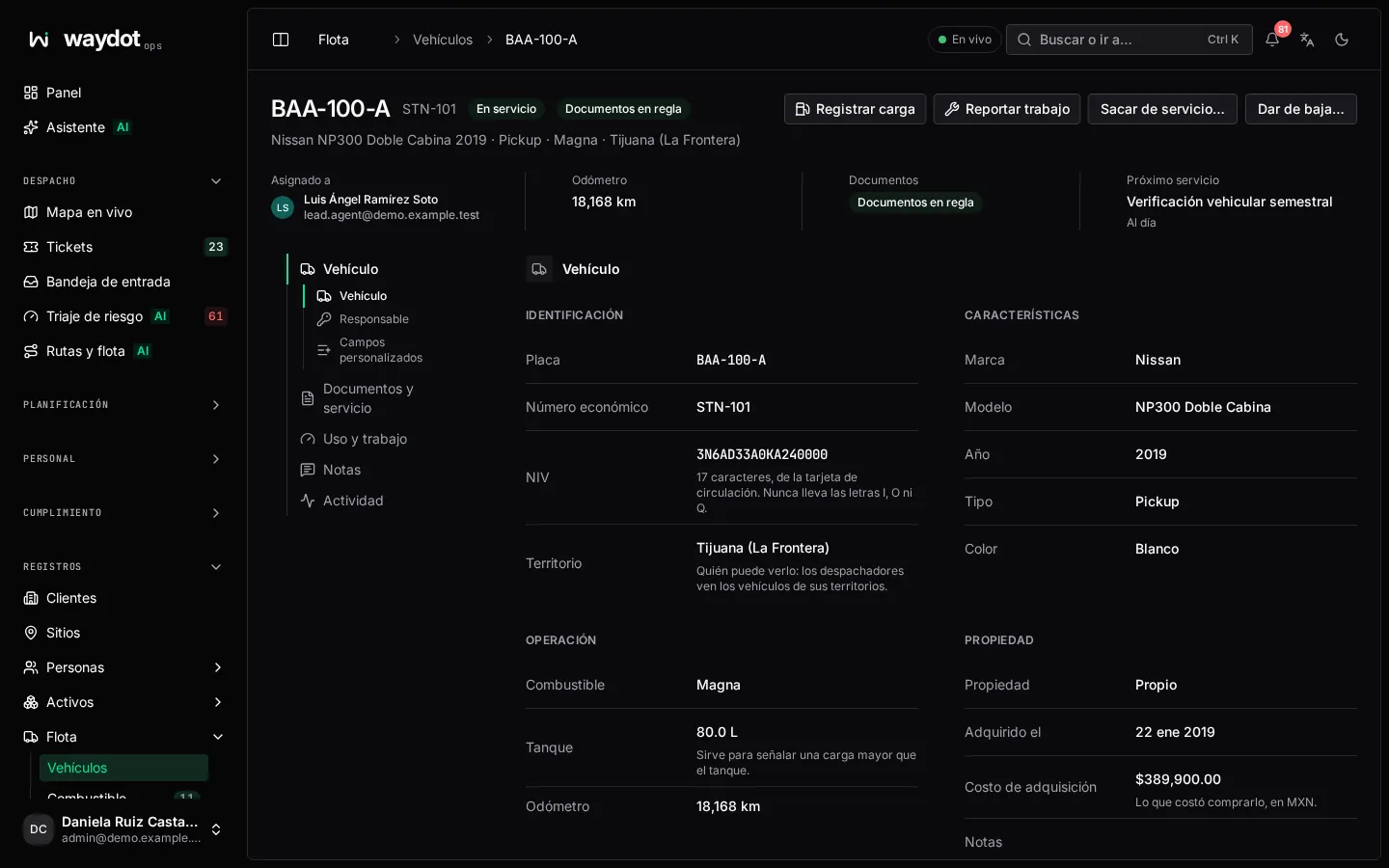
Two tabs: Papers and service and Use and work.
Vehicle
Identity, Specifications, Operation, Ownership, Next service and notes. Each field is edited in place.
Holder
Who has the vehicle (Since 3 Oct, at 45,210 km) and the Previous holders.
- Hand over: pick the person, the Odometer out (empty starts from the last reading) and notes (condition, fuel level, what goes with it). Their driver's license must be filed and current (configurable; an expired one always blocks the handover).
- Take back: the Odometer in closes the handover and is added to the history; notes on the condition when it came back.
- A vehicle out of service or retired can't be assigned.
Papers
3 of 4 required. Each kind of paper (registration card, insurance policy, emissions check…) shows: Valid until…, Expires on…, Expired — file a current one, Required — not filed or Doesn't expire.
File a paper:
| Field | What it is |
|---|---|
| Paper | The kind. |
| File | PDF, JPEG, PNG or WebP, up to 10 MB. |
| Reference and issuer | Policy or folio number, and the insurer or authority. |
| Issued on / Expires on | The expiry is required if the kind expires. |
A filed paper is verified on filing: whoever files it is who checked it. The previous one is kept; the one covering furthest ahead counts. Remove deletes a file; if it was the current one of a required kind, the vehicle stops being roadworthy. A warning is given when a paper is about to expire (30 days by default, configurable).
Service program
The service plans: what's due and how often, by distance, by time or whichever comes first (Every 10,000 km or 6 months). Each plan shows Due at …, 1,200 km left or 300 km over, and Book.
Add plan:
| Field | What it is |
|---|---|
| What | The kind: Oil change, Tire rotation, Tire replacement, Brakes, Battery, General service, Repair, Bodywork and paint, Emissions check, Inspection or Other; and a name (Oil and filter). |
| Every | A distance (at least 100 km), a time (days, weeks, months or years) or both. |
| Last done and Odometer last time | If it was done before the vehicle was registered. |
| Active | A paused plan doesn't come due. |
The page warns when a service is coming up (by date or km, configurable) or overdue, and completing a work order for the plan moves it on to the next service.
Odometer
The Readings with their date and km per day. Fill-ups, services and handovers log their own; Log reading is for days when nothing else did (empty uses the current time).
Mileage: odometer against GPS
Compares, for a period, the km By odometer with the km By GPS from the phones of those who held the vehicle, and gives a verdict:
| Verdict | What it means |
|---|---|
| They agree | The difference is normal. |
| Odometer is ahead | It was driven with the phone off, by someone not assigned, or a reading was mistyped. |
| GPS is ahead | A reading is missing or was typed low, or the holder traveled in another vehicle. |
It shows Who held it and the discarded GPS jumps.
Fuel and Work orders
The latest fill-ups and the vehicle's work orders, with View all. See Fuel fill-ups and Work orders.
Lifecycle
| Action | What it does |
|---|---|
| Take out of service | Stays in the fleet but can't be assigned until it returns; for example, while at the shop. |
| Return to service | Back on the road: it can be assigned and log fill-ups. |
| Retire | Leaves the fleet for good. The keys must be taken back first; its history, papers and costs are kept. |